Okay, picture this: You’re at home, late at night, staring at your computer screen, battling a bug that just refuses to be squashed. You’re on the verge of throwing your keyboard out the window when you suddenly wonder, “How the heck does this thing even *work*?” I mean, we plug it into the wall, right? With that sweet, sweet AC voltage. But how does that power turn into the magical blips and bloops that make our digital world spin?
Well, buckle up, buttercup, because we're diving into the wonderful world of oscillating charges and how they're induced in computers to ultimately, kinda-sorta give us something resembling AC voltage...or, you know, something that *behaves* like it.
The Not-So-Secret Ingredient: The Power Supply Unit (PSU)
First things first, let's clear something up. Your computer doesn't *directly* use the AC voltage coming from the wall. That would be...bad. Very bad. Think of it like trying to pour molten lava directly into your morning coffee. Not recommended. That's where the Power Supply Unit (PSU) comes in.
The PSU is the unsung hero of your computer. It's that boxy thing in the back, often with a fan, that takes the high-voltage AC from the wall and converts it into the stable, low-voltage DC (Direct Current) that your computer’s components need to survive. Think of it as a translator between the wall outlet's loud, fluctuating demands and the delicate language spoken by your motherboard, CPU, and GPU.
So where does the "oscillation" and pseudo AC come into play?
Switching Regulators: The AC Imposters
Inside the PSU, things get interesting. While the output is DC, the *process* of converting AC to DC often involves creating oscillations. And that's where the magic begins... kinda.
Modern PSUs almost universally use something called a switching regulator. These are circuits that rapidly switch the current on and off at a high frequency – often tens or hundreds of thousands of times per second. Now, hold on a second, let's break it down!
Imagine you’re trying to fill a bucket with water, but instead of turning on the tap full blast, you rapidly turn it on and off. The average amount of water in the bucket depends on how long the tap is on *versus* how long it's off. That's basically what a switching regulator does with electricity! By controlling the duty cycle (the percentage of time the switch is “on”), it regulates the output voltage. This duty cycle itself oscillates, adapting to the voltage of the input AC.
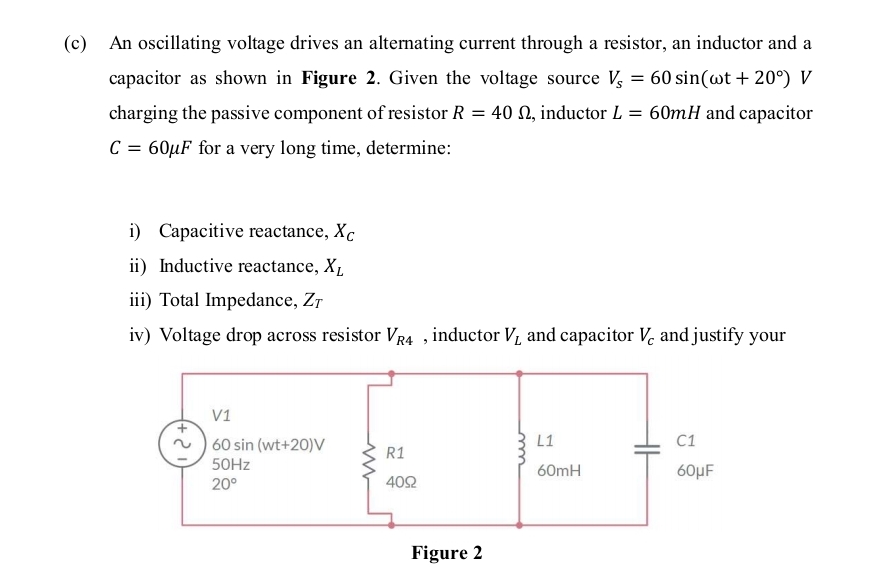
These high-frequency switching actions create *oscillating* currents and voltages within the PSU. These oscillations aren’t exactly the same as the AC voltage from the wall (which oscillates at a lower frequency, like 50 or 60 Hz), but they *are* rapidly changing currents and voltages.
Here's where it gets sneaky. The PSU uses these oscillating currents and voltages, along with components like inductors and capacitors (which store energy), to chop up and smooth out the AC input and convert it into the stable DC voltages your computer needs (like 12V, 5V, and 3.3V). Think of the inductors and capacitors as buffers, storing and releasing energy to smooth out the "on-off" bursts and create a more consistent flow.
Why the Switching? Efficiency, My Friend!
Why go through all this trouble of switching things on and off like a hyperactive light switch? Simple: efficiency! Switching regulators are way more efficient than older, linear regulators. Linear regulators essentially “waste” excess energy as heat, which is bad for your power bill and can shorten the lifespan of your components. Switching regulators, on the other hand, minimize energy loss.
So, while your computer doesn't directly use AC voltage, the process of converting AC to DC within the PSU involves creating oscillating currents and voltages using switching regulators. These oscillations, cleverly manipulated by inductors and capacitors, are essential for efficient power conversion.
Now, if you'll excuse me, I have a keyboard that needs... uh... some gentle persuasion to not spontaneously combust. Happy computing!