Hey there, tech adventurer! Have you ever found yourself drumming your fingers, staring intently at a progress bar, wishing your files would just, well, *fly* across your screen? Maybe you're transferring those epic vacation photos, backing up your entire digital life, or just trying to get that massive game update downloaded. If you've ever felt that particular brand of digital impatience, then you, my friend, are about to meet a superhero in disguise.
We're talking about a tiny, often overlooked detail that can make a monumental difference in your everyday digital life. It's universally present, incredibly useful, and yet, many of us don't really know its full potential, or even how to spot its best version. Intrigued? Good! Because today, we're going to pull back the curtain and answer the burning question: What does a USB 3 look like?
Unmasking the Speed Demon: What Exactly is USB 3?
Before we get to its dazzling good looks, let's briefly chat about what USB 3 actually *is*. Think of your regular old USB port and cable as a charming country road. It gets you where you need to go, eventually, but there are speed limits and maybe a few scenic detours. USB 3, on the other hand, is the super-duper, multi-lane autobahn of data transfer!
It’s designed for one glorious purpose: speed. A standard USB 2.0 port can transfer data at about 480 Megabits per second (Mbps). That's okay for smaller files. But USB 3.0 (and its even faster successors, 3.1, 3.2, etc., all generally referred to as "USB 3") rockets up to 5 Gigabits per second (Gbps) – that's ten times faster! And newer versions push that even further. So, when you're moving a 4K movie or a massive game file, this isn't just an upgrade; it's a quantum leap!
Why does this matter to you? Because less waiting means more doing, more creating, and more *living*! Imagine reclaiming those precious minutes, even hours, that you used to spend watching a progress bar crawl. Sounds pretty good, right?
The Grand Reveal: What Does a USB 3 Look Like?
Alright, drumroll please! Here’s how you become a master USB 3 detective. It’s surprisingly simple, once you know what to look for. No fancy gadgets or secret decoder rings required, just your eagle eyes!
The Color Is Key!
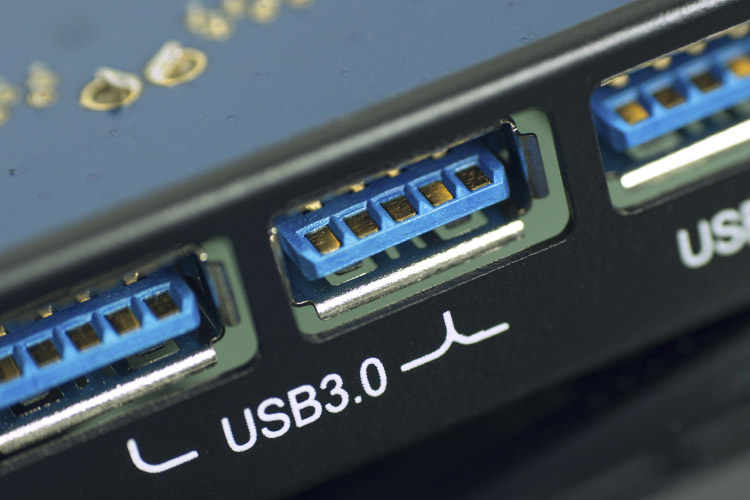
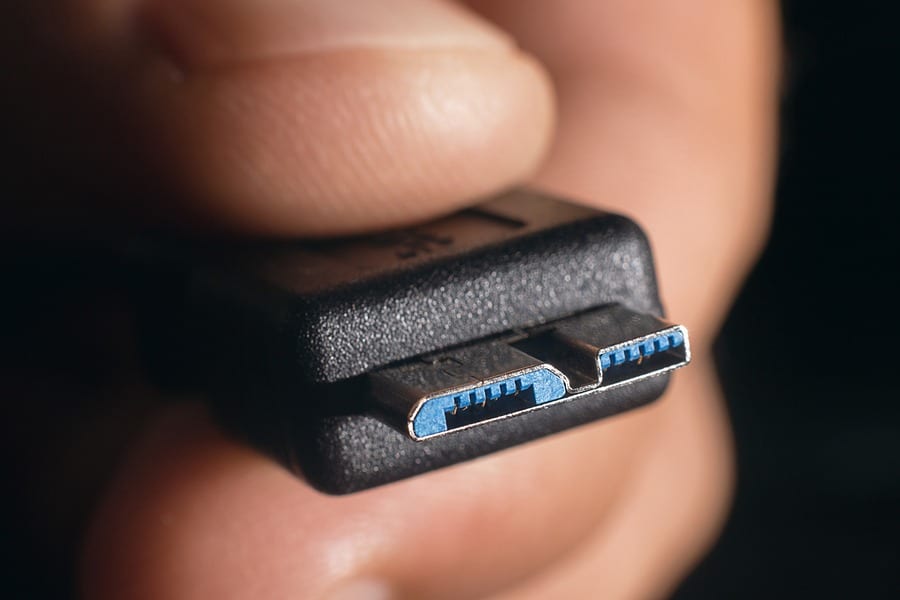
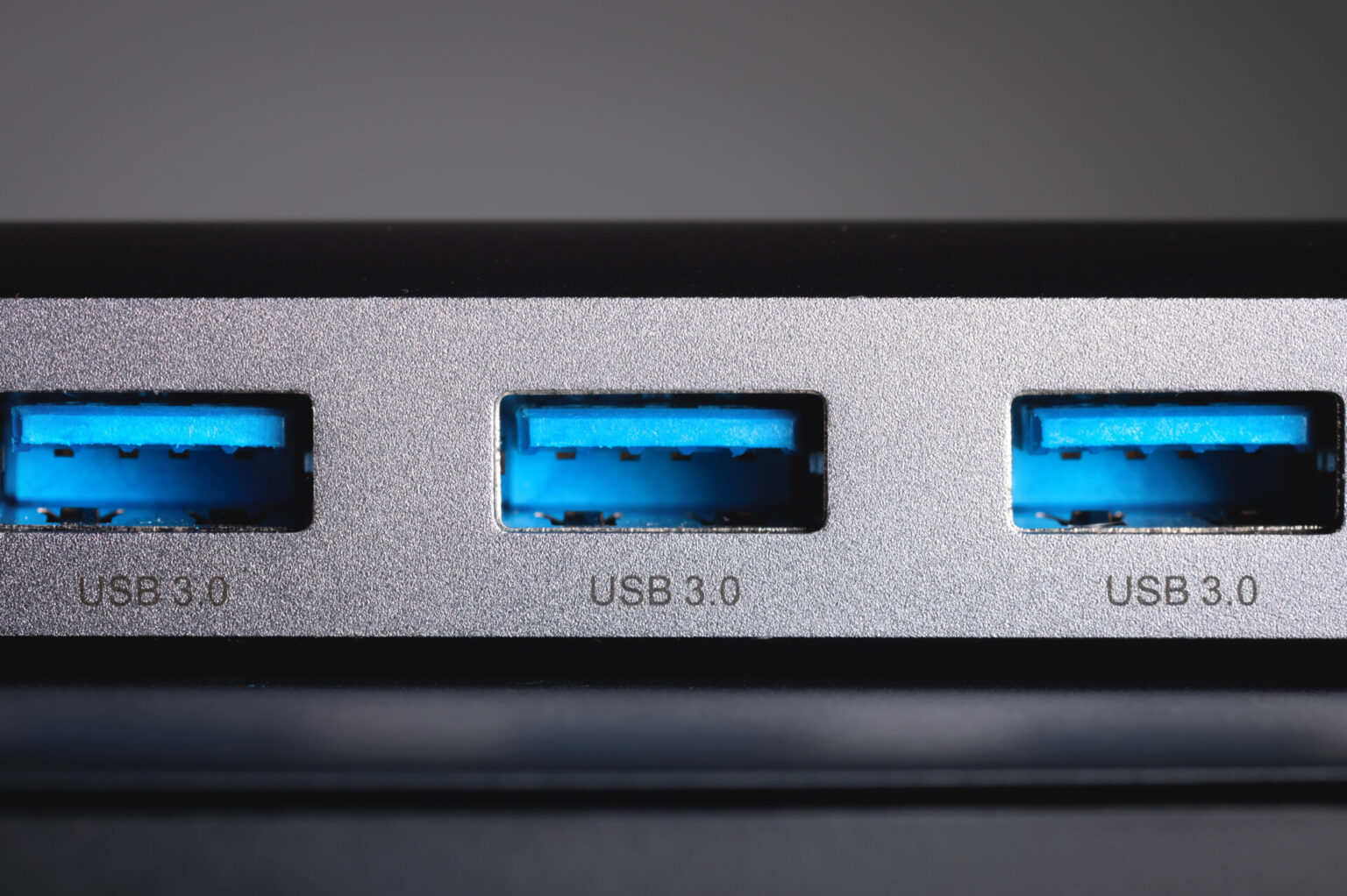
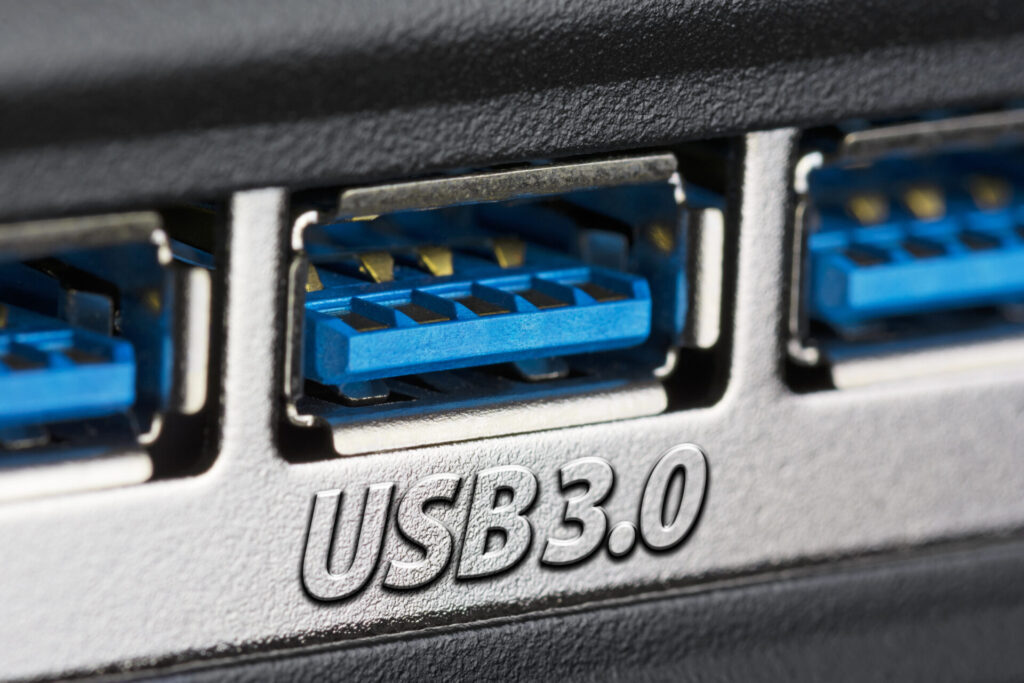
The most common and easiest way to identify a USB 3 port or connector is its distinctive color. Take a peek inside the port on your laptop, desktop, external hard drive, or even the end of your USB cable. If it's a USB 3 connection, you'll almost always see a blue plastic insert. Yes, that's right, a lovely, vibrant blue!
Most older USB 2.0 ports have a black or sometimes white plastic insert. So, if you spot that cool blue, give yourself a pat on the back – you've found the fast lane! This blue is a universally adopted standard, making it super easy to spot the difference across various brands and devices. It's like a secret handshake among tech enthusiasts!
More Pins, More Power!
While you might not be able to easily count them with the naked eye, another subtle difference lies in the number of pins. Standard USB 2.0 connections have four pins. USB 3, however, adds five more pins, bringing the total to nine. These extra pins are what enable its incredible speed and efficiency, allowing for full duplex communication – meaning data can be sent and received simultaneously, just like a two-way street!
Don't worry too much about counting them, though. The blue color is your primary giveaway. But it’s cool to know there’s more going on under the hood, isn't it?
Look for the "SS" Logo!
Sometimes, especially on the ports themselves or on the connectors of high-quality cables, you'll see a specific symbol. It often looks like a "SS" followed by the standard USB trident logo. The "SS" stands for SuperSpeed – a clear indicator that you're dealing with USB 3. You might even see "SS 10" or "SS 20" for the even faster USB 3.1 Gen 2 (10Gbps) or USB 3.2 Gen 2x2 (20Gbps) variants, respectively.
So, now you're armed with knowledge! Go on, take a moment to look at your computer, your external drive, even the cables you're using. Are they blue? Do they have the "SS" logo? You might be surprised by what you find!
Why Should You Care? (Beyond Just Pretty Blue Bits!)
"Okay," you might be thinking, "it's blue, it's fast. So what?" Ah, my friend, this is where the fun truly begins! Knowing what a USB 3 looks like isn't just a trivial piece of tech trivia; it's a superpower that significantly enhances your digital life.
The Magic of Speed (and Patience!)
Remember those long waits? With USB 3, they become a distant memory. Imagine transferring your entire photo library to an external hard drive in minutes instead of hours. Or backing up your crucial work files in a flash, freeing you up to do something infinitely more enjoyable. This is the tangible benefit – more of your precious time returned to you!
Future-Proofing Your Fun
Most modern devices, from computers to game consoles, now come standard with USB 3 ports. By ensuring your accessories (like external drives, flash drives, and hubs) are also USB 3 compatible, you're making sure you get the absolute best performance out of your tech. You're effectively future-proofing your setup, ensuring you're ready for bigger files and faster demands down the road.
No More Tech Frustration!
There's nothing more frustrating than having super-fast internet and a powerful computer, only to be bottlenecked by slow data transfer speeds. Identifying and utilizing USB 3 eliminates this common source of tech irritation. It's about optimizing your experience and making your digital interactions smoother and more enjoyable. Who needs unnecessary stress? Not you!
Empowerment Through Knowledge
Understanding small details like the color of a USB port transforms you from a passive user into an empowered tech connoisseur. You'll make smarter purchasing decisions, troubleshoot more effectively, and feel a sense of accomplishment knowing you're getting the most out of your gadgets. You’re not just plugging things in; you’re making informed choices!
Your Tech Adventure Starts Now!
See? Who knew a tiny blue piece of plastic could hold so much power and potential for happiness? It’s not just about wires and ports; it’s about unlocking efficiency, saving time, and making your interactions with technology smoother and more joyful.
So, go forth and explore! Check those ports, identify that "SS" logo, and revel in the knowledge that you now understand a crucial piece of your digital world. This is just one small step in understanding the incredible tools at our fingertips. Every little bit of tech knowledge you gain empowers you, makes your life easier, and yes, even more fun! What other mysteries will you uncover next? The world of tech is full of delightful discoveries, just waiting for curious minds like yours. Happy exploring!