Alright, pull up a chair, grab your imaginary latte, because we need to talk. We need to talk about that little box on your wall, the one that holds the literal power to make you feel like you’re either sunbathing on a tropical beach or ice fishing in the Arctic. Yes, I’m talking about the humble, often misunderstood, and surprisingly dramatic thermostat.
You’d think it’s simple, right? It’s just a dial, or a couple of buttons, maybe a fancy touch screen. But oh, my sweet summer child, the thermostat is a gateway to domestic bliss or absolute chaos. It’s where household arguments are born, where the concept of "comfortable" becomes a deeply philosophical debate, and where you might occasionally wonder if it’s possessed by a tiny, temperature-obsessed poltergeist.
What Even Is This Magical Box?
At its core, a thermostat is like the tiny, hyper-vigilant brain of your HVAC system. It senses the air temperature in your room and, based on what you’ve told it, decides whether to kick your furnace into gear (brrrr!) or unleash the icy breath of your air conditioner (ahhh!). It’s basically a silent, incredibly dedicated butler, constantly checking the room’s vibe.
Fun fact: The concept of temperature regulation goes way back! The first true thermostat was invented in 1883 by Albert Butz. He wanted to make sure his son's schoolroom stayed warm enough. So next time you're toasty, give a silent nod to a concerned dad from the 19th century.
The Big, Scary Buttons (or Screen Icons)
Okay, let's demystify the controls. Most thermostats, even the super smart ones, boil down to a few key functions. Think of them as your primary tools for wielding climatic power.
1. On/Off/System
This seems obvious, right? But you'd be surprised. This button usually cycles through modes like Heat, Cool, Off, and sometimes Auto. If it’s on “Off,” don’t be surprised when your house feels like a giant ice cube or a sauna. It’s not broken; it’s just sleeping. You wouldn’t wake up your actual butler and expect him to instantly make tea if he was on vacation, would you?
- Heat: For when you're doing your best impression of a human icicle.
- Cool: For when you're melting faster than a snowman in July.
- Auto: This is the clever one! It lets the thermostat decide whether to heat or cool based on your set temperature. It’s like having a butler who also moonlights as a weatherperson.
2. The Temperature Setting: The Heart of the Matter
This is it, folks. The numbers. Usually an up arrow and a down arrow, or a slider on a touch screen. This is where you tell your tiny climate-controlling butler, “Hey, make it exactly 72 degrees Fahrenheit in here, please!” Or whatever your magic number is. This is also where the "thermostat wars" often begin. Your ideal 72°F might be your partner’s Arctic tundra, or your roommate's fiery inferno. Choose wisely, or face the wrath of a chilly spouse!
Pro-tip for peace: Aim for a comfortable middle ground, or just invest in separate blankets. It's cheaper than divorce court.
3. Fan Settings: Auto vs. On
Ah, the fan! This setting dictates when your system's fan blows air. You'll usually see Auto and On.
- Auto: This is the standard, energy-efficient choice. The fan only kicks on when your heating or cooling system is actively working to reach your set temperature. It’s smart, it saves energy, and it knows when to take a break.
- On: The fan runs continuously, 24/7, blowing air whether your system is heating or cooling or just chilling out. This can be great for air circulation and filtration, but be warned: it will also increase your electricity bill faster than a squirrel raiding a bird feeder. Use with caution, especially if you're prone to fainting at utility statements.
The Rise of the Smart Thermostat: Your New AI Overlord
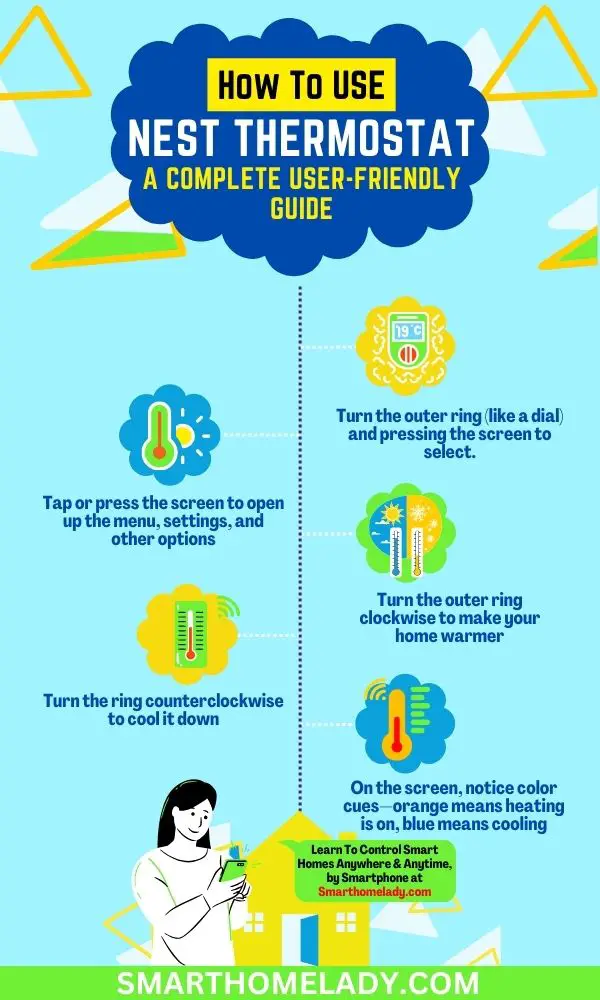
Then there are the smart thermostats. Nest, Ecobee, etc. These aren't just temperature controllers; they're practically sentient beings. They learn your habits, adjust temperatures when you're away, and can be controlled from your phone while you're halfway across the world. They can even tell you how much energy you're wasting! It's like having a hyper-efficient, slightly judgmental energy auditor living in your wall. "Are you sure you need it that warm, Dave? Think of the polar bears!"
Surprising fact: Smart thermostats can save you, on average, 10-12% on heating and 15% on cooling costs. That's real money, folks! Enough for, like, an extra fancy coffee every month.
Common Blunders and How to Avoid Them (Humorously)
So, you’ve set your desired temp, chosen your mode, and the fan is on auto. And yet... nothing. Here are a few common "oops" moments:
- Is it on the right setting? Double-check "Heat" or "Cool." You wouldn't believe how many times someone calls a technician only to realize they've had the AC running in January.
- Is it programmed? Smart thermostats (and even some older programmable ones) have schedules. Make sure your "I'm freezing!" plea isn't being overridden by Tuesday's "I'm at work, save energy!" setting.
- Is the actual unit outside working? Sometimes, it’s not the thermostat’s fault. Your outdoor AC unit might be covered in leaves, or your furnace filter might be so clogged it looks like a shag rug.
- The dreaded "Ghost Touches": Did someone else in the house change it? The silent blame game is strong here. "I swear I set it to 70!" "No, it was 75 when I got here!" This is where sticky notes become your best friend.
In conclusion, your thermostat is more than just a box. It’s your personal climate commander, a silent arbiter of comfort, and a potential source of endless familial debate. Understand its buttons, respect its power, and maybe, just maybe, you'll achieve perfect domestic climate harmony. Now, if you'll excuse me, I think I need to turn my own thermostat down a degree. I'm feeling a little... toasty.