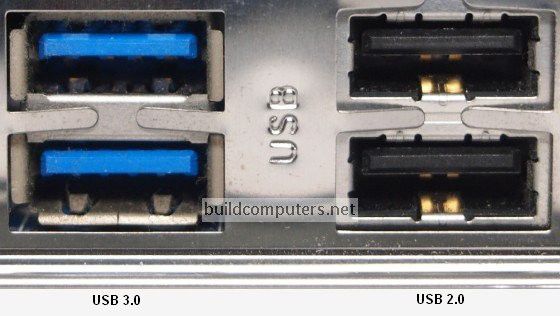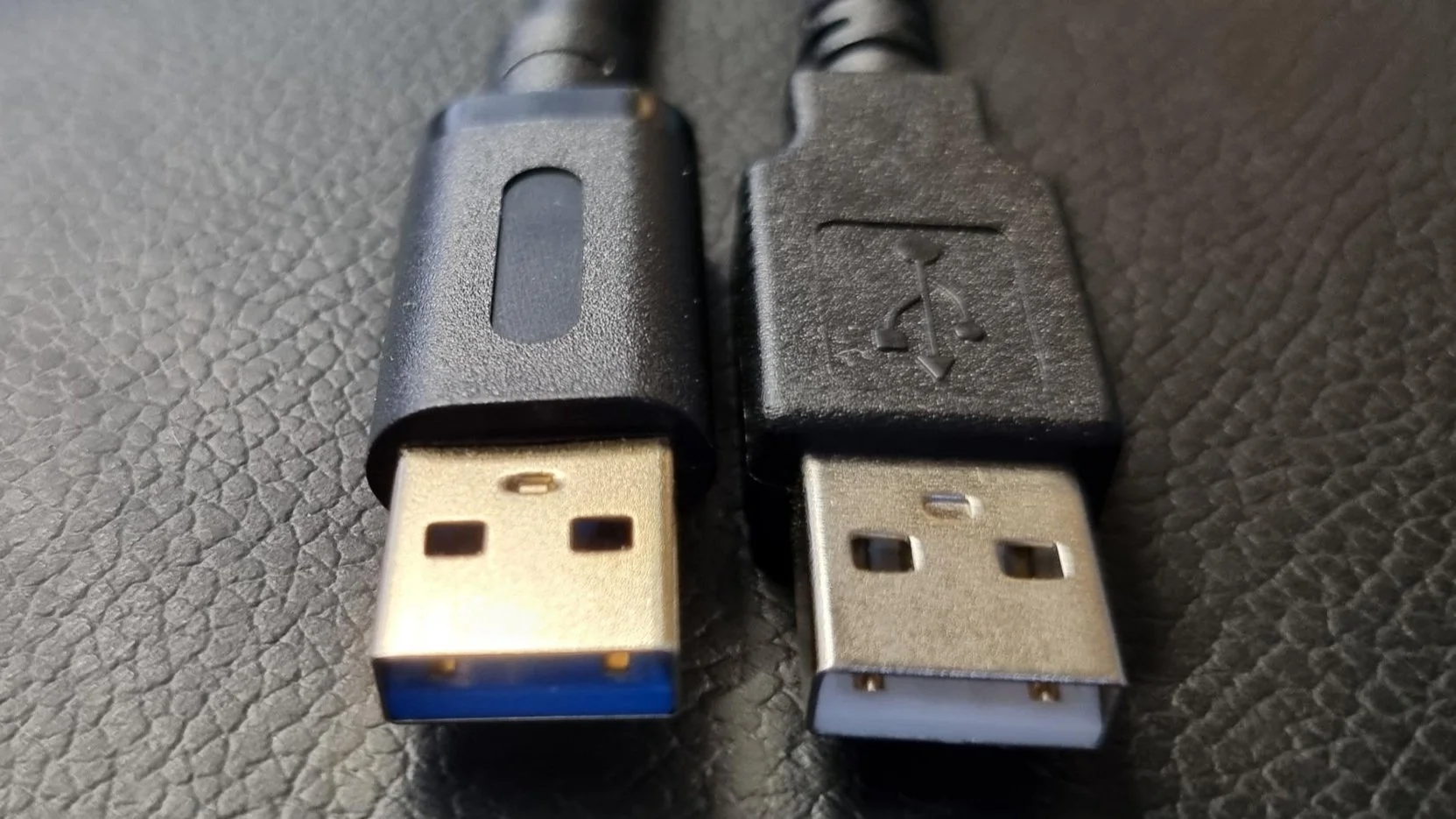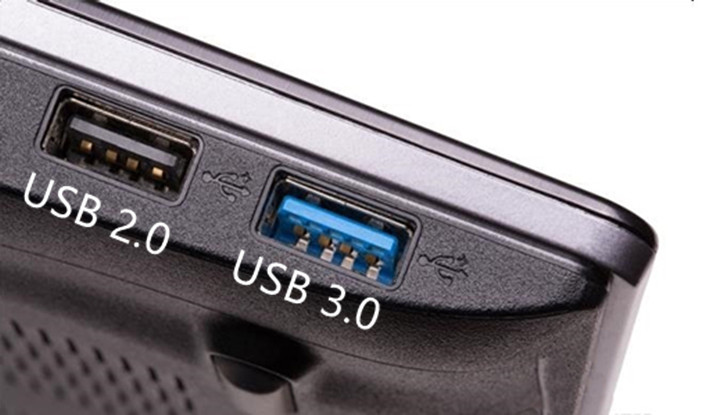
Hey there, tech explorer! Ever stared at a sleek, blue USB 3.0 plug and then at an older, black USB 2.0 port on your computer, wondering if they'd ever be friends? Maybe you pictured them looking at each other like awkward teenagers at a school dance. Well, let's untangle this little tech mystery with a smile!
Can USB 3.0 Devices Work on USB 2.0 Ports?
Alright, let's get straight to the juicy bit. The answer, my friend, is a resounding, joyful, tech-savvy YES!
Think of it like this: USB 3.0 devices are pretty cool, and they're designed to be super accommodating. They understand that not everyone has the latest and greatest ports on every single device. It's like bringing a fancy, new, super-aerodynamic race car to a regular street party. It might be built for speed, but it's totally chill cruising at the neighborhood limit.
The Catch (It's a Small One, Promise!)
Now, for the *one* tiny little detail, the asterisk in our compatibility love story. While your USB 3.0 device will happily connect and function on a USB 2.0 port, it won't be flexing its full, speedy muscles. It will operate at the much slower USB 2.0 speeds.
Imagine you've got a USB 3.0 drive that's like a cheetah – built for incredible bursts of speed. When you plug it into a USB 2.0 port, it's like putting that cheetah on a treadmill set to a leisurely stroll. It's still running, it's still doing its thing, but it's definitely not hitting its personal best.
Why Does This Magic Happen? It's All About Backward Compatibility!
This fantastic flexibility isn't accidental; it's by brilliant design! The USB standard was developed with backward compatibility as a core principle. This means newer versions of USB are specifically designed to play nice with older versions.
A USB 3.0 connector has all the pins and wiring for USB 2.0, plus extra pins for its super-speed capabilities. When you plug it into a USB 2.0 port, it simply uses the USB 2.0 pins and ignores the extra ones. It's like having a multi-tool that has extra gadgets you don't use every day, but the core functions are always there and ready to roll. Ingenious, right?
What Does "Slower" Actually Mean?
Let's talk numbers, just for a sec, without getting too nerdy. USB 2.0 maxes out at a theoretical speed of 480 Megabits per second (Mbps). USB 3.0, on the other hand, boasts up to 5 Gigabits per second (Gbps) – that's 5000 Mbps!
So, when your super-fast USB 3.0 drive is plugged into a USB 2.0 port, it's effectively running at roughly one-tenth of its potential speed. For tiny files, like a few documents, you might not even notice. But for chunky video files, entire photo albums, or backing up your whole computer? You'll definitely be watching that progress bar for a little longer, perhaps enough time to make a cup of tea or contemplate the mysteries of the universe.
When Does It Matter, and When Can You Just Chill?
So, should you worry? Not usually!
- If you're transferring small files, connecting a mouse, keyboard, or a printer, the speed difference between USB 3.0 and 2.0 is often negligible. Your USB 3.0 mouse isn't going to get carpal tunnel from working on a USB 2.0 port!
- If you're moving gigantic files regularly, or if you're using a device that relies heavily on data throughput (like an external SSD for video editing), then you'll definitely want to seek out those beautiful blue USB 3.0 (or even newer USB 3.1/3.2) ports to get the full experience.
It's all about managing your expectations. Your USB 3.0 device will work, it just won't be setting any land speed records on a USB 2.0 connection.
The Upshot: Don't Sweat It!
So, there you have it! The tech world, in its infinite wisdom, has made sure that your new gadgets can still play with your slightly older ones. This means less head-scratching, less frustration, and more time enjoying your tech.
It’s a fantastic example of thoughtful design making our digital lives just a little bit easier and a lot more forgiving. So go ahead, plug that snazzy USB 3.0 drive into your trusty old USB 2.0 port. It'll work, it'll get the job done, and it proves that sometimes, slow and steady still wins the compatibility race! High-fives all around for clever engineering!