Ever had your lights flicker during a thunderstorm? It's a little unsettling, right? Well, imagine that happening inside your computer, only instead of a brief flicker, it could mean game over for your hard drive, your motherboard, and everything else precious inside. That's why understanding how to protect your computer from voltage fluctuations is not just practical, it's downright essential for keeping your digital life safe and sound!
So, what are we talking about here? We're diving into the world of surge protectors and uninterruptible power supplies (UPS), devices that act like bodyguards for your sensitive electronics. They stand between your computer and the unpredictable power grid, smoothing out the surges and dips that can fry your system.
For beginners, think of it this way: a surge protector is like a really good insurance policy for your computer. It's a simple power strip that blocks excess voltage from reaching your devices. It's the bare minimum protection you should have, especially for desktop computers, gaming consoles, and even TVs. You simply plug it into the wall, and then plug your devices into the surge protector. Easy peasy!
Families, listen up! Imagine your kids are working on a school project they've poured hours into, or you're about to submit that important work report. A sudden power outage could wipe everything out! A UPS offers a more comprehensive solution. It not only protects against surges but also provides backup power, giving you precious minutes (or even longer, depending on the model) to save your work and safely shut down your computer during a blackout. This is a lifesaver – literally!
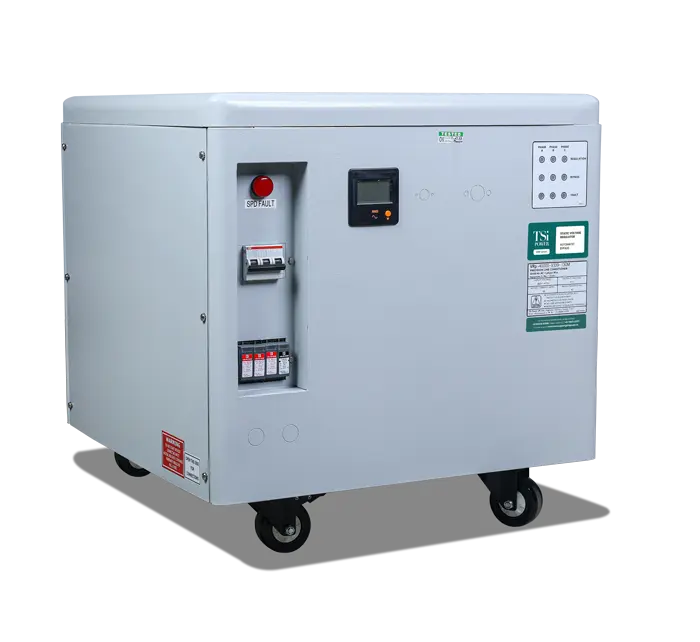
And for all you hobbyists and tech enthusiasts out there, you know the value of your meticulously built rigs and customized setups. Protecting them is paramount. You might even consider investing in a high-quality UPS with features like automatic voltage regulation (AVR), which actively stabilizes voltage levels, providing an extra layer of defense. Plus, a UPS lets you continue 3D printing, rendering videos, or running simulations even when the power goes out.
There are a few variations to consider. Surge protectors come in different sizes and with varying levels of protection, measured in joules. The higher the joule rating, the more protection it offers. UPS systems also vary in power capacity (measured in watts) and runtime. Choose a UPS that can handle the power demands of your connected devices and provide enough backup time for your needs. Consider a sine wave UPS if you have sensitive electronics like audio equipment.
Getting started is simple:
- Assess your needs: How valuable is your data? How sensitive are your electronics?
- Research your options: Read reviews and compare different surge protectors and UPS models.
- Shop around: Look for reputable brands and reliable retailers.
- Install and test: Plug in your devices and test the surge protector's or UPS's functionality. Many UPS units have a self-test button.
Protecting your computer from voltage fluctuations isn't just about avoiding costly repairs or data loss. It's about peace of mind. Knowing that your valuable data and equipment are safe from the unpredictable power grid lets you focus on what truly matters: enjoying your digital life!