
How To Tell If Power Supply Is Failing

Let's be real. We all have that one friend who gets blamed for everything, right? In the tech world, that often-misunderstood friend is the humble, yet incredibly crucial, power supply. It lurks in the shadows, quietly doing its job.
That is, until it decides to throw a digital tantrum. My somewhat unpopular opinion? Many of your computer's most baffling, frustrating, and seemingly random problems? Yeah, they start right here, with the silent powerhouse.
The Drama Queen Symptoms of a Failing Power Supply
1. The "Surprise!" Shutdowns (aka The Digital Naptime)
Your computer just dies. No warning, no polite goodbye. Just poof. One minute you're conquering dragons or typing up an important memo, the next you're staring at a blank screen.
Must Read
It’s like a TV show cliffhanger, but without any hope of a satisfying resolution. This isn't just a quirky reboot; it’s the power supply taking an unannounced coffee break.
It’s failing to deliver a consistent electrical current. When it gets overwhelmed or too tired, it just quits, leaving you in the lurch. Total buzzkill!
2. The "Fan Club" Fiasco (aka The Jet Engine Takeoff)
Remember that old jet engine sound? Your computer might be auditioning for the role of a miniature wind tunnel. Its fans suddenly whirring like they're trying to achieve lift-off? That's not the calming hum of productivity, friends.
This furious whirring is often a cry for help from your power supply. It's working overtime, sweating bullets, and struggling to keep its internal temperature down.
It's essentially throwing a very loud, very whiny tantrum. It's like asking a marathon runner to sprint a hundred meters at the end of their race; they might do it, but they'll be very, very vocal about it.
3. The "Blue Screen of Misery" (aka The Digital Mood Swing)
Ah, the dreaded Blue Screen of Death. We've all seen it. It pops up like an uninvited guest, flashing a bunch of cryptic error messages that make absolutely no sense to mere mortals.
Often, we're quick to blame buggy software, a dodgy driver, or a cranky graphics card. And sometimes, those are indeed the culprits.

But sometimes, just sometimes, it’s the power supply throwing up its hands in exasperation. Unstable power delivery can cause critical system errors, leading directly to that infamous blue wallpaper.
4. The "Ghost in the Machine" Glitches (aka The Poltergeist Problem)
Random freezes? Unexplained reboots that feel totally arbitrary? Your mouse doing the Macarena by itself, jumping across the screen?
It feels like your computer is haunted by a mischievous digital spirit. You might even hear ghostly clicks or whirs you've never noticed before.
More often than not, it's just the power supply sending unstable or insufficient power to your components. It’s not a ghost; it’s just a tired electrical worker.
5. The "No Power, No Problem... Except It Is" Problem (aka The Silent Protest)
You hit the power button. Nothing. Not even a sad little whimper, no flickering lights, no fans stirring. Your computer is stone-cold silent.
It's like your PC has decided to go on a silent protest, refusing to acknowledge your existence. You might furiously press the button again, just to be sure.
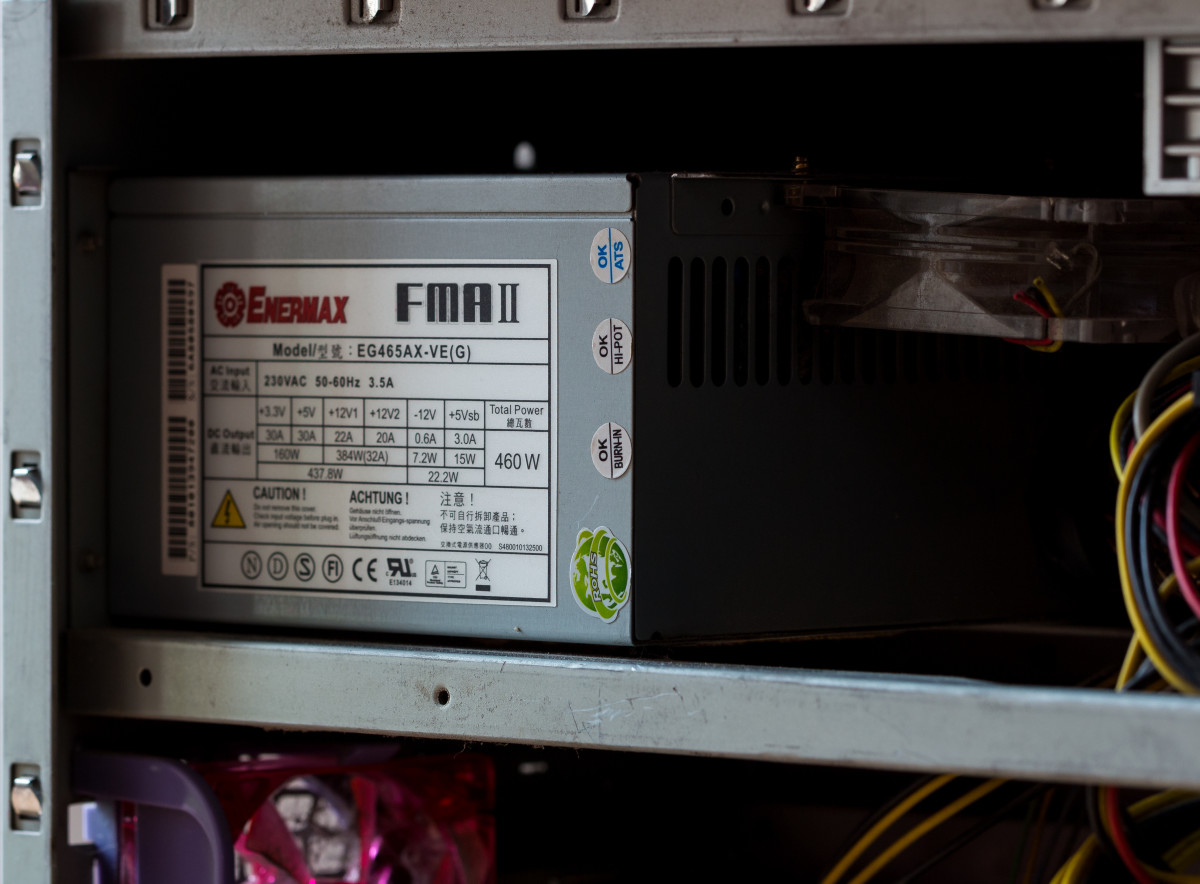
Before you panic and declare your entire rig deceased, suspect the quietest culprit: the power supply. If it can't deliver the initial juice, nothing else will happen.
6. The "Burning Smell" Bummer (aka The Fiery Farewell)
Okay, this one is pretty dramatic and thankfully, less common. But if you suddenly smell something distinctly like burning plastic or electronics?
Or even, gasp, see a wisp of smoke curling from your PC's vents? Run, don't walk, to the power button! Immediately shut it down and unplug it.
Your power supply is likely making a very fiery, very permanent exit. This isn't a symptom; it's a full-blown emergency.
7. The "Undervoltage Underperformance" (aka The Lazy Output)
Are your games lagging when they absolutely shouldn't? Are applications crashing seemingly for no good reason, even after fresh installs?
It's not always your processor being lazy or your graphics card having an off day. Sometimes, your power supply just isn't delivering enough juice.
It's like trying to run a race on an empty stomach; your computer simply doesn't have the energy to perform at its peak. Everything feels sluggish and unreliable.
8. The "Ancient Artifact" Syndrome (aka The Grandparent Unit)
Is your power supply older than some small countries? Or at least older than your average teenager? Computer components degrade over time, just like your favorite pair of sneakers.
Dust buildup, wear and tear, and just plain old age can seriously impact performance. An old power supply, especially one that wasn't top-tier to begin with, is a ticking time bomb, bless its dusty heart.
It might have served you well, but its reliable days are likely numbered. Sometimes, the only "symptom" is simply its advanced age coupled with a sudden failure.
Why It's the Unsung Villain
We're all drawn to the flashy parts. We focus on blazing-fast CPUs, jaw-dropping GPUs, and shiny new RAM sticks that promise incredible speed.
The power supply just sits there, an unassuming metal box. It’s typically hidden away, out of sight and out of mind, doing its thankless job.
But it's the heart, the lungs, the very engine of your whole system. Without it functioning perfectly, nothing else can.
"It's always the fancy graphics card, isn't it? Or maybe that dodgy driver update?" you might think. But I'm here to tell you a secret: it's often not.
The power supply is like the bassist in a band. Crucial, indispensable, but rarely in the spotlight. When things go wrong, everyone looks at the lead singer (CPU) or the flashy guitarist (GPU).
But that stable, consistent rhythm comes from the unsung hero, or in this case, the unsung villain. It feeds power to everything.
Your Unpopular Wisdom: Don't Ignore the Signs!
So, don't ignore these quirky computer behaviors. They're not just "character" or your PC having an off day. They're usually distress signals.
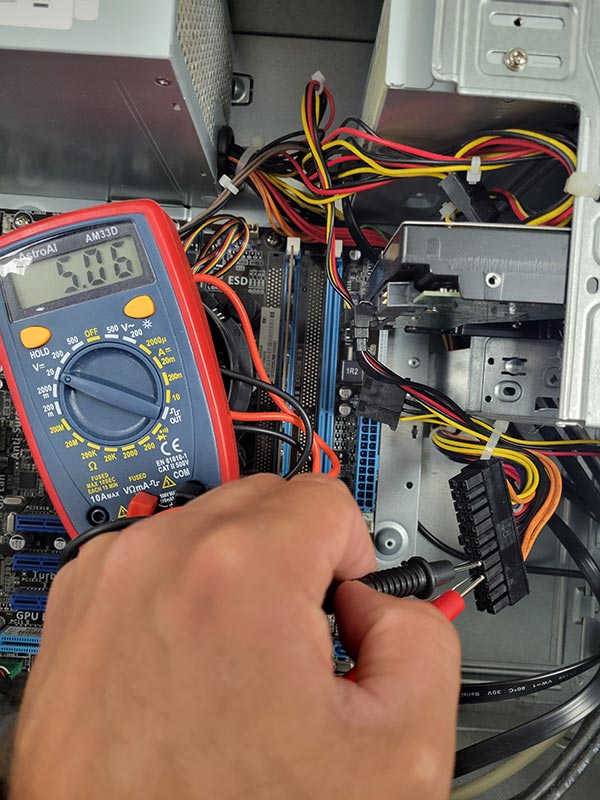
A failing power supply isn't just an inconvenience that makes your computer unpredictable. It’s a ticking time bomb for your entire system.
It can, and often will, drag other expensive components down with it. Unstable power can fry your motherboard, corrupt your hard drives, or even damage your beloved graphics card.
Think of it like a leaky faucet. You might ignore it for a while, assuming it's just a minor annoyance. But eventually, that drip can ruin your entire bathroom floor.
A weak power supply sending unstable voltages is far more dangerous than just a noisy fan. It's a fundamental issue that threatens the health of your entire digital world.
The Grand Finale: Empowering Your Inner Tech Detective
So, next time your computer acts up, take a moment. Pause before you blame the operating system, or that new game you just installed.
Look past the usual suspects. Give a silent nod to the humble, yet incredibly powerful, power supply lurking in the dark depths of your PC case.
It might just be trying to tell you something very important before it completely gives up the ghost. And now, armed with this unpopular wisdom, you'll be a digital detective extraordinaire.
Go forth and spot those failing power supplies before they cause a full-blown tech-pocalypse! Your future self (and your wallet) will thank you.