
How To Tell If Fan Is Clockwise
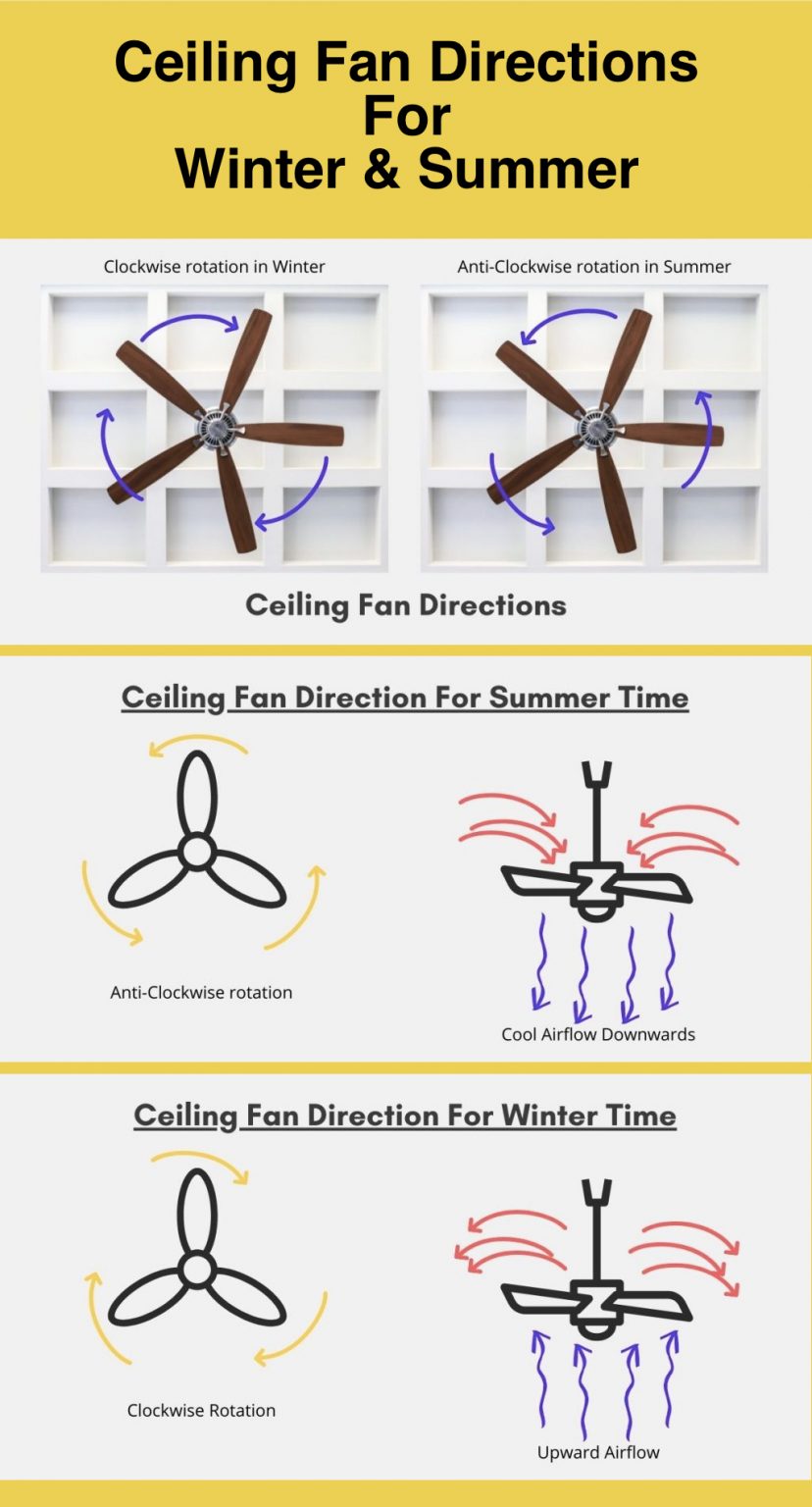
Okay, let’s be honest. We’ve all been there. Staring at a fan, maybe one you just installed, or one that’s just… there, whirring away, and you suddenly get this nagging thought: "Wait, is that thing spinning clockwise or counter-clockwise?" And then, almost immediately after, "And does it even matter?"
My friend, you are not alone in this delightful little mental rabbit hole. It’s like trying to remember if you locked the front door after you’ve already driven ten minutes away. The stakes, my friend, are astronomically high… okay, maybe just mildly annoying if you get it wrong. But still! Let’s decode this mystery, shall we? Grab your imaginary coffee, let’s chat.
First Things First: Perspective is Everything!
Before we even get into the nitty-gritty, we need to agree on one thing: where are you standing? Because a fan spinning clockwise from one side will, obviously, be spinning counter-clockwise from the other. Mind-blowing, right? (Don't worry, your brain isn't broken.) For our purposes, let's assume we're always looking at the front of the fan. You know, the side that usually has the pretty logo or whatever.
Must Read
Method 1: The Obvious Visual Test (But Tricky!)
Alright, Captain Obvious, the first way is to… watch it spin. Revolutionary, I know. But here’s where it gets fun. If it’s spinning super fast, sometimes your eyes play tricks on you. Is it moving right to left? Or left to right? My brain, bless its cotton socks, sometimes just short-circuits. It’s like those optical illusions where the dancer changes direction. Annoying!
So, take a deep breath. Try to focus on a single blade or a mark on the hub. If that point is moving from the top-right down to the bottom-right, then to the bottom-left, and then up to the top-left, completing a circle in the direction a clock’s hands go, then bingo! You've got yourself a clockwise-spinning fan. Easy peasy... unless it's blurry. Then, it's back to square one, buttercup.

Method 2: The Airflow Test (The Practical One)
Now, this is where it gets interesting, because the direction a fan spins doesn’t always tell you which way the air is going. Wait, what?! I know, I know. Mind blown again. But it’s true! A fan blade is designed to scoop air. Think of it like a tiny little airplane wing, but instead of creating lift, it’s pushing air.
So, the most practical way to tell what your fan is doing – and let’s be real, that’s usually what we care about, right? – is to feel the airflow.
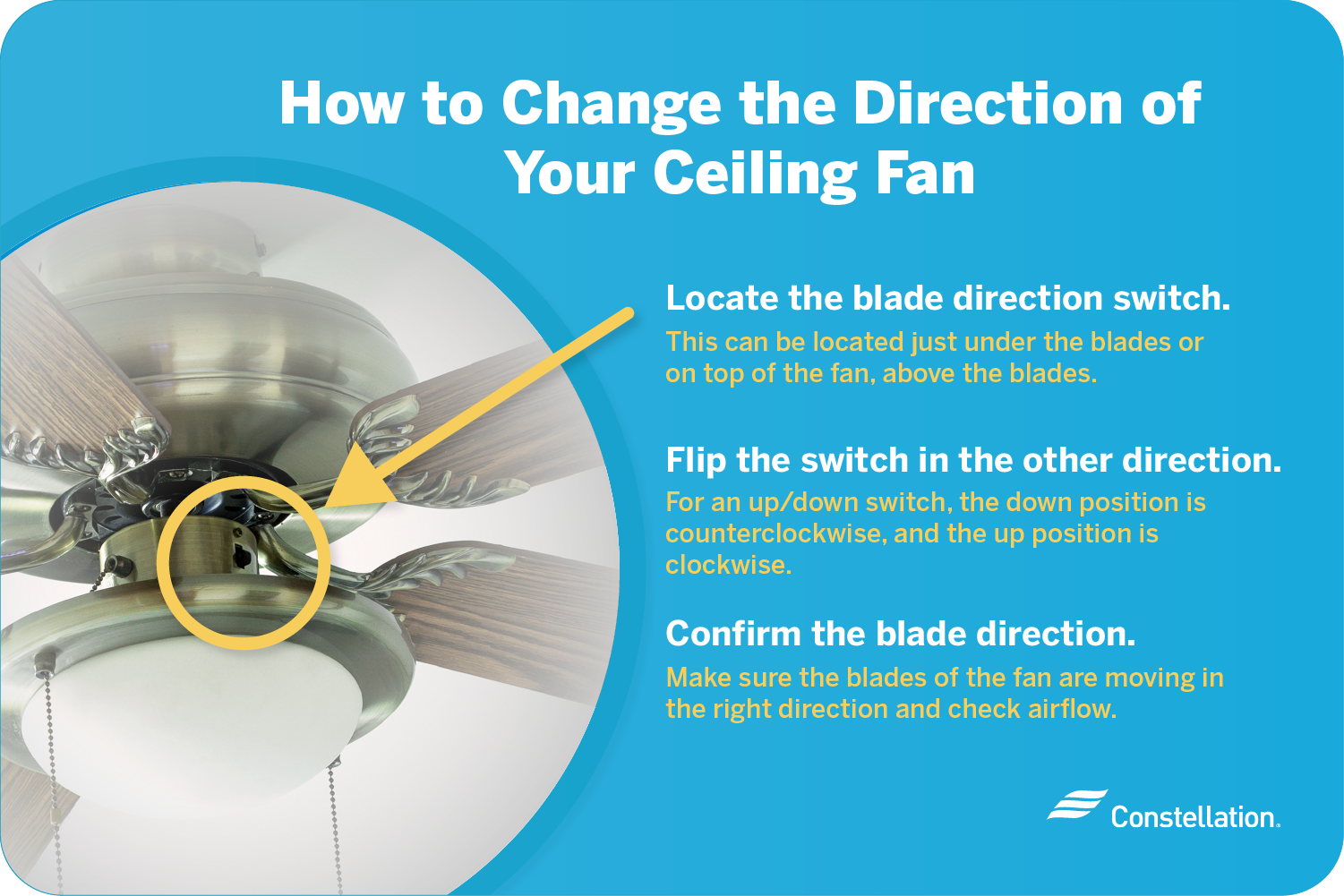
- Put your hand in front of the fan (safely, please, don’t lose a finger trying to solve this mystery).
- Do you feel a breeze coming towards you? That means the fan is pushing air out from its front.
- Now, put your hand behind the fan. Do you feel air being sucked in? That confirms it’s pushing air forward.
Most common fans, when spinning clockwise (viewed from the front), are designed to pull air from the back and push it out the front. This is your standard "cooling fan" setup, like in a desktop computer or a box fan. But not always! Some specialized fans are designed to do the opposite for a given spin direction. Which brings us to...
Method 3: The Blade Angle (The Real Tell-All)
This is the secret sauce, the true North Star of fan direction. Forget the spin for a second; look at the blades themselves. Think of them as tiny shovels.
If the blades are angled so that their leading edge (the part that hits the air first as it spins) is angled slightly forward in the direction of spin, like a scoop, then that's the direction the air will be pushed.
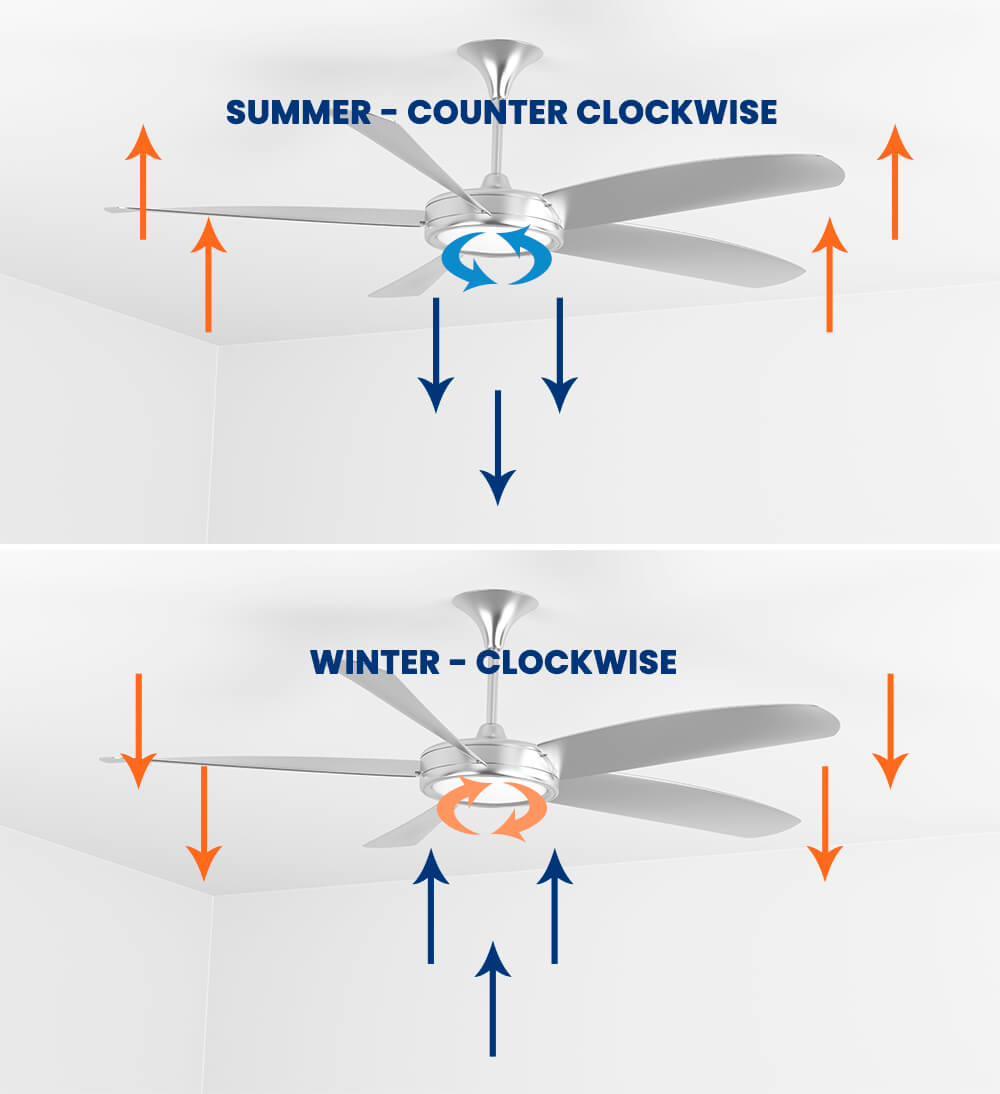
Let's simplify: Imagine your fan is spinning clockwise. If the blades are scooped so that they're effectively pushing air towards you when they move from top to top-right, then down to bottom-right, and so on, that fan is designed to push air forward when it spins clockwise. It's all about how those little scoops are angled. This is why you can have two fans spinning the exact same way, but one pulls air and one pushes it – their blade angles are just flipped!
This is especially important for things like exhaust fans or specific air circulation setups. You need to know if it’s an intake fan or an exhaust fan, and the blade angle (in conjunction with the spin) is your biggest clue.
Method 4: The Label (If You're Lucky!)
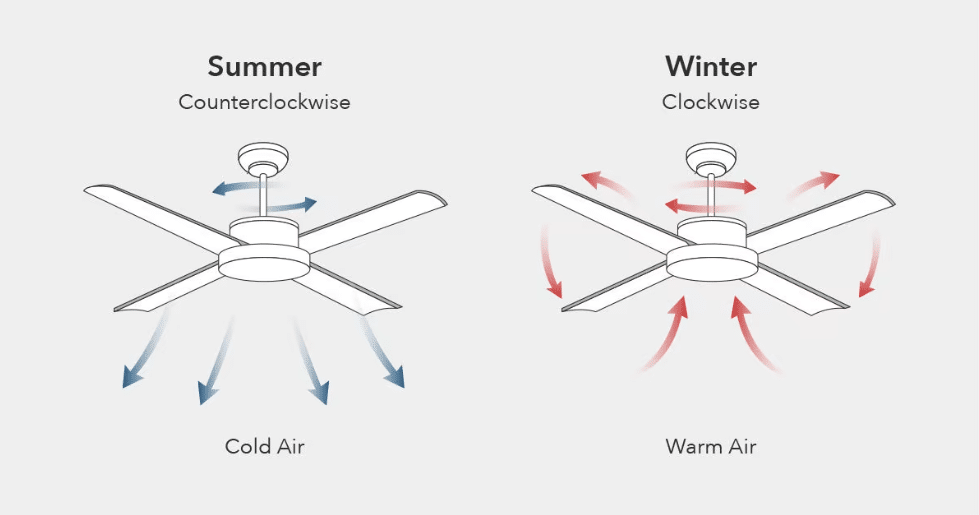
Sometimes, just sometimes, a fan manufacturer will be super helpful and print an arrow on the fan's frame indicating the direction of airflow, or even the spin direction. Usually, it's on the side or back. It's rare, but when it's there, it's like finding a twenty-dollar bill in your old jeans. A delightful surprise! Always worth a quick peek.
So, Does It Actually Matter?
Oh, absolutely! In many applications, it’s critical. Think about a computer. You want cool air into the case and hot air out. Getting a fan spinning the wrong way (or installed backwards, which is often the same effect) can turn your CPU into a tiny, angry oven. Or if you’re trying to ventilate a room, you want to push stale air out, not just swirl it around.
So, the next time you find yourself staring blankly at a whirring fan, remember these little tips. You'll be a fan-direction expert in no time, impressing your friends with your newfound (and slightly obsessive) knowledge. Go forth and conquer those rotational mysteries!