
How To Stop Carbon Monoxide Detector Beeping Every 30 Seconds
/cdn.vox-cdn.com/uploads/chorus_asset/file/23356188/best_carbon_monoxide_detector_panel.jpg)
Picture this: You’re settling in for a cozy evening, perhaps with your favorite streaming show, a warm beverage, or finally cracking open that book you’ve been meaning to read. The world is quiet, peaceful, almost perfect… until it isn’t. A sudden, jarring
Decoding the Beep: Your Home's Secret Language
First things first, let’s be clear: that repetitive beep isn't just a randomly generated sound effect from the universe. Your CO detector is trying to tell you something important. It's like a smartphone constantly reminding you it's at 5% battery, but with much higher stakes. Most often, a beep every 30 seconds points to one of two things: a
Step 1: Rule Out the Real Danger (Safety First, Always!)
Before you grab a ladder, take a deep breath. While a 30-second beep usually signals a non-emergency, it's crucial to consider the possibility of CO, especially if anyone in the household is experiencing symptoms like headaches, dizziness, nausea, or shortness of breath. Carbon monoxide is the
Must Read
- If you suspect CO, even slightly,
evacuate everyone immediately to fresh air. - Call your local emergency services (like 911 in the US) or the fire department from a safe location.
- Open windows and doors only if it’s safe to do so during evacuation.
Assuming no symptoms or other alarms (which usually blare much louder and more frequently for actual CO), you can likely proceed with troubleshooting the device itself.
Step 2: Battery Blues? Time for a Change!
This is the most common culprit. Just like your TV remote or that forgotten toy, batteries eventually run out of juice. Your CO detector is simply letting you know it needs a power-up. Think of it as its humble request for a digital snack.
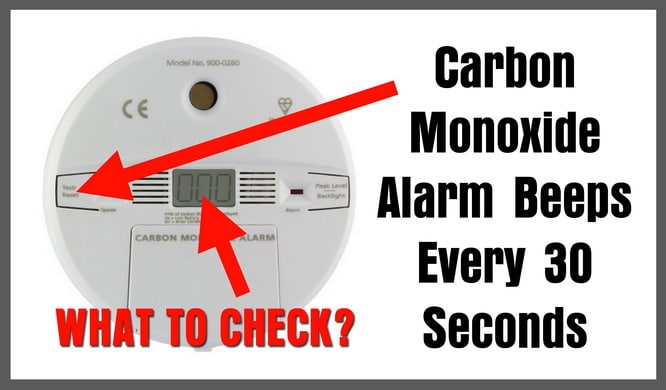
Here’s how to give it a fresh start:
Locate your detector: Most are mounted on walls or ceilings.Open the battery compartment: This usually involves sliding a cover or twisting the unit off its base. Consult your user manual if you're unsure – a quick Google search with your model number usually works wonders!Remove old batteries: Take out the spent AA, AAA, or 9-volt batteries. Remember to dispose of them responsibly.Insert fresh ones: Use brand-new, high-quality batteries. It's often recommended to replace all batteries at the same time, even if it's a multi-battery unit.Close it up: Secure the compartment and re-mount the detector.
Voila! Most detectors will chirp once or twice to confirm they're back in business, and then – blissful silence. If the beeping persists, move to the next step.

Step 3: The Grand Old Age (End-of-Life)
Did you know CO detectors don't last forever? It's true! Their sensors degrade over time, making them less effective. Most units have a lifespan of
Check the back or side of your detector for a manufacturing date or an "install by" date. If your unit is beyond its recommended lifespan, it's time to replace it. This isn't just a suggestion; it’s a critical safety measure. Like a trusty old car, even the best gadgets have a mileage limit.
Step 4: The Reset Button (Your Digital Peace Treaty)
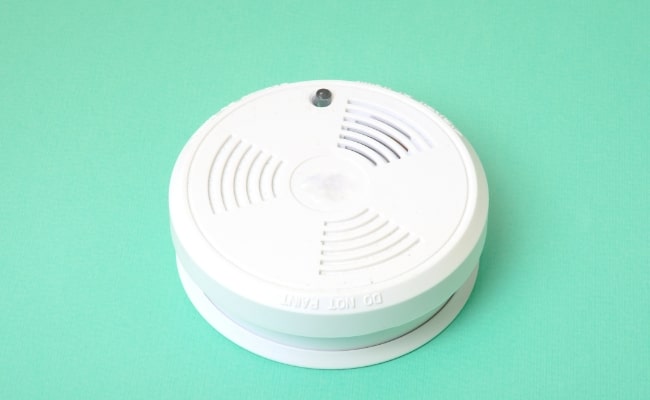
Sometimes, even after fresh batteries or an end-of-life replacement, a detector might still be a little… confused. A quick reset can often resolve lingering issues. The process varies by model, but generally involves pressing and holding a "Test/Reset" button for a few seconds until you hear a beep or see a light flash.
If your unit has been removed and re-installed, or if you've done a battery change, a reset helps it recalibrate and ensure it's functioning correctly. Think of it as giving your device a gentle reboot, a little digital detox for its circuitry.
A Quieter Home, A Happier You
Once you’ve successfully silenced that insistent beep, take a moment to savor the peace. It’s more than just the absence of an annoying sound; it’s the quiet assurance that your home is safe, and your guardians are standing by, ready to protect you without making a fuss. Maintaining your CO detectors is a small act of self-care for your home and your peace of mind. So go ahead, enjoy that quiet evening – you've earned it!
