
How To Pair My Phone With My Tv

Hey there, tech-curious pal! Ever found yourself squinting at a tiny phone screen, wishing you could just beam that hilarious cat video or epic vacation photo reel straight onto your big, beautiful TV? You know, the one sitting right there, looking all grand and underutilized?
Good news, buttercup! Pairing your phone with your TV isn't some mythical quest reserved for IT wizards. It's actually a super fun, surprisingly easy trick that'll make you feel like a total tech rockstar. And honestly, who doesn't love feeling like a rockstar?
Forget those days of huddling around a small display. We’re talking about unlocking a whole new world of big-screen fun. Think of it: spontaneous movie nights, showing off your latest photo dump without everyone craning their necks, or even turning your living room into an impromptu gaming arena. It's truly a game-changer!
Must Read
The Wireless Wonder: Casting Your Content!
Let's kick things off with arguably the most popular and often magical method: casting. This is where your phone acts like a super-smart remote control, telling your TV what to play. Devices like Google Chromecast, Amazon Fire TV Stick, and many modern smart TVs with built-in casting features (like Google Cast or Roku TV) are the heroes here.
Here's the quirky bit: when you cast, your phone isn't actually sending the video data to your TV. Nope! Your phone basically tells the TV, "Hey TV, go grab this awesome movie or song directly from the internet!" The TV then does the heavy lifting, streaming the content itself. Your phone just chills, acting as your personal DJ and remote. How cool is that?
To do this, just open a compatible app on your phone (think YouTube, Netflix, Spotify). Look for a tiny, often rectangular icon with Wi-Fi waves in the corner. It's usually in the top right or bottom right of the video player. Tap it, pick your TV from the list, and BAM! Your content leaps from your hand to the big screen. It’s like magic, but with less wand-waving and more tapping.

Mirror, Mirror on the Wall: Screen Mirroring!
Next up, we have screen mirroring. This is a bit different from casting. While casting is about the TV fetching content directly, mirroring is about your phone literally projecting everything it sees onto the TV screen. Every swipe, every tap, every weird app icon – it all shows up on the big screen.
This is fantastic for showing off a photo album to a group, sharing a presentation, or even playing a simple mobile game on a larger display. It's less about passive viewing and more about active sharing. Most smart TVs and streaming devices (like Roku, Fire TV, Apple TV with AirPlay) support screen mirroring.
Finding this feature varies by phone and TV. For iPhones, it's usually called AirPlay Mirroring. For Androids, look for "Smart View," "Screen Cast," "Wireless Display," or similar in your phone's quick settings panel. Just make sure both your phone and TV are on the same Wi-Fi network. Think of it like a secret handshake only they understand.

The Cable Conquerors: Wired Connections!
Alright, let's go a little old-school, but in the best way possible! Sometimes, Wi-Fi is flaky, or you're somewhere without internet. That's where wired connections save the day! This method is super reliable and gives you zero lag – perfect for gaming or if you’re a stickler for pristine quality.
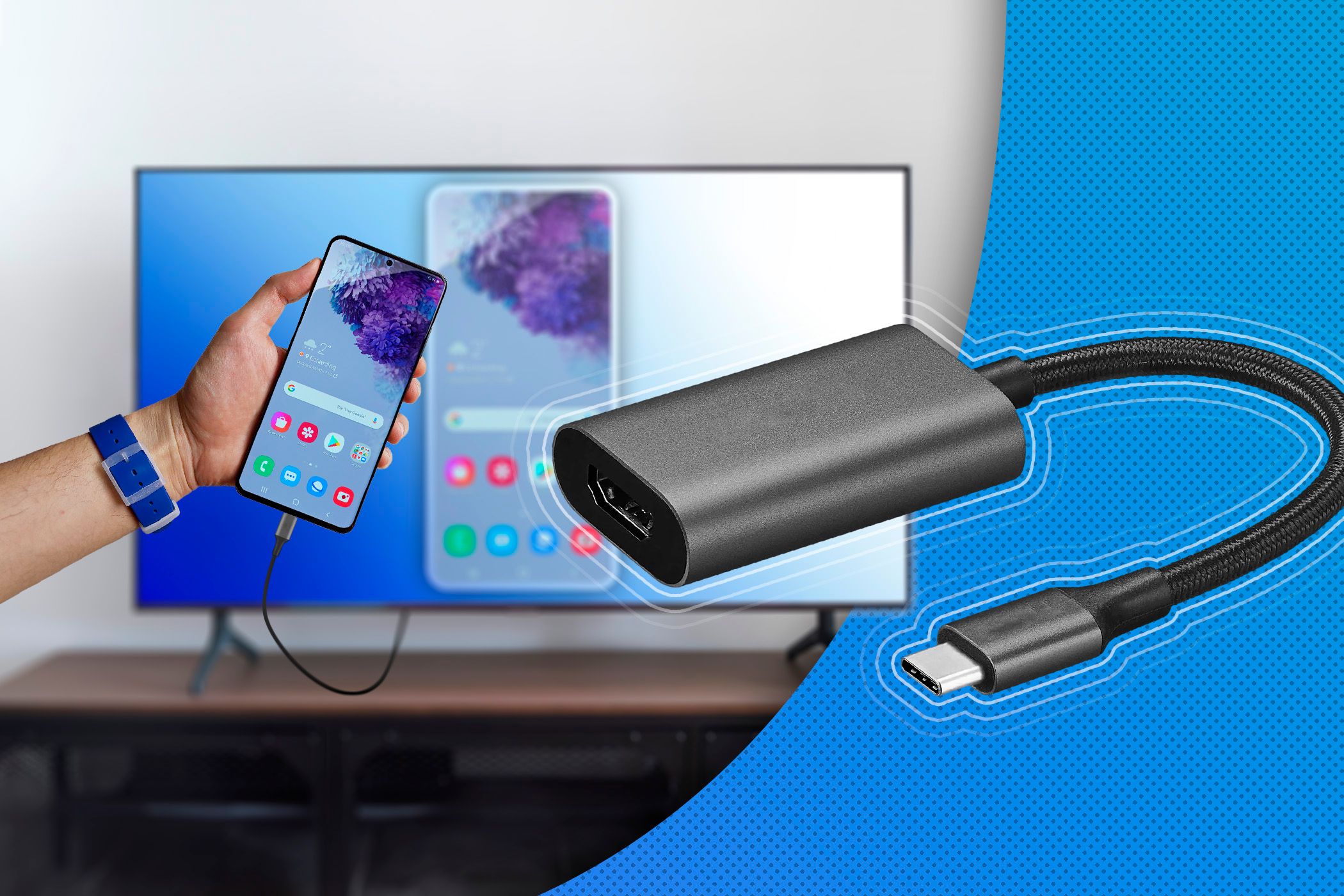
For newer Android phones and some tablets, a USB-C to HDMI adapter is your best friend. Just plug one end into your phone’s USB-C port and the other end into an HDMI port on your TV. Presto! Your phone's screen pops up. It's shockingly simple, often requiring no setup at all.
For older phones (or if you just love a good adapter), technologies like MHL (Mobile High-Definition Link) or various Lightning to HDMI adapters for iPhones exist. You might need an extra cable or two, but it's a solid, no-fuss connection. Plus, there's something satisfying about a good, old-fashioned cable connection, isn't there?

The Brand Besties: Ecosystems that Just Get It!
Finally, let's talk about the built-in magic within specific brands. If you're an Apple fan with an iPhone and an Apple TV, AirPlay is your bestie. It's seamless, intuitive, and works like a dream. Just swipe down for Control Center, tap the AirPlay icon, and choose your Apple TV. Easy peasy!
Similarly, Samsung phones and Samsung Smart TVs often have their own optimized "Smart View" or "Tap View" features that make connecting unbelievably fast. Just tap your phone to the side of the TV (if supported) and watch the magic happen. These brand-specific connections are often the most fluid and fuss-free.
Why is This So Fun? Let Me Count the Ways!
Beyond the tech wizardry, why is this topic just plain fun? Well, imagine this: Your friend just sent you the most epic TikTok dance. Instead of everyone crowding around your phone, you send it to the TV, and suddenly it's an impromptu dance party. Or showing your parents your vacation photos without them needing reading glasses to see the details.
Movie night? Grab your popcorn, settle into the couch, and cast your favorite streaming service directly from your phone. No fumbling for the remote, no typing in clunky passwords with the TV's arrow buttons. Your phone becomes the ultimate command center. It's about making shared experiences bigger, brighter, and way more engaging!
Quick Fixes for When Things Go "Oopsie!"
Sometimes tech can be a little moody. If your phone and TV aren't talking, don't panic! Here are the usual suspects:
- Are they on the same Wi-Fi? This is the golden rule for most wireless connections.
- Is everything updated? A quick software update can solve a lot of mysteries.
- The classic restart: Turn off your phone, turn off your TV, turn off your router. Then turn them all back on. It's the tech equivalent of a warm hug.
See? Pairing your phone with your TV is less "rocket science" and more "really cool party trick." It opens up a whole universe of possibilities for entertainment, sharing, and making your tech work smarter for you. So go ahead, give it a try! You might just discover your new favorite way to watch, play, and share.