
How To Make A Phone Charge Fast
Alright, gather ‘round, my fellow digital addicts, because we’ve all been there. You’re out, living your best life, snapping selfies, doom-scrolling, maybe even gasp making a phone call, when BAM! That terrifying red battery icon appears. It’s like a tiny, pixelated grim reaper whispering, “Your social life is about to expire.” You rush home, plug it in, and then… the agonizing wait. It feels like watching paint dry, but the paint is your phone's battery percentage, and it’s moving at the speed of a snail in molasses. Fear not, dear friends, for I am here to spill the beans on how to transform your phone from a charging slacker into a speed demon. Consider me your battery whisperer. Let's make that phone charge fast!
First Up: The Wall. Yes, The Wall!
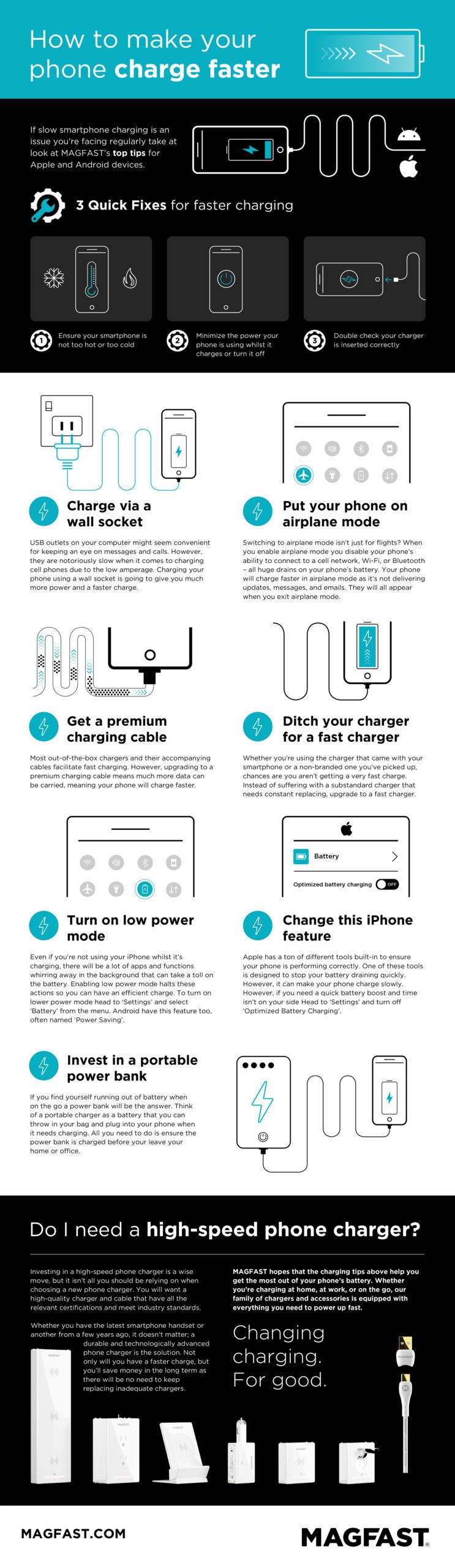
This might sound ridiculously obvious, but trust me, it’s a game-changer. Forget those dinky little USB ports on your laptop or in your car. They’re like trying to fill a swimming pool with an eyedropper. While convenient, they usually only churn out a meager 0.5 amps of power.
Your phone, my friend, is a hungry beast. It wants a full-on buffet, not a tasting menu. For real charging speed, you need to plug into a wall outlet. Wall chargers typically deliver 1-2 amps, and many modern ones can pump out even more. Think of your laptop's USB port as a leisurely stroll, and a wall outlet as a full-throttle sprint.
Must Read
The Charger & Cable Conundrum: Don't Skimp!
Okay, now that you’re at the wall, let’s talk equipment. Are you still using that ancient, frayed cable you found under your couch? The one that looks like it lost a fight with a badger? Time to upgrade, chief.
Not all chargers and cables are created equal. A cheap, knock-off cable might look identical, but internally, it's often a tangled mess of shoddy wiring and bad intentions. It’s like buying a Ferrari body and putting a lawnmower engine inside.
You need a quality charger and a proper cable. Ideally, use the one that came with your phone, or invest in a reputable third-party brand (Anker, Belkin are good bets). Look for chargers that boast Power Delivery (PD) for iPhones or Quick Charge (QC) for Androids. These are the fast-charging superheroes of the modern era.
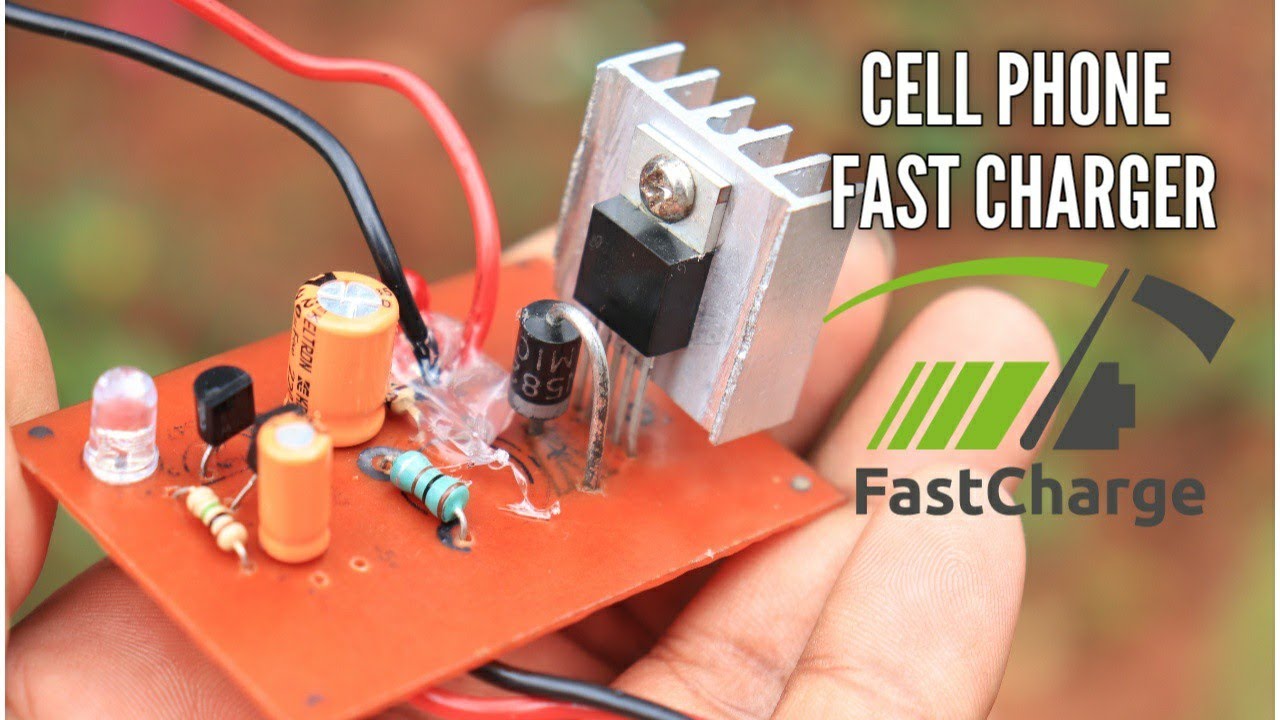
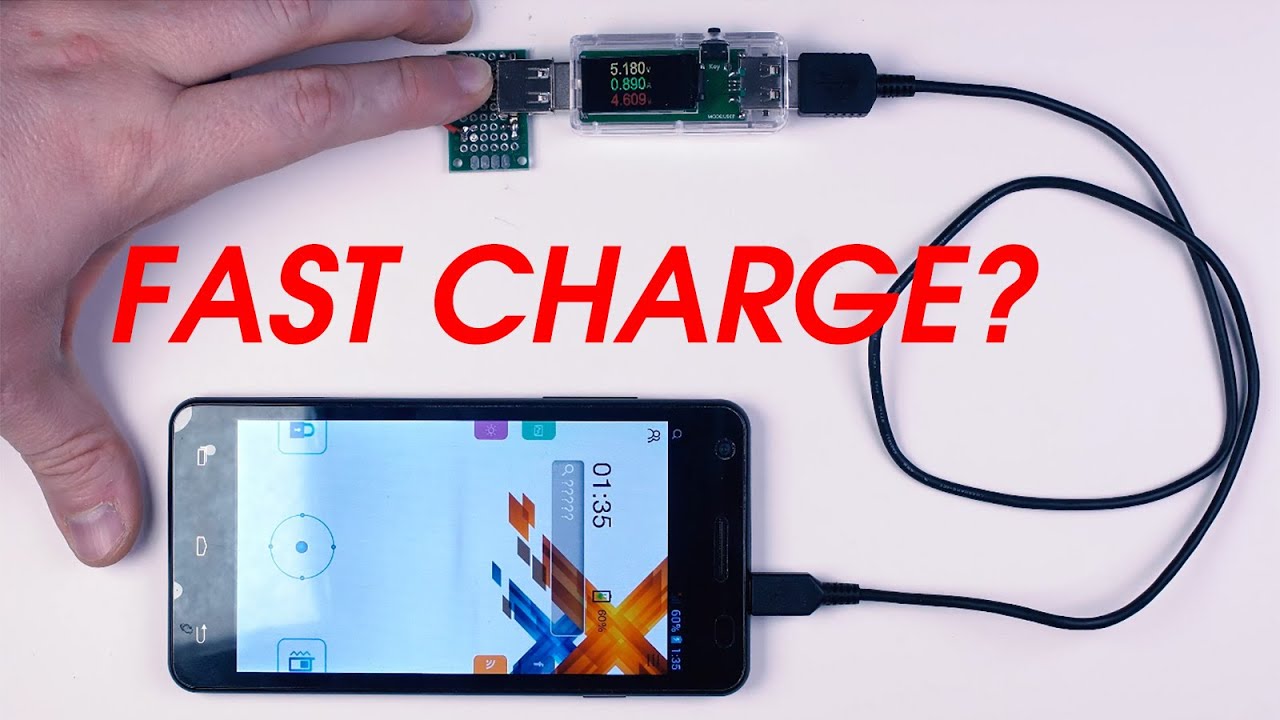
Here’s a wild fact: a high-quality cable will minimize resistance, allowing more power to flow through efficiently. It's like having a wide, open highway for electrons instead of a bumpy, single-lane dirt road.
Go Dark: The Phone Nap Strategy
This is probably the most effective, yet often ignored, trick. Even when "idle," your phone is a busy little bee. It’s checking emails, updating apps, tracking your location… all of which consume precious battery and slow down charging.
So, here’s the secret: put your phone to sleep. I mean, really to sleep. The best option? Turn it off completely. If you can’t bear to disconnect (I get it, I really do), then at least activate Airplane Mode. This shuts down all wireless communication (Wi-Fi, Bluetooth, cellular data), significantly reducing power drain.

It’s like telling all the tiny little apps inside to take a coffee break. They stop working, the phone cools down, and the charging current has fewer demands. Think about it: charging a phone that’s constantly working is like trying to fill a leaky bucket. Turning it off or using Airplane Mode is like plugging all the holes. Voila! Faster filling!
Strip It Down, Baby! (The Phone Case, I Mean)
No, I’m not suggesting you get naked with your phone, but your phone’s case needs to come off. While great for preventing cracks, it's a terrible insulator during charging.
Charging generates heat. It’s just physics. And heat is the enemy of fast charging (and battery longevity). Your phone’s internal systems are smart; if it gets too hot, it deliberately slows down charging. So, for a quick juice-up, pop that case off. Let your phone breathe! It’s like taking off a heavy coat on a hot day – instant relief and an instant speed boost for those electrons.
Keep it Cool, Literally
Building on the last point: environment matters! Don't leave your phone baking on a sunny windowsill or under a pile of blankets while it charges. A cool, ambient temperature is ideal. If it's too hot, your phone will throttle its charging speed to protect itself, sometimes dramatically.
Think of it as your phone taking a leisurely swim in a cool pool versus a frantic sprint in a sauna. So, find a nice, shady spot. A bedside table away from direct sunlight is perfect.
The Bonus Round: Don't Touch It!
I know, I know. It's tempting. That notification just popped up, your friend just sent a meme, the world might be ending without you. But resist! Every time you wake your screen or open an app, you’re telling your phone, "Hey, forget charging, I need to do stuff!"
The less you interact with your phone while it's charging, the faster it will reach full power. It's like trying to fill a water bottle while simultaneously drinking from it. Not impossible, but definitely slower.
And one last thing: forget those crazy myths about putting your phone in the fridge or freezer. That’s a one-way ticket to condensation and a very expensive paperweight. Don't do it!
In Conclusion: Power Up!
So there you have it, folks! The secrets to transforming your phone from a charging tortoise into a charging hare. It’s not magic, it’s just smart choices. Use a proper wall outlet and a good quality, fast-charging brick and cable. Put your phone in Airplane Mode or turn it off. Strip off its case and let it charge in a cool environment. And for the love of all that is holy, try to resist the urge to constantly check it!
Now go forth, charge fast, and never again be caught with a dead phone in the middle of a crucial selfie moment. You're welcome. My consulting fee is just a promise to use these tips wisely.