
How To Get Your Charger To Work

There's a special kind of dread that washes over us when our phone, tablet, or laptop flashes that ominous 'low battery' warning, and then... nothing happens when we plug it in. That little rectangular block and its trusty cable are supposed to be our lifeline to the digital world, but sometimes they stage a rebellion. We've all been there, frantically wiggling the cord, blowing into ports, and bargaining with inanimate objects. But what if you could become a mini-detective, solving the mystery of the power outage yourself? It's surprisingly fun, incredibly useful, and can save you a pretty penny!
This article is your friendly guide to troubleshooting common charging dilemmas. Our purpose: to equip you with simple, effective strategies to identify why your device isn't charging and, often, fix it. The benefits? Imagine the sheer relief of bringing a 'dead' device back to life, the satisfaction of solving a tech puzzle, and the joy of not spending money on something you didn't truly need. Plus, it’s a fantastic life skill that keeps you connected without the drama.
So, let's get down to business. When your charger seems to have gone on strike, it's time to play detective. The good news is, the culprit is often one of a few usual suspects.
Must Read
1. Check the Power Source: Is the outlet actually working? Test it with another device you know is operational. A faulty wall socket or a tripped breaker can be sneaky culprits.
2. Inspect the Cable: This is arguably the most common point of failure. Gently run your fingers along the entire length, looking for fraying, kinks, or severe bends, especially near connectors. Internal wires can break without visible external damage. If you have a spare, try swapping it out.
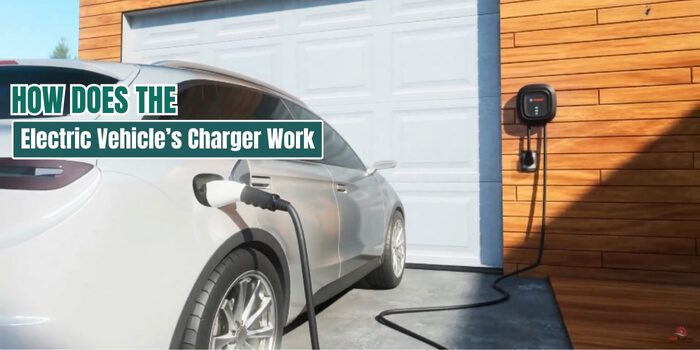
3. Examine the Adapter (the 'brick'): Is the USB adapter or power brick damaged? Look for cracks, burnt smells, or loose parts. If it’s getting unusually hot, that's a red flag. If you have a spare, test with a different adapter.
4. Clean the Ports: Lint, dust, and debris can accumulate in your device's charging port, preventing a solid connection. Using a small, non-metallic tool like a wooden toothpick (gently!), or compressed air, carefully clean out any gunk.
5. Restart Your Device: Sometimes, the problem isn't hardware but a simple software glitch. A quick restart can often resolve minor connectivity issues.
6. Test Components Individually: If you have multiple devices or spare parts, try using your cable with a different adapter, or your adapter with a different cable. Try charging your device with a friend's known-good charger. By isolating components, you pinpoint the exact failure.

If, after all these steps, your device still isn't charging, it might be time to accept that the charger (or the device's battery/port) has truly bitten the dust. But even then, you'll know exactly what to replace.
See? No need to panic or mourn your device just yet! With a little patience and these simple troubleshooting steps, you'll often find yourself back in business, charging away like a pro. Not only will you save money and avoid unnecessary trips to the store, but you'll also gain a satisfying sense of accomplishment. Keep these tips in mind, and you'll be well-prepared to tackle any charging crisis. Happy charging!
