
How To Get Random Numbers On Ti 84 Plus
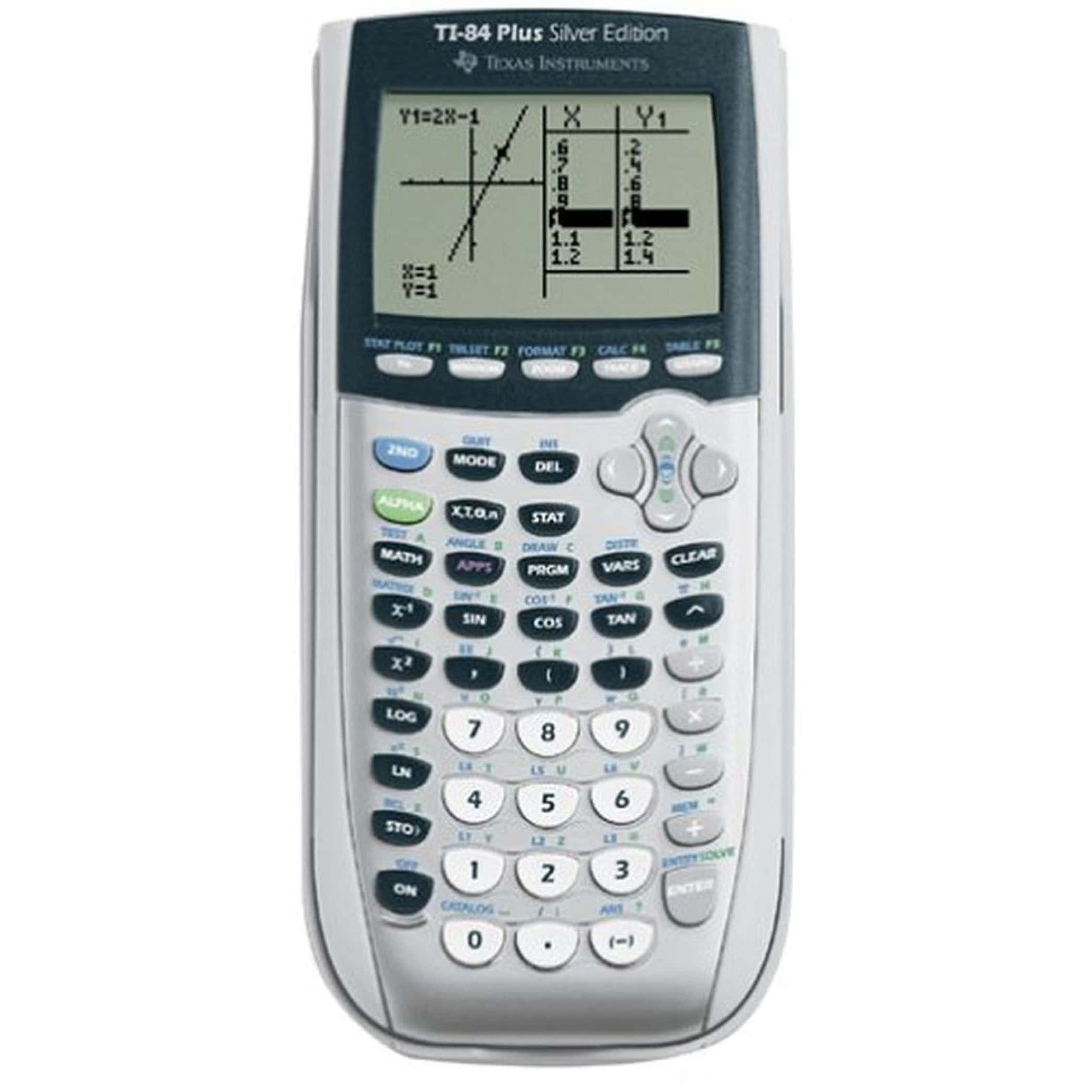
Okay, let's talk randomness. And let's talk about our trusty, slightly-yellowed, maybe-still-has-homework-scribbled-on-the-back TI-84 Plus.
Look, I know what you're thinking. "My calculator can do random?" You bet it can! And honestly, sometimes I think it’s too good at it. Like, suspiciously good. Makes you wonder, right?
First thing's first: find the magic. Hit that "MATH" button. You know, the one you probably only ever pressed to try (and fail) at complicated fractions back in high school? Yeah, that one.
Must Read
Then scroll on over to "PRB". Short for probability, obviously. Sounds intimidating, doesn't it? But trust me, it’s easier than remembering your best friend's birthday (sorry, Sarah!).
See those options? Good. Now, this is where the fun begins.
rand
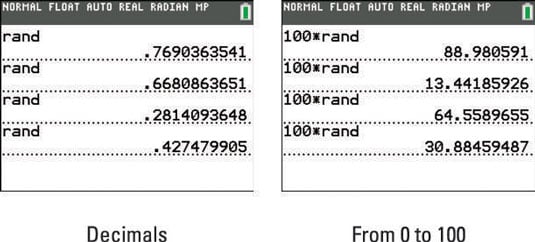
Ah, "rand". The classic. The OG of TI-84 randomness. Press enter. You'll see "rand" pop up on your screen. Hit enter again. Boom! A number between 0 and 1. Groundbreaking, I know. I once spent a solid hour just pressing enter repeatedly. Don't judge me.
My unpopular opinion? I think this "rand" function secretly judges me when I use it too much. Like it's saying, "Seriously? Still trying to simulate a coin flip? Get a life!"
randint(
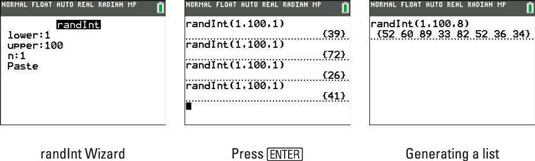
Now, let's get serious. Need a whole number? "randint(" is your friend. But pay attention, because this one needs instructions. After the parenthesis, you gotta tell it what range you want.
Let's say you need a number between 1 and 6. Like for a die, or deciding how many slices of pizza you’re really going to eat. You'd type: randint(1,6). See the comma? Don't forget the comma. Your calculator will throw a tantrum if you forget the comma. Trust me on this one.

Then hit enter. Voila! A random number. Repeat until you get the answer you want. Kidding! (Mostly.)
randNorm(
Okay, now we're getting fancy. "randNorm(" is for those times when you need a number pulled from a normal distribution. Mean and standard deviation required. Remember those from stats class? Probably not. But hey, Google is your friend. Or, you know, that old textbook collecting dust in the attic.
Honestly, I mostly use this when I'm trying to sound smart at parties. "Oh, I just generated a random number from a normal distribution with a mean of… uh… 72 and a standard deviation of… 5. Fascinating, isn't it?" People are usually too busy trying to find the cheese and crackers to call me out.
randIntNoRep(
This is the super cool one. randIntNoRep( generates integers within a range without repetition. Want to simulate drawing numbers from a hat without putting them back? This is it. You can have a range of numbers, and the number of numbers to draw, such as randIntNoRep(1, 10, 5). It will return a list with 5 numbers from 1 to 10 without repeating.
The secret is that you have to have an updated operating system. Otherwise the function does not exist!
Seeding the Randomness (Or Not!)
Here's a little secret: your calculator's "random" numbers aren't truly random. They're generated by an algorithm. Which means, if you start with the same "seed," you'll get the same sequence of numbers.
To "seed" the random number generator, just type a number (any number!), then press "STO>" (that little arrow above the "ON" button), then type "rand" (from the MATH menu), and hit enter. Congrats! You've just messed with the fabric of reality (or at least, your calculator's random number generator).
My unpopular opinion? I never bother seeding it. I like to live dangerously. Plus, the chances of me actually needing truly random numbers for anything important are slim to none.
So there you have it. Your guide to generating random numbers on your TI-84 Plus. Go forth and randomize! Just don't blame me if your simulated dice rolls always land on snake eyes.