
How To Get A Broken Charger Out Of An Iphone

Uh Oh! Your iPhone Charger Just Became a Permanent Resident
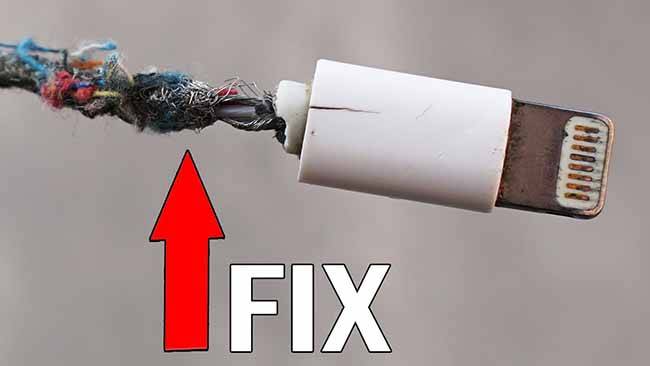
We've all been there. That horrible moment. The charger head snaps off and stubbornly remains wedged inside your iPhone's charging port.
Panic sets in, doesn't it? Don’t worry, you're not alone in this sticky situation. Let's explore some extraction methods.
The "Let's Be Gentle" Approach
First up: Gravity, the unsung hero. Seriously, sometimes it works!
Must Read
Turn your phone upside down. Give it a gentle shake. Maybe even a very gentle tap against your palm.
If that works? You're incredibly lucky. Go buy a lottery ticket. Seriously, do it now.
The Toothpick Tango
Next, the trusty toothpick. A wooden or plastic toothpick might just be your savior.
Carefully insert the toothpick into the charging port. Try to wiggle it alongside the broken piece.
Hopefully, you can create enough friction to coax it out. Patience is key here, friends.
The Tweezers Temptation
Ah, tweezers. The tool of choice for the slightly more daring.
Make sure your phone is OFF. Seriously. Unplug it from everything. Safety first!
Carefully insert the tweezers. Try to grab the broken piece firmly. Gently pull it out.
Be extremely careful not to scratch the internal components. We don't want to create more problems.
The Needle Navigator (Proceed With Extreme Caution!)
Okay, this one is for the brave souls. And I mean really brave.

Using a needle is risky business. You can easily damage your phone. Are you sure you want to proceed?
If you are, unplug the phone from everything. No power, zero. Then, with a steady hand, try to use the needle to gently pry the broken piece out.
I repeat: be VERY careful. A slip could mean a trip to the repair shop. And nobody wants that.
The "Sticky Situation" Solution
Now, for the slightly unorthodox approach: tape or sticky tack.
A small piece of double-sided tape or some sticky tack on the end of a toothpick could work wonders.
Carefully insert the sticky end into the port. Press it firmly against the broken piece.
Gently pull back. With any luck, the broken piece will come along for the ride.
The Compressed Air Conundrum
Got a can of compressed air lying around? Give it a try!
A quick burst of air might dislodge the broken piece. Aim carefully.
Just be sure not to blast any debris further into the phone. That would be counterproductive.
When to Call in the Pros
Let's be honest. Sometimes, DIY just isn't the answer.

If you've tried everything and the charger is still stuck, it's time to call in the professionals.
Your local phone repair shop will have the tools and expertise to safely remove the broken piece. This might be your best shot.
Unpopular Opinion: Maybe It's Time for a New Charger Anyway?
Okay, hear me out. Is this the universe telling you something? Is your charger old? Frayed?
Maybe this broken charger incident is a sign. A sign that it's time to upgrade. A sign to treat yourself.
Think of it as an opportunity. A chance to invest in a new, more reliable charger. One that won't betray you like this.
And hey, while you're at it, consider a wireless charger. No more ports to break! Problem solved.
Prevention is Better Than Cure (Obviously!)
Of course, the best way to deal with a broken charger in your iPhone is to prevent it in the first place.
Invest in high-quality charging cables. Seriously, cheap cables are often the culprit.
Be gentle when plugging and unplugging your charger. No yanking! Treat your electronics with respect.
And maybe, just maybe, consider a charging port protector. These little gadgets can help prevent dust and debris from entering the port, which can also contribute to charger breakage.
So, What Have We Learned?
Getting a broken charger out of your iPhone can be a frustrating experience. But with a little patience and the right tools, you can often solve the problem yourself.

Remember to be gentle, cautious, and know when to call in the pros. And hey, maybe it's time for a new charger anyway!
The "Why Me?" Mentality (and How to Avoid It)
We've all been there. Staring at the broken charger piece. Wondering why this happened to you.
But dwelling on the "why me?" won't solve the problem. Focus on the solution.
Take a deep breath. Gather your tools. And get to work. Or, you know, just buy a new charger and call it a day.
My Personal (and Perhaps Controversial) Favorite Method
Okay, confession time. My personal favorite method? The paperclip.
I know, I know, it sounds reckless. But hear me out. I carefully bend the end of a paperclip. Make a tiny hook.
Then, with the phone OFF, I gently try to hook the broken piece. It's worked for me countless times. But I don't recommend it unless you're feeling lucky (and slightly crazy).
Final Thoughts: A Broken Charger Doesn't Have to Ruin Your Day
Look, a broken charger is annoying. But it's not the end of the world.
There are plenty of ways to get that stubborn little piece out of your iPhone. And if all else fails, there's always the repair shop.
So, take a deep breath. Relax. And remember, your phone will be charging again soon. And hopefully, this time you'll get your charger back in one piece.
Bonus Tip: The Power of a Good Flashlight
Don't underestimate the importance of good lighting. Trying to extract a broken charger piece in the dark is a recipe for disaster.
Use a flashlight or your phone's built-in flashlight to get a clear view of the charging port. This will make the whole process much easier (and safer).
Trust me, you'll thank me later. I learned that lesson the hard way.
What if the Charger is Really, REALLY Stuck?
Sometimes, the broken charger piece is wedged in there so tight, it feels like it's part of the phone itself.
In these cases, don't force it. Applying too much pressure could damage the charging port or other internal components.
It's better to err on the side of caution and seek professional help. A repair technician will have the tools and expertise to safely remove the broken piece without causing further damage.
The Importance of a Clean Charging Port
A dirty charging port can actually contribute to charger breakage. Dust, lint, and other debris can accumulate in the port, making it difficult for the charger to make a proper connection.
This can put stress on the charger and eventually lead to it breaking. So, take a few minutes to clean your charging port regularly.
Use a can of compressed air or a soft brush to remove any debris. This will help keep your charging port clean and functioning properly, and it may even prevent future charger breakage.
And Finally: Don't Blame Your iPhone (Too Much)
It's easy to blame your iPhone when a charger breaks inside the charging port. But let's be honest, sometimes it's not the phone's fault.
Cheap chargers, rough handling, and a dirty charging port can all contribute to the problem. So, before you start cursing your iPhone, take a look at the charger and your charging habits.
Maybe you're the one to blame. But hey, at least you now know how to get that broken piece out!