
How To Clean Charging Port Without Compressed Air

Let's talk charging ports. Those tiny little holes that fuel our digital lives. But what happens when they get clogged? Ugh. We've all been there.
Suddenly, your phone’s charging slower than a snail in molasses. Or worse, it’s not charging at all. Panic sets in. You check the cable. You try wiggling it. Still nothing. Time to face the music: your charging port is probably filled with gunk.
The Compressed Air Conspiracy (My Opinion)
Everyone screams, "Use compressed air!" Right? It’s the go-to advice. The internet practically worships it. Blow that debris right out! Sounds simple, right?
Must Read
Here's my unpopular opinion: compressed air is overrated. Seriously. It's loud. It's messy. And frankly, I suspect it just blows the dust further into the device. Maybe I'm wrong. Maybe I'm just a rebel. But I have my reasons.
Besides, who actually has compressed air handy? I certainly don’t. I mean, I have a can somewhere. Probably lost under a pile of…stuff. And I'm not about to buy a can just for this. There has to be a better way. And there is!
My Surprisingly Effective Cleaning Arsenal
Forget the compressed air. I have some weapons far more effective, and probably already in your junk drawer. Prepare for my slightly-less-than-orthodox, but surprisingly effective, cleaning method!

The Humble Toothpick
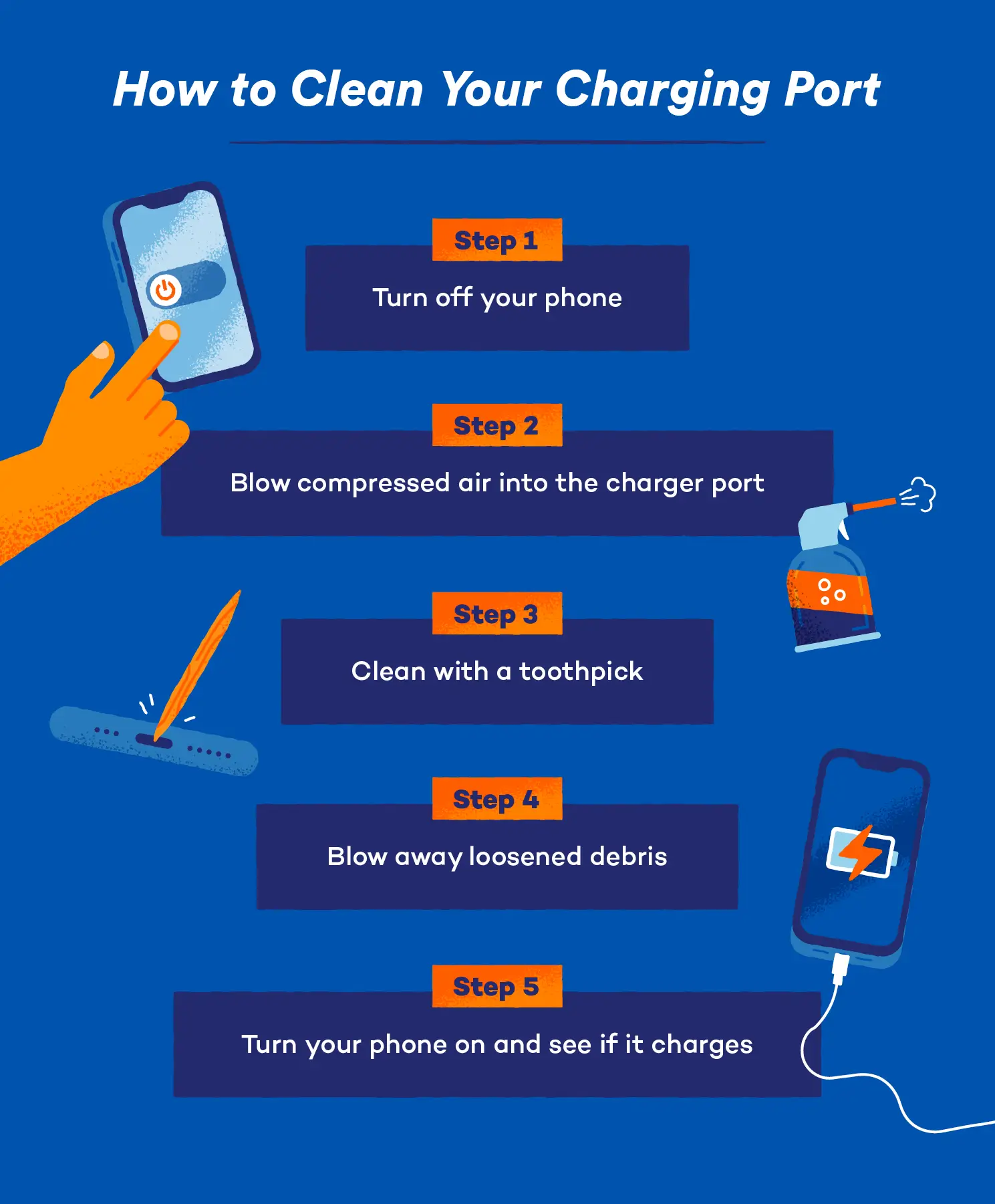
Yes, the toothpick. The unsung hero of charging port cleaning. I prefer the flat ones. They're less likely to snap. Gently (and I mean GENTLY!) insert the toothpick into the charging port.
Wiggle it around a little. You'll probably feel some resistance. That's the junk! Carefully scrape it out. Be patient. Don’t force anything. You’re not trying to excavate the Rosetta Stone here. You're just removing pocket lint. And be very, very gentle. We don't want a broken toothpick lodged in there!
The Trusty Paperclip (Bent!)
Okay, hear me out. A bent paperclip. Again, proceed with extreme caution. Unfold the paperclip and then slightly bend the end. This creates a little hook for grabbing debris.

Same procedure as the toothpick: gently insert, wiggle, and extract. This works wonders for stubborn clumps of…whatever that stuff is. Just be extra careful not to short circuit anything. Remember, gentle!
The Magic of Blu-Tack (Or Similar)
This is my secret weapon. Seriously. Take a small piece of Blu-Tack (or any similar reusable adhesive). Roll it into a point. Then, gently press it into the charging port.
The Blu-Tack will grab onto any loose debris. Slowly pull it out. Repeat until the Blu-Tack comes out clean. It's like a lint roller for your charging port! This is usually my last step.
Important Caveats (Because I Have To)
I feel obligated to issue a disclaimer. I am not a professional. I’m just a person who hates slow charging. These methods have worked for me, but proceed at your own risk. If you're uncomfortable, take your device to a professional. They have fancy tools and actual expertise.
Also, always power off your device before cleaning! It seems obvious, but I feel like I should say it. And for the love of all that is holy, be gentle!
The Joy of a Clean Charging Port
Once you’ve completed your cleaning mission, test your charging port. Plug in your cable. Does it feel snug? Does your phone start charging immediately? Victory! You've successfully resurrected your charging port from the depths of debris.

So, ditch the compressed air (or don't, I'm not the boss of you). Embrace the toothpick, the bent paperclip, and the magic of Blu-Tack. Your phone (and your sanity) will thank you.
Now, if you'll excuse me, I have a charging port to clean. Turns out my rebellious methods don't prevent the inevitable accumulation of pocket fuzz.
Oh, and one more thing. Don't blame me if this doesn't work for you. I am not responsible for broken phones. Got it?