
How To Check The Wattage Of Your Power Supply
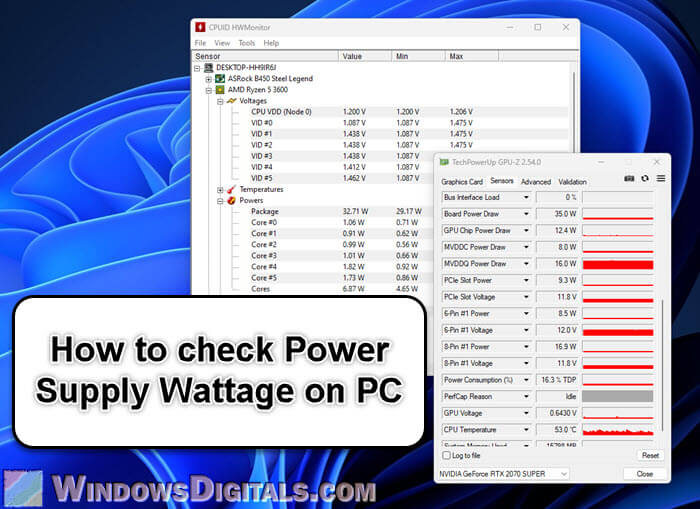
Ever wondered if your computer's power supply is packing enough punch? It's like asking if your car has enough gas to make that epic road trip. Let's find out, shall we? It's easier than you think!
Why Should I Even Care About Wattage?
Good question! Think of wattage as the energy currency of your PC. It’s how much power your PSU (Power Supply Unit) can deliver to all your hungry components. Not enough wattage? Your computer might crash mid-game or refuse to boot. Nobody wants that!
Imagine your PSU is a tiny, tireless chef. It's cooking up electricity for your CPU, GPU, RAM, and all the other hungry hardware guests. If the guests order more food than the chef can make, chaos ensues!
Must Read
Here’s a quirky fact: Overestimating your wattage isn't a disaster. It just means you spent a little extra dough on a beefier PSU. But underestimating? That’s where the trouble begins.
Okay, I'm Intrigued. How Do I Check?
Alright, let's dive in! There are a few ways to snoop on your PSU's wattage.
1. The Obvious: Look at the Label
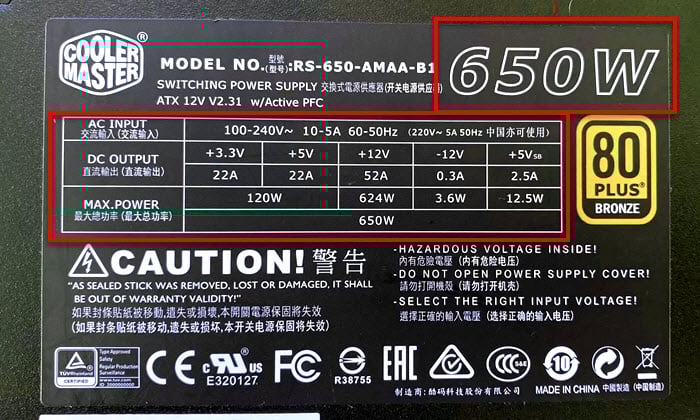
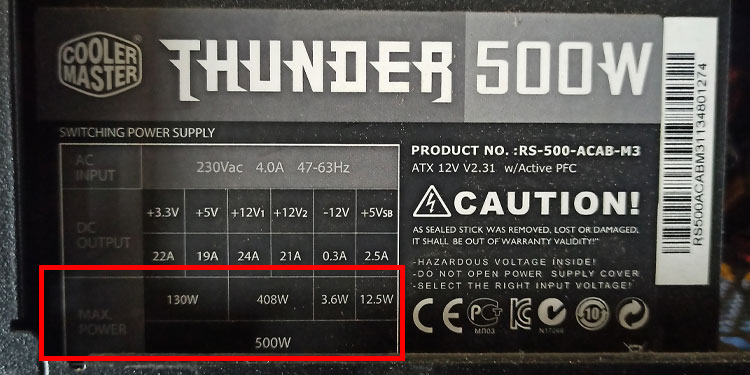
This is the easiest and most direct method. Your PSU should have a label slapped on its side. It's usually pretty obvious, filled with technical jargon and… a wattage number! Search for something like "Maximum Power," "Total Output," or just a plain old "Wattage."

You might find a bunch of numbers that look like hieroglyphics. Don't panic! Just focus on the one followed by "W" (for Watts). That's your magic number!
Pro Tip: You might see multiple wattage ratings. Focus on the total wattage, not the individual rail wattages (unless you're really getting into the nitty-gritty).
2. Open the Case (Proceed with Caution!)
Feeling adventurous? You can physically inspect your PSU. But DISCLAIMER: Only do this if you're comfortable working inside your PC. If you're not, skip this step and stick to method #1. We don't want any accidental electrocutions!

Power down your PC completely and unplug it from the wall. Seriously, unplug it. Then, carefully open your computer case. The PSU is usually a big, metal box in the corner, often with a fan. Look for that glorious label we talked about earlier. It's usually on the side facing outwards, but sometimes it's hidden. Get your flashlight ready for some PSU spelunking!
Important: Avoid touching any components inside unless you know what you're doing. Static electricity is the enemy of PC parts!
3. Check Your PC's Documentation (If You Still Have It)
Remember that dusty box your computer came in? Or that PDF manual you probably downloaded and forgot about? It might contain information about your PSU, including its wattage. It's a long shot, but worth a peek if you're label-averse.
Think of it like a treasure hunt! The treasure is the wattage, and the map is your forgotten documentation.
So, What Wattage Do I Actually Need?
Ah, the million-dollar question! It depends entirely on your PC's components. A basic office PC might only need 300W, while a high-end gaming rig with a power-hungry graphics card could easily require 750W or more.
There are tons of online PSU calculators that can help you estimate your wattage needs. Just plug in your components (CPU, GPU, RAM, storage, etc.), and they'll spit out a recommended wattage. It's like a magic 8-ball for PC power!
Generally, it's better to overestimate your wattage a bit. A PSU running at 50-80% load is typically more efficient and quieter than one running at full blast.
Wattage: More Than Just a Number
Understanding your PSU's wattage is crucial for a stable and happy PC. It's like making sure your superhero has enough energy to save the day!
It might seem intimidating at first, but it's actually quite simple once you know where to look. So, go forth and discover the power within your PC! You might be surprised by what you find.
Now you can confidently answer the question: "Hey, what's the wattage of your power supply?" You'll sound like a total tech wizard. Go impress your friends!