
How To Charge A Dell Laptop Without Charger

Alright, let's talk laptop lifelines. We've all been there, right? You're on a roll, crushing your to-do list, and then BAM! Low battery warning. You reach for your trusty Dell charger... and it's nowhere to be found. Cue the mini panic attack. But hold on! Before you resign yourself to a digital dark age, let's explore some cool alternatives. Turns out, there are a few tricks up our sleeves to keep that Dell humming even without its designated power brick.
Think of it like this: Your laptop is a thirsty traveler in the digital desert, and the charger is its canteen. But what happens when you lose the canteen? Do you just give up and wilt? Nah! You find a hidden oasis, right?
The USB-C Savior
First up, let's talk about USB-C. This little port is a game-changer. Is your Dell relatively new? Chances are it has a USB-C port that supports Power Delivery (PD). This is super important. Not all USB-C ports are created equal. Some are just for data transfer, but the ones with PD can actually charge your laptop. Pretty neat, huh?
Must Read
How do you know if yours supports PD? Check your laptop's manual or look for a little lightning bolt symbol next to the USB-C port. If you see it, you're in luck!
So, what do you need? A USB-C charger (like the one you might use for your phone or tablet) that also supports Power Delivery. The higher the wattage, the faster it will charge. Using a phone charger might work in a pinch, but it'll be a slow charge. Think of it like sipping water from a tiny straw instead of gulping it down from a glass.

Important Note: Always check the voltage and amperage requirements of your Dell laptop to ensure compatibility with the USB-C charger you're using. You don't want to fry anything!
The Universal Laptop Charger – A Versatile Friend
Next, we have the trusty universal laptop charger. These are like the Swiss Army knives of the charging world. They come with a variety of tips that can fit different laptop models. You just need to find the one that fits your Dell.
These chargers usually have adjustable voltage settings, so make sure you set it to the correct voltage for your Dell laptop. Again, check your laptop's manual or the original charger to find this information. Getting the voltage wrong is a recipe for disaster!

Think of a universal charger as having a bunch of different keys on a keyring. You just need to find the right key to unlock the charging door.
DC Car Charger – Road Trip Rescue
Are you on the road and desperately need to juice up your Dell? A DC car charger might be your savior. These plug into your car's cigarette lighter socket (or 12V outlet) and convert the power to a suitable voltage for your laptop.
Just like with the universal charger, make sure the voltage and amperage are correct for your Dell. Driving and working? That's multitasking at its finest!
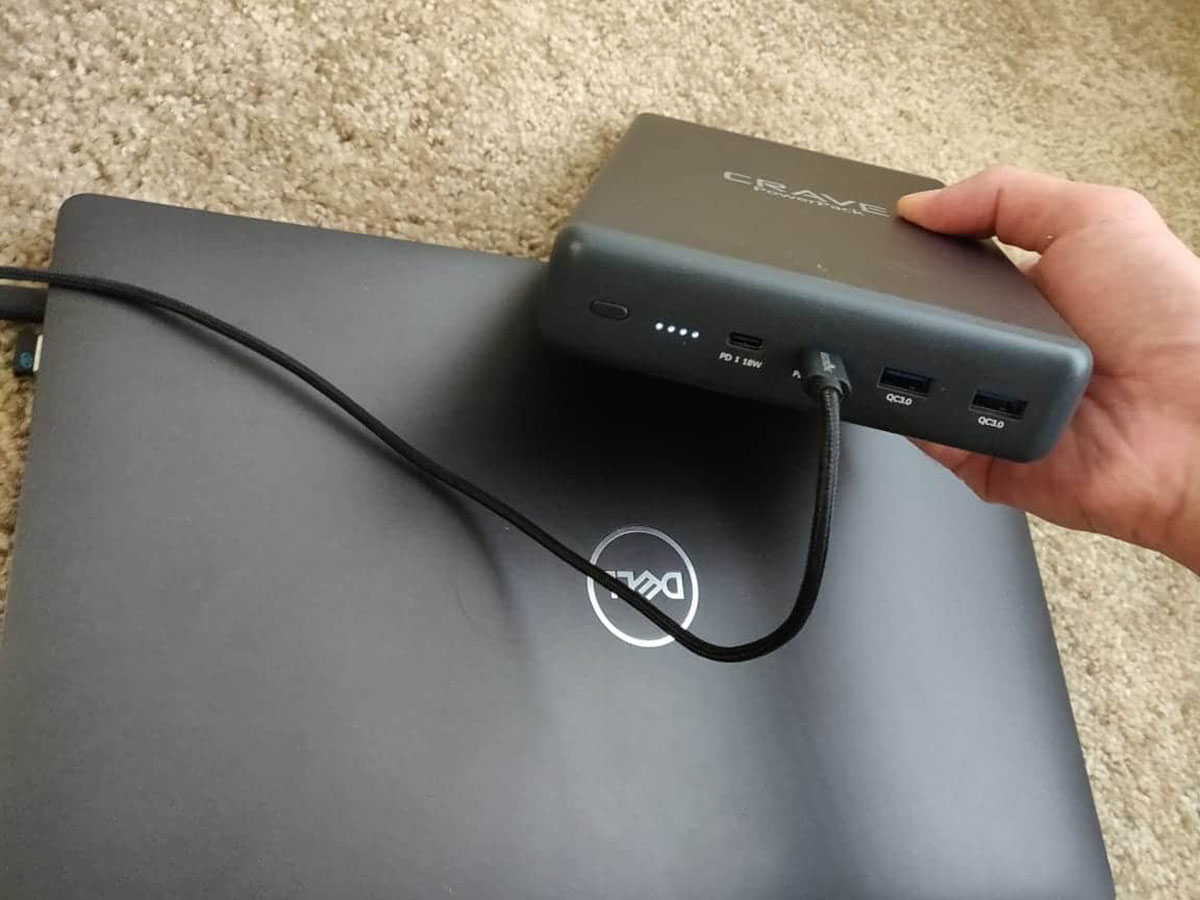
Power Bank – The Portable Powerhouse
For ultimate portability, consider a power bank. But not just any power bank! You'll need one with a high enough capacity and the ability to deliver enough power (watts) to charge your laptop. Look for power banks specifically designed for laptops. They are usually more expensive than phone power banks, but they pack a much bigger punch.
Think of a power bank as a portable backup generator for your laptop. Perfect for long flights, camping trips, or anywhere you don't have access to a wall outlet.
A Word of Caution
Before you go plugging in random chargers, remember that not all chargers are created equal. Using an incompatible charger can damage your laptop's battery or even the entire device. Always double-check the voltage, amperage, and wattage requirements. When in doubt, err on the side of caution.

It's like trying to fit a square peg in a round hole. It's not going to work, and you might break something in the process.
Why is This Cool?
Isn't it cool how we can adapt and find solutions even when things don't go as planned? It highlights the amazing adaptability of technology. Knowing these alternatives gives you peace of mind and keeps you productive, no matter where life takes you. Plus, it's a great party trick! "Lost my charger? No problem! I've got options."
So, there you have it! A few ways to charge your Dell laptop without the original charger. Now go forth and conquer your digital world, even when your charging situation gets a little...unconventional. Remember, a little knowledge can be a powerful thing. And a fully charged laptop? Even more powerful!