
How To Charge A Dell Laptop Without A Charger

Okay, picture this: you're at a coffee shop, furiously typing away at your Dell laptop, deadlines looming. You're in the zone. Suddenly, that dreaded low battery warning pops up. Panic sets in. You rummage through your bag… no charger. Nada. Zip. Zilch. The horror! Been there? I definitely have.
So, what do you do? Well, before you resign yourself to a digital doomsday, let's explore some options. Because, surprisingly, there are ways to charge a Dell laptop without its proprietary charger. Mind. Blown.
Using a USB-C Charger (If Your Dell Supports It)
This is probably the easiest and most common alternative. Many modern Dell laptops now come equipped with USB-C ports that support Power Delivery (PD). Check your laptop's specs! Seriously, don't just assume. (Pro tip: Google "[Your Dell Model Number] specs"). If it does, you're in luck!
Must Read
A USB-C PD charger, like the ones used for some smartphones or tablets (especially newer ones), can often do the trick. Just plug it into the USB-C port on your laptop, and BAM! Charging (hopefully).
Important note: The wattage of the USB-C charger matters. A lower wattage charger might still charge your laptop, but it will be much slower. And in some cases, it might only slow down the battery drain. Aim for a charger with at least 45W for a decent charging speed. (Ideally, even higher, depending on your laptop's power requirements.)

Think of it like trying to fill a swimming pool with a garden hose versus a fire hose. Both will eventually fill it, but one will take significantly longer.
Using a Universal Laptop Charger
These are like the Swiss Army knives of laptop chargers. A universal laptop charger typically comes with a variety of different tips that can plug into different laptop power ports. You’ll need to find one that has the correct tip for your Dell.
You can usually find them at electronics stores or online. Just make sure it's compatible with your Dell's voltage and amperage requirements. Check the sticker on your original Dell charger for this information! You don't want to fry your laptop, trust me. (Another pro tip: Safety first, always!)

They're not always the most reliable option – some cheap universal chargers can be… well, cheap. But in a pinch, a decent universal charger can be a lifesaver.
Using a Portable Power Bank (If You Have a Big One)
Okay, this is more of a "keep-you-alive" solution than a full recharge. A powerful portable power bank, especially one designed for laptops (or at least capable of delivering a high wattage), can provide some extra juice when you're away from an outlet.
Again, look for power banks with USB-C PD and a high wattage output (60W or more is preferable). Don't expect it to fully charge your laptop from zero, but it can give you enough power to finish that crucial presentation or send that vital email.
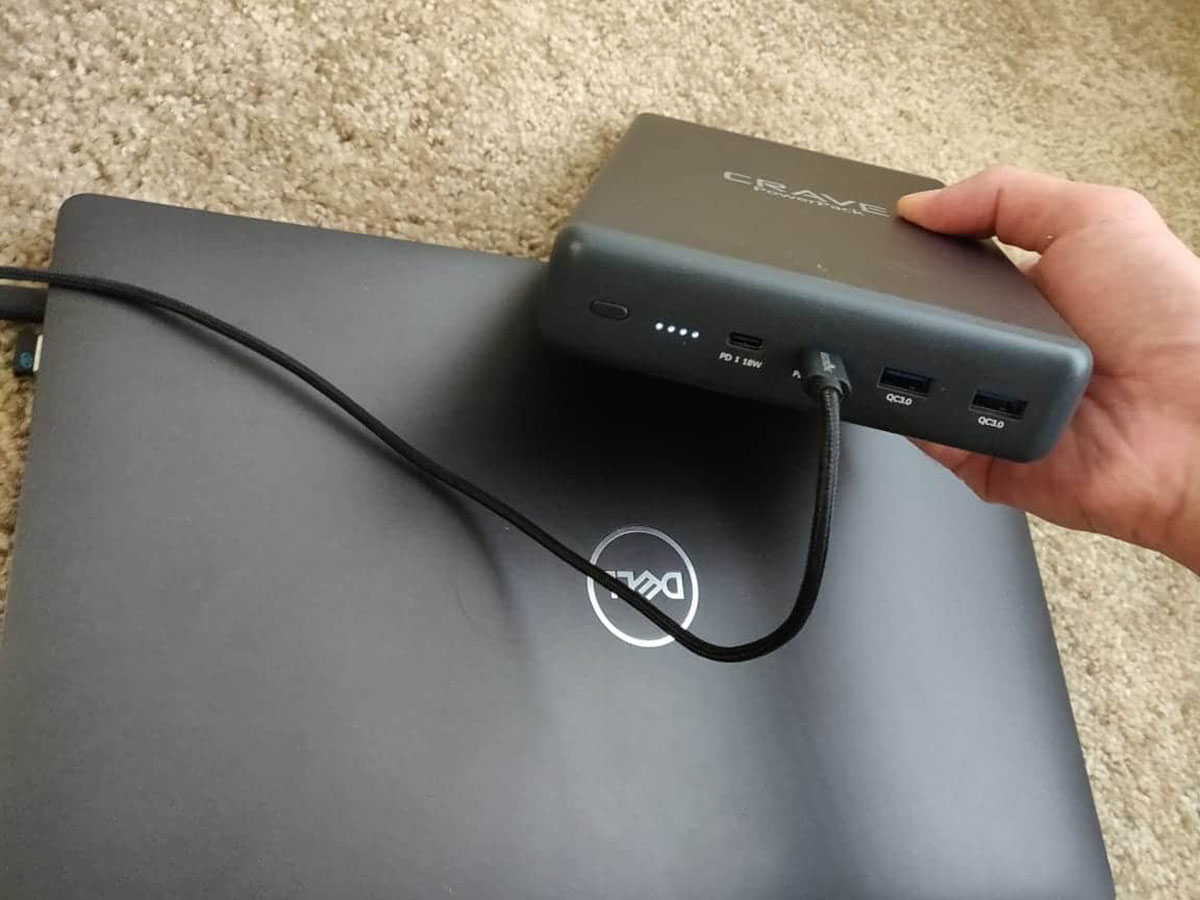
Consider it a digital IV drip. You're not cured, but you're not dead yet either.
What NOT To Do
Now, let's talk about what not to do. Do not try to jerry-rig a charger with wires and tape. Seriously, just don't. It's dangerous, it's likely to damage your laptop, and you could end up electrocuting yourself. Just… no.
Also, avoid using extremely cheap, no-name chargers from questionable sources. They might not deliver the correct voltage or amperage, and they could potentially damage your battery or even cause a fire. (Yes, fires are bad. Very bad.)

Final Thoughts
While these alternative charging methods can be helpful in emergencies, they're not ideal for everyday use. Your Dell laptop is designed to work best with its original charger. So, the best solution is always to remember to bring your charger!
But hey, we're all human. We forget things. And when that happens, hopefully, one of these options can save the day (or at least extend your battery life long enough to find a real outlet).
Good luck, and may your battery always be full! (Or at least above 10%).