How Long Should My Battery Last On My Laptop
Alright, buckle up buttercup, because we're diving into the wild, wonderful, and sometimes frustrating world of laptop battery life! We've all been there – staring in horror as that little battery icon dwindles faster than your paycheck after a really good online shopping spree. So, how long SHOULD your battery actually last? Let's decode this mystery!
The Great Battery Expectation Game
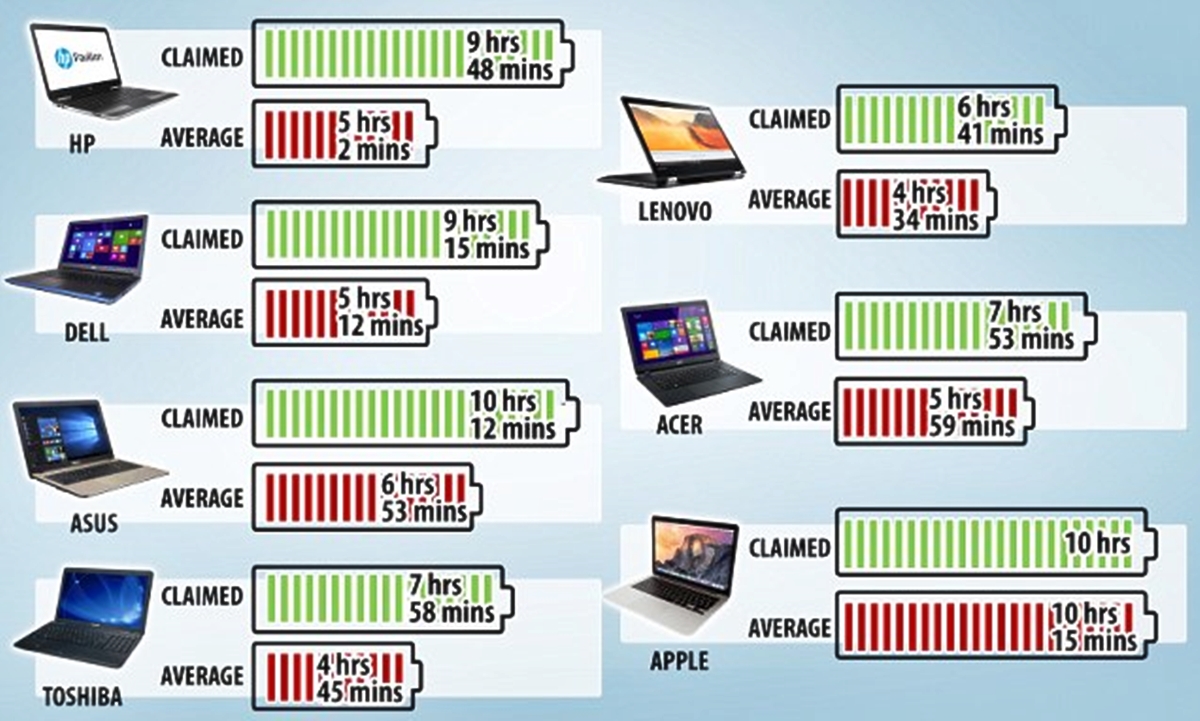
First things first, forget what the manufacturer tells you. Seriously. They live in a perfect, lab-controlled world where laptops only browse static web pages and maybe whisper sweet nothings to the processor. In the real world, your laptop is juggling a million tasks, battling rogue Wi-Fi signals, and desperately trying to keep up with your endless stream of cat videos. So, take those promised "10+ hours" with a grain of salt... the size of a small boulder.
Realistically, for a brand new laptop doing light work (think typing documents, browsing, maybe a little light streaming), you should aim for something in the ballpark of 5-8 hours. That's the sweet spot, the promised land of productivity! But, before you start celebrating, let's break down what "light work" actually means.
Must Read
The Battery Vampires: Activities That Drain Your Power
Certain activities are like little battery vampires, sucking the life force out of your precious laptop. Be aware of these energy hogs:
- Gaming: Oh, gaming. We love you, but your graphics-intensive shenanigans are a battery's worst nightmare. Expect a dramatic drop in battery life when you're battling dragons or conquering virtual worlds. We're talking maybe 1-3 hours, if you're lucky!
- Video Editing/Rendering: Anything that puts serious strain on your processor and graphics card will drain the battery faster than you can say "low power mode." Think of it like running a marathon – it's going to take a toll!
- Streaming High-Definition Video: Binge-watching your favorite show is fun, but it's also a battery killer. All that data streaming and screen brightness adds up.
- Having a Million Tabs Open: Each open tab is like a little gremlin, whispering "process this! process that!" to your laptop's processor. Close those unnecessary tabs and give your battery a break!
- Bluetooth and Wi-Fi (Always On): Even when you're not actively using them, these little guys are constantly searching for connections, draining power in the background. Turn them off when you don't need them!
- Running Old or Inefficient Software: Outdated or poorly optimized software can be a major drain. Make sure your programs are up to date.
The Battery Age Blues
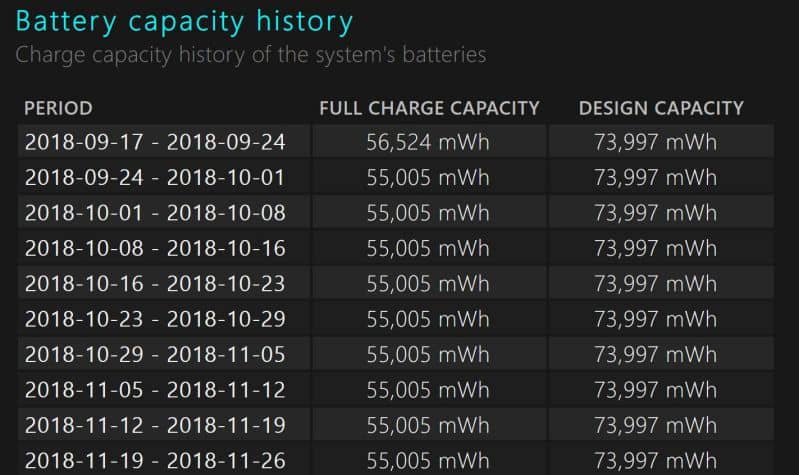
Just like us, laptop batteries age. They lose capacity over time, meaning they can't hold as much charge as they used to. A laptop battery that gave you 6 hours of life when it was new might only give you 3 or 4 after a year or two. It's a sad fact of life, but it's important to factor in.
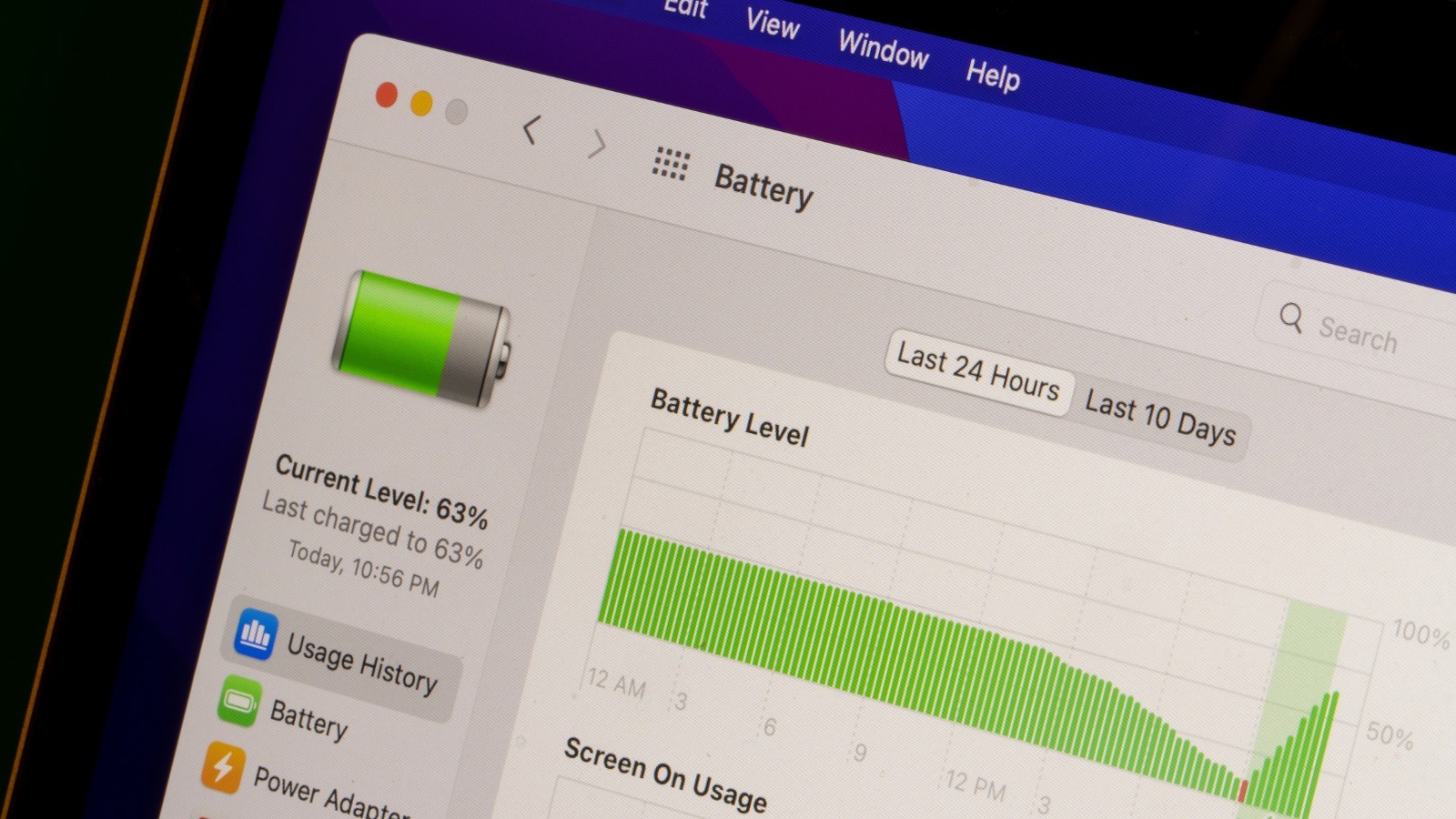
You can check your battery's health through your operating system (search for "battery health" in Windows or check "Battery" under "System Information" on a Mac). If it's significantly degraded, it might be time for a replacement. Think of it as giving your trusty laptop a new lease on life!
Tips and Tricks to Extend Your Battery Life
Okay, so you're not getting the battery life you want. Don't despair! Here are a few simple things you can do to squeeze more juice out of your laptop:
- Lower Screen Brightness: This is the easiest and most effective way to save battery. Seriously, your eyes (and your battery) will thank you.
- Close Unnecessary Programs: Don't let those background apps suck your power dry!
- Turn Off Bluetooth and Wi-Fi When Not in Use: Every little bit helps!
- Use Battery Saver Mode: Both Windows and macOS have battery saver modes that automatically reduce performance to extend battery life.
- Keep Your Laptop Cool: Excessive heat can damage your battery. Make sure your laptop has proper ventilation.
- Defragment Your Hard Drive (for Older Laptops): This can improve performance and reduce the amount of work your hard drive has to do, saving battery. (Not necessary for SSDs!)
Consider this nugget of wisdom:
"The most sustainable battery is the one that lasts the longest." - Someone wise (probably)
The Bottom Line
There's no magic number for how long your laptop battery should last. It depends on your laptop, your usage habits, and the age of your battery. But with a little bit of awareness and a few simple tweaks, you can definitely extend your battery life and avoid the dreaded low-battery panic. So go forth, conquer your to-do list, and enjoy your newfound battery freedom!
Remember, don't get discouraged! Battery life is a journey, not a destination. Embrace the quirks, learn your laptop's limitations, and you'll be a battery life pro in no time. Good luck, and may your battery always be charged!
Important Note: Always consult your laptop's manual or the manufacturer's website for specific battery care recommendations.