
How Do You Make A Video Podcast
Ever found yourself scrolling through your feeds and pausing on a friendly face sharing their passion, knowledge, or quirky take on life directly to the camera? That’s often the magic of a video podcast! What started as a niche has exploded into a vibrant medium, offering a fantastic way to blend the intimacy of audio storytelling with the compelling power of visual engagement. It’s no longer just about listening; it’s about seeing the enthusiasm in someone's eyes, the gestures that punctuate their points, and even the cool backdrop they've curated.
For artists, hobbyists, or anyone with a casual curiosity to share, video podcasts open up a world of benefits. Imagine being able to show off your latest painting, demonstrate a complex knitting stitch, or illustrate a coding concept in real-time. This visual element creates a deeper connection with your audience, fostering a sense of authenticity and trust that pure audio sometimes can't achieve. It’s perfect for those who learn visually, for building a stronger personal brand, or simply for people who want to put a face to the voice they're listening to. It’s about more than just words; it's about conveying emotion, showcasing personality, and truly bringing your message to life.
The beauty is in the boundless possibilities for what you can create. You could host an interview-style show, inviting guests to chat face-to-face. Perhaps a tutorial-based series, demonstrating anything from cooking a new recipe to fixing a leaky faucet. Many creators opt for a "talking head" format, simply sharing their thoughts and opinions on various subjects, much like a vlog. Artists can offer behind-the-scenes glimpses into their creative process, while educators can use visual aids to make complex topics incredibly accessible. The format is as flexible as your imagination!
Must Read
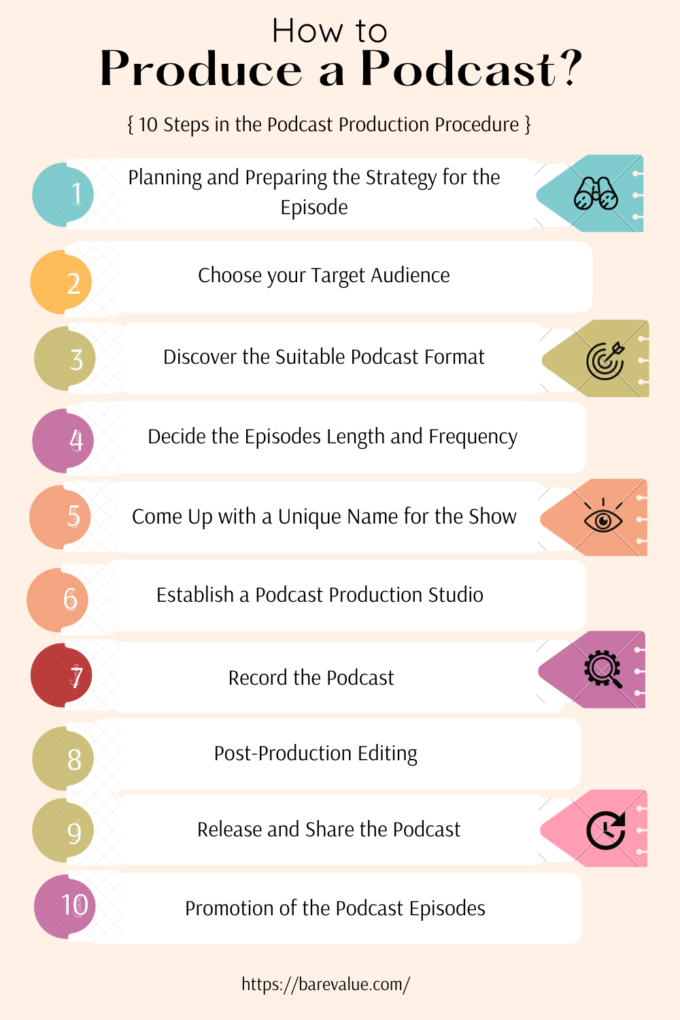
Feeling inspired to try it yourself? The good news is you probably have most of what you need already. To start, your smartphone is a perfectly capable camera. For audio, while your phone's built-in mic will do in a pinch, investing in a simple external lavalier (clip-on) mic or a USB microphone will make a world of difference in sound quality. Good audio is often more important than crystal-clear video! Find a quiet spot with decent natural light or grab a simple ring light for a professional touch. Don't feel pressured to buy expensive editing software; free options like iMovie (for Mac users), DaVinci Resolve (free version), or even CapCut can get you started. The most crucial tip? Don’t overthink it. Just hit record and speak from the heart about something you love.
Ultimately, making a video podcast is a journey of creative expression and connection. It’s incredibly enjoyable to bring your ideas to a wider audience, to interact with people who resonate with your passion, and to see your vision come to life. The imperfections are part of the charm, and the learning curve is part of the fun. So, why not give it a whirl? What story will you tell?


