
How Do You Disconnect An Alarm System
Alright, friend, let's chat about something that probably makes your heart do a little salsa dance every now and then: your alarm system going off. Maybe it's the dog, maybe it's a rogue curtain blowing in the wind, or maybe you just really needed that midnight snack and forgot to disarm. Whatever the reason, suddenly your house is an impromptu discotheque of beeps and flashing lights, and you're left wondering, "How do I make it stop?!"
Fear not! We're not talking about anything worthy of a spy movie here (though a good alarm system does make you feel pretty secret-agent-y, doesn't it?). We're just going to walk through the common, easy-peasy ways to silence that symphony of security. No dynamite needed, promise.
Whoops! My Alarm Just Went Off (Again!)
Let's set the scene: You've just walked in the door, arms full of groceries (or, let's be real, a giant box of pizza), and BAM! The alarm starts blaring. Your neighbors are probably already peeking through their blinds, wondering if you're hosting an unexpected rave. First things first, don't panic! Most alarm systems are designed to be user-friendly... once you know the secret handshake.
Must Read
The Big Red Button (or Keypad) Method: Your Daily Driver
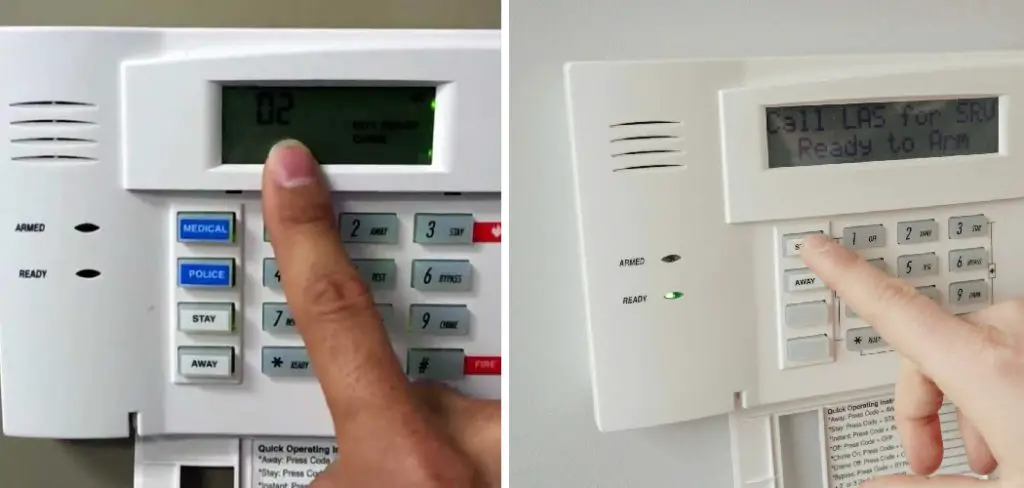
This is your bread and butter, your go-to move. Every alarm system worth its salt has a primary way to turn it off. Usually, it's a keypad near your main entry point. You know, that little box with numbers and maybe a tiny screen?
Here's the drill:

- Enter Your Code: Quickly type in your disarm code (the one you hopefully haven't forgotten since Tuesday). This is typically a 4-digit or 6-digit number.
- Look for "Off" or "Disarm": Sometimes, after entering your code, you might need to press a button that says "OFF", "DISARM", or even "RESET". It's like confirming your choice, just in case you accidentally typed your cat's birthday instead of the actual code.
If you're lucky, the alarming stops almost instantly, and you're left with a soft beep of success. Phew! Crisis averted. Go enjoy that pizza!
When the Keypad Says 'Nope': Battery Backup & Power Down
Okay, so you've typed your code, pressed all the buttons, and it's still singing its siren song. Or maybe the keypad itself seems unresponsive. This is when we consider a slightly more advanced, but still totally doable, step: a good old-fashioned power cycle.
Think of it like restarting your computer when it's acting wonky. Alarm systems have two main power sources:
- AC Power: This is the electricity coming from your wall. Look for a transformer plug. It's usually a bulky plug (often beige or gray) that's plugged into a wall outlet, typically near your main alarm panel (which might be in a closet, utility room, or basement). Unplug it! This cuts off the primary power.
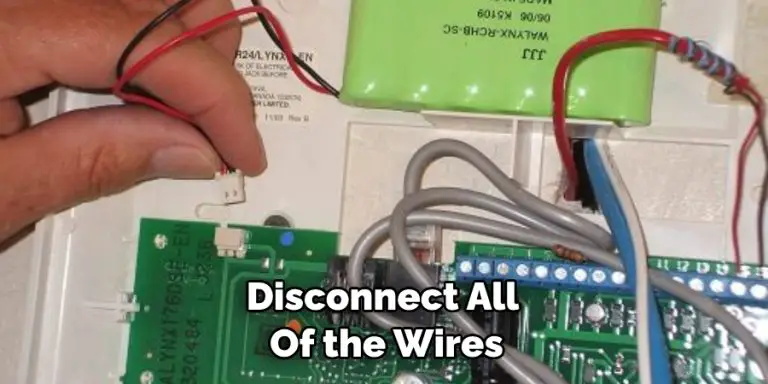
- Battery Backup: Even with the AC unplugged, most alarms have a backup battery so they keep working during power outages. You'll need to find the main control panel box. This is usually a metal box, often mounted on a wall. Carefully open it (it might require a small screwdriver or a key, but sometimes it just latches open). Inside, you'll see a battery (it looks a bit like a small car battery or a large rectangle). There will be two wires connected to it, usually red and black. Gently disconnect one of the wires (either is fine, but disconnecting the black one first is a common practice).
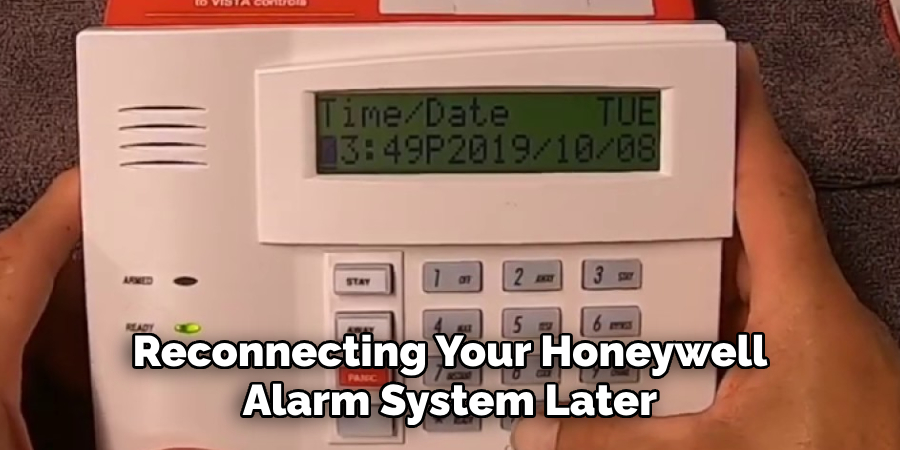
With both the AC and battery disconnected, your alarm system is officially off. Give it a minute or two to chill out, then reconnect the battery, close the panel, and plug the transformer back in. It should reboot, and hopefully, be much more cooperative this time around. If not, re-enter your disarm code once it powers back up.
Getting Serious: The Main Control Panel (Proceed with Caution!)
Now, this section is for those truly stubborn systems, or if you're trying to permanently decommission an old system (perhaps for a renovation). But a big, flashing, neon sign warning here: tread lightly! Messing with the main panel without knowing what you're doing can void warranties, disable other sensors, or just generally make things worse. Usually, if you're at this stage, you might be better off calling for backup.
However, if you're determined, and you've already tried the power cycle:
- Locate the Main Panel: As mentioned, this is that metal box.
- Identify Zone Wires: Inside, you'll see a circuit board with many wires connected to various terminals. These are your zone wires (each one goes to a door, window, motion sensor, etc.) and power wires.
- The Extreme Measure: To completely kill all power and signal, you would disconnect the main power wires from the transformer and the battery wires inside the panel. This is often the point where you'd clip wires if you're permanently removing the system. But again, this is usually not recommended for a temporary disarm! If you're going this far, you're basically performing alarm surgery without a medical degree.
When All Else Fails: Call a Pro!
Seriously, there's no shame in calling in the cavalry. If your alarm system is being a diva and refusing to cooperate, or if you're uncomfortable poking around wires (which is totally understandable!), then call your alarm monitoring company or a local alarm technician. They deal with these temperamental beasts every day and can usually talk you through it over the phone, or send someone out to sort it out professionally. Sometimes, a system just needs a professional reset or has a fault only they can diagnose. Save yourself the headache!
A Final Friendly Nudge
So there you have it! From a simple code entry to a full system power-down, you're now armed with the knowledge to tackle that blaring beast. Remember, your alarm system is there to protect you, not to give you a heart attack every time it decides to throw a party. With a little patience and a clear head, you can bring peace and quiet back to your abode in no time. Now go forth, conquer those false alarms, and enjoy the sweet, sweet sound of silence. You've earned it!
