
How Do You Clean A Charging Port

Okay, so listen, we've all been there, right? That moment when you plug in your phone, expecting that satisfying little buzz and the charging icon to light up, but... nothing. Just dead silence. Or worse, it charges for a second, then stops. You jiggle the cable, you swap out chargers, you even try plugging it in upside down (don't lie, we've all done it!). And then it hits you: the port. Is it dirty? Is it full of... stuff?
Oh, believe me, it probably is. Your charging port is like a tiny, unsuspecting lint trap. It's collecting all the pocket fluff, the crumbs from that snack you had last Tuesday, and who knows what else. It's a miracle it works at all sometimes! So, let's grab a coffee (or whatever your preferred beverage is) and chat about how to sort this out without accidentally turning your beloved device into a paperweight.
First things first: What not to do.
Before we dive into the good stuff, let's talk about the absolute no-nos. Because, honestly, some of the things people try? Yikes. Don't use water. Ever. Electronics and water are like cats and baths – a terrible, terrible combination. And please, for the love of all that is holy, don't stick anything metal in there. A paperclip? A key? A tiny screwdriver? No, no, no! You're just begging for a short circuit, and trust me, that's a much bigger problem than some lint.
Must Read
Also, resist the urge to just blow into it with your mouth. Not only are you likely introducing moisture (which we just covered is a bad idea!), but you're also probably just pushing the gunk further in. Plus, it's a bit gross, let's be real.
The Gentle Approach: Air is Your Friend
Alright, now for the sensible stuff. Our first line of defense is often the simplest: air! Grab yourself a can of compressed air duster. You know, the stuff you use to clean keyboards. But here's the trick: use it correctly.
Step one, and this is crucial: Turn off your device. Seriously, power it down completely. We don't want any accidental electrical shenanigans. Okay, device off? Good. Now, take your compressed air can. Hold it upright (to avoid propellant coming out) and give the port a few short, controlled bursts. Don't go blasting away like you're trying to launch a rocket. A few quick puffs at an angle should do the trick. You might even see a little cloud of dust bunnies flee for their lives!
Test it. Plug in your charger. Did it work? If so, high five! If not, don't despair, we have more tricks up our sleeve.
Operation De-Lint: The Pick-Up Artists
Sometimes, air just isn't enough. That lint can get really compacted in there, almost like felt. This is where we need to get a little more... tactile. But remember our golden rule: no metal!
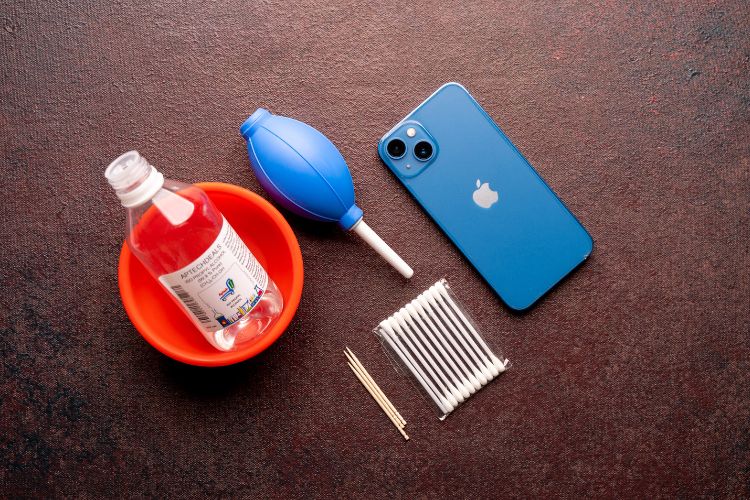
What you need is something non-conductive and thin. My personal favorites are a wooden toothpick or a plastic flossing pick (the kind with a pointy end, not just the floss). A SIM card ejector tool can also work in a pinch, just be extra careful as it's a bit sharper.
Again, device off! Grab a good light source – seriously, hold it up to a lamp or use your phone's flashlight (on another device, obviously!). Now, very, very gently, insert your chosen tool into the port. You're not trying to excavate for ancient treasure; you're just trying to scrape the gunk out. Angle it slightly to get under the lint and pull it out. You'll probably be amazed (and slightly disgusted) at the little "furballs" that emerge. It's like finding a treasure chest, but instead of gold, it's lint. Hooray!

Work slowly, gently, and around the edges. Avoid jamming the tool against the charging pins in the middle. We're talking about a surgical level of precision here, but like, for cleaning lint, not actual surgery. Take your time. You might need to go around the entire inner perimeter a few times.
The Finishing Touch: A Gentle Brush (Optional)
Once you've picked out the worst of the fluffy stuff, you could follow up with a very small, soft brush. An interdental brush (the tiny ones used for cleaning between teeth) or even a very soft, clean toothbrush can help sweep away any remaining fine particles. Again, be super gentle, no vigorous scrubbing, just a soft sweep.
Re-Test and Prevention
After all that meticulous cleaning, plug in your charger again. Is it charging? That glorious little lightning bolt icon? Yes! You're a hero! You've saved your phone (and probably a trip to the repair shop).
Now, how to keep this from happening again? Well, that's the tricky part, because lint is just everywhere. But you can try to mitigate it. Keep your phone in a case that covers the charging port (some have little flaps). Try to keep your pockets cleaner (good luck with that, I know). And maybe, just maybe, give it a quick blast with compressed air every couple of months as a preventative measure.
So there you have it, friend. A little patience, a non-metallic tool, and a whole lot of gentleness can save your charging port from the dreaded lint monster. You got this!