
How Do Smart Light Bulbs Work
Okay, picture this: You’re snuggled up on the couch, two episodes deep into your favorite show, perfectly cozy. Then it hits you – the main overhead light is still blazing like a supernova. Ugh. The sheer effort of peeling yourself off that warm cushion, navigating the treacherous path to the light switch, and then returning to your perfectly imprinted spot... it feels like an Olympic sport. We’ve all been there, right?
Confession time: I used to actually try to will the light off with my mind. Spoiler alert: it never worked. My superpower, it seems, does not involve telekinetic lighting. But what if I told you there are little glowing gadgets out there that do respond to your spoken word, a tap on your phone, or even just the time of day? Enter the glorious, convenient, sometimes ridiculously fun world of smart light bulbs.
No more Olympic sprints to the switch. No more blinding yourself at 3 AM just to find the bathroom. These aren't your grandma's incandescent bulbs, that's for sure. They're a whole different beast, and frankly, a much cooler one.
Must Read
What Even Are These Magical Orbs?
At their core, a smart light bulb still provides light, obviously. But unlike their dimmer, less chatty cousins, these guys are packed with some serious tech. Think of them as tiny, glowing mini-computers. They contain LEDs (Light Emitting Diodes) – super efficient and long-lasting light sources – but also a tiny radio, a microchip, and sometimes even a small speaker or microphone. Yep, your light bulb has a tiny brain. Don't worry, it's not planning world domination... yet.
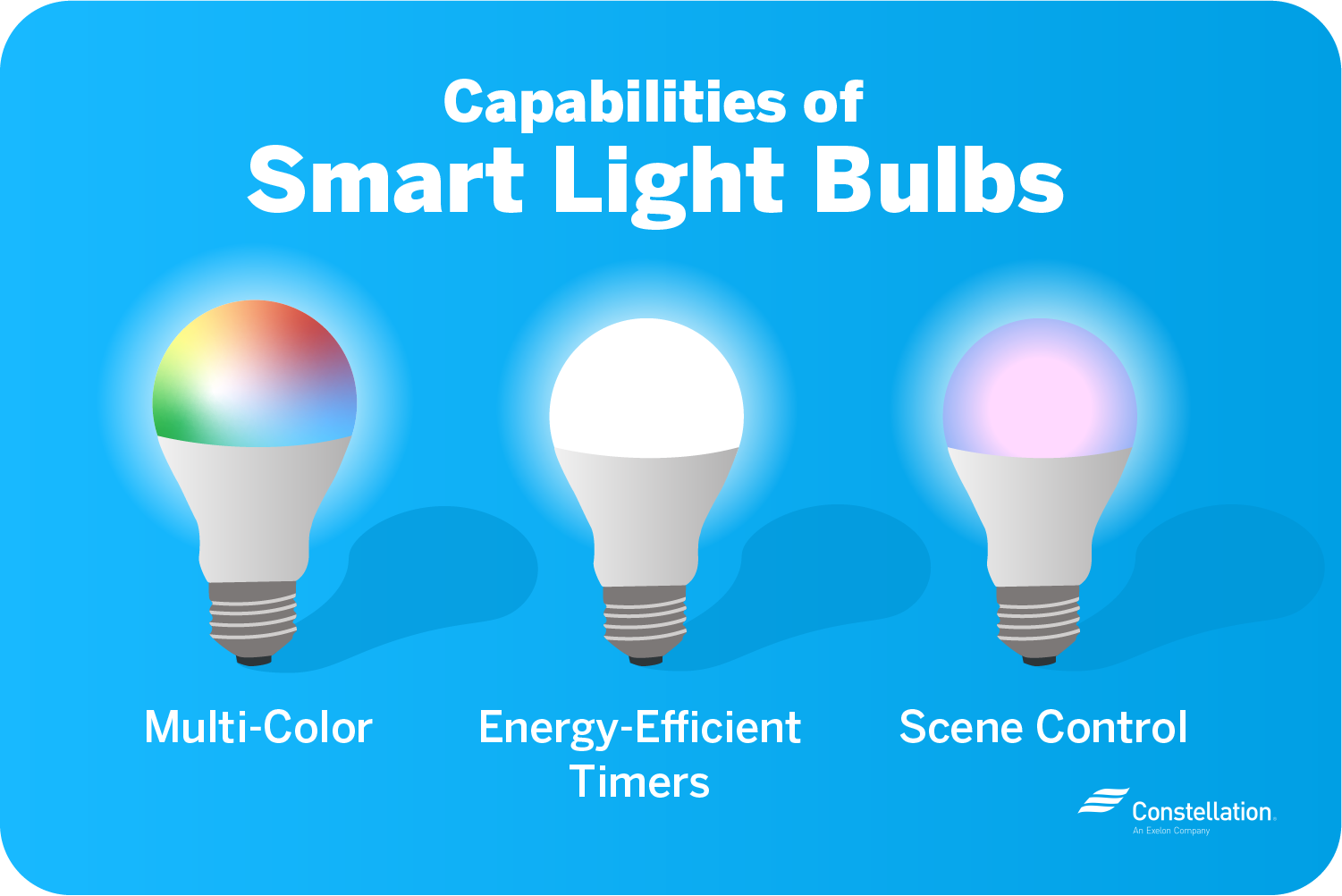
This little brain allows it to do a lot more than just "on" or "off." It can change colors, dim to perfection, flash like a disco ball (if you're into that), and most importantly, talk to other devices.
The Brains Behind the Glow: How They Connect
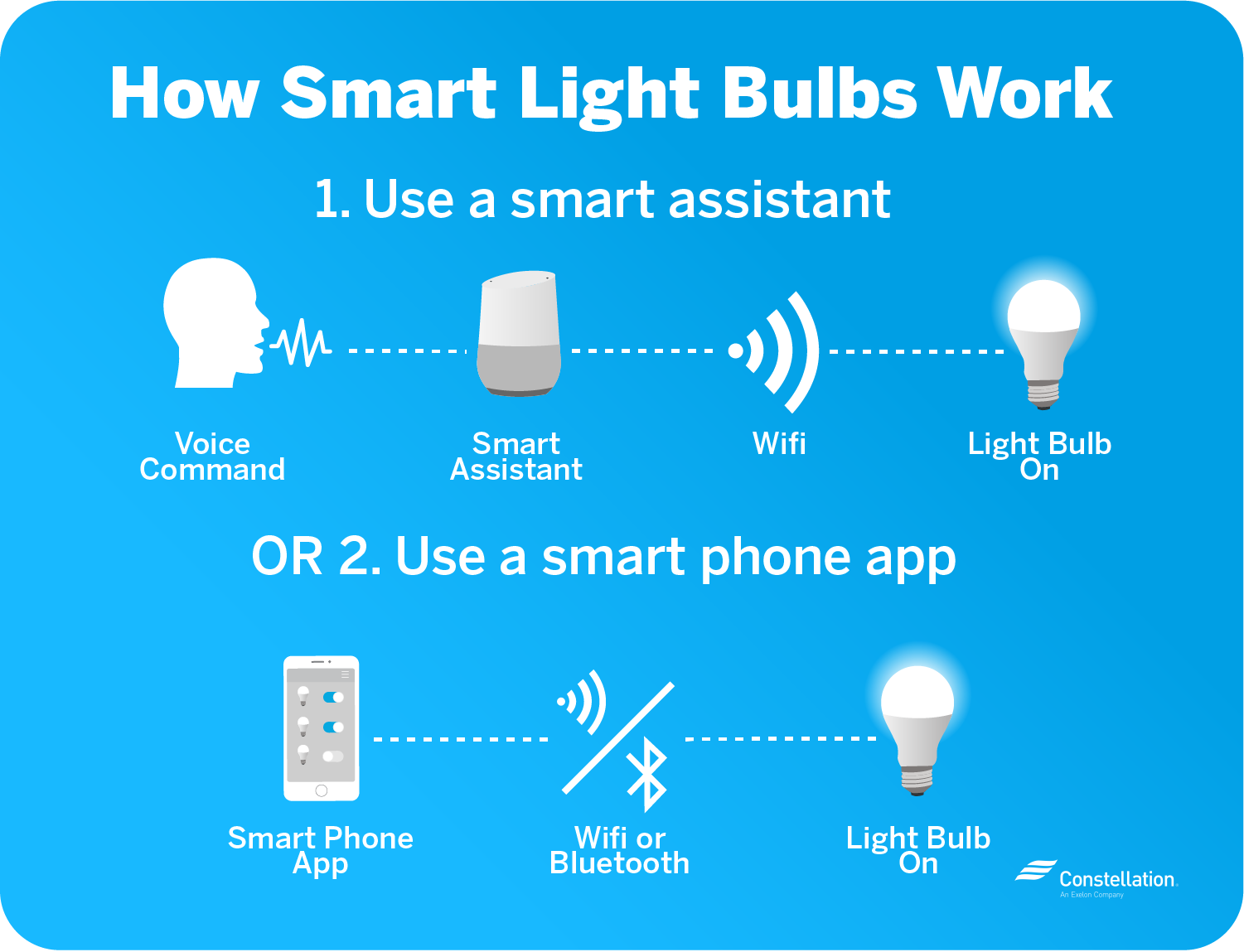
For a smart bulb to be, well, smart, it needs a way to receive your commands. This is where the radio part comes in. There are a few common ways they communicate, and you've probably heard of most of them:
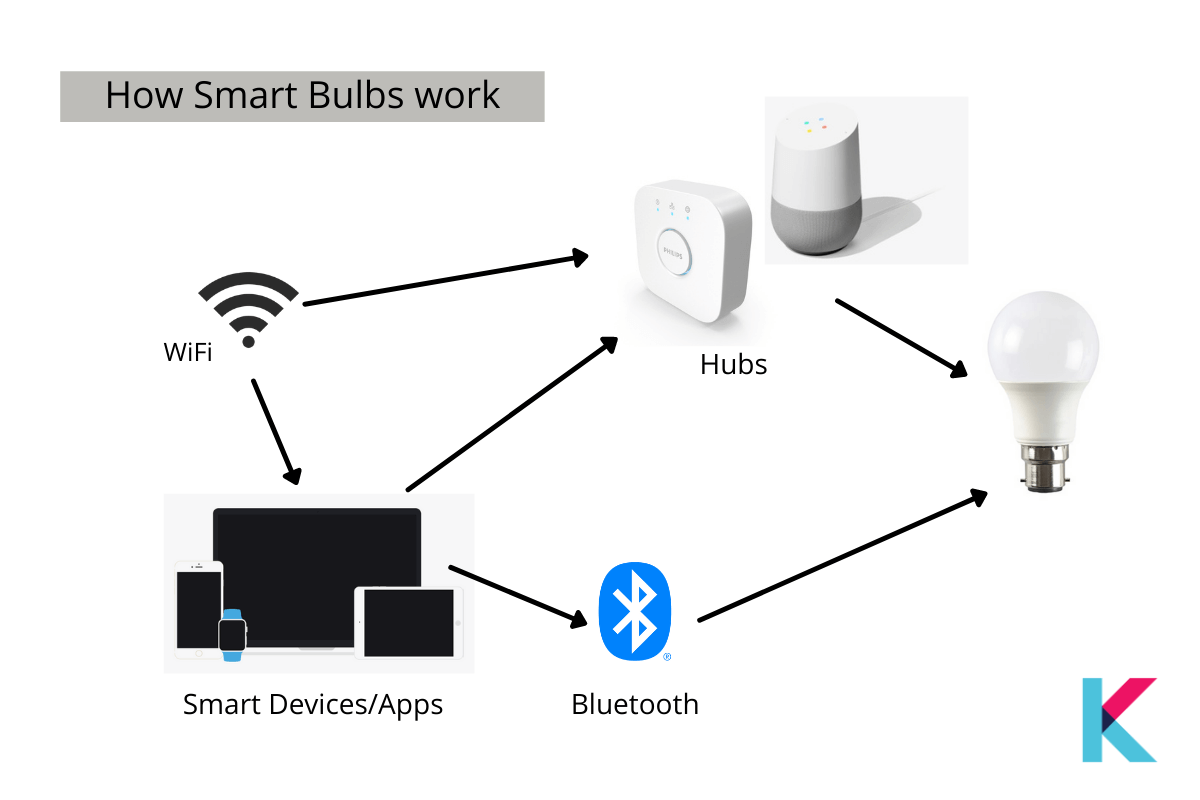
- Wi-Fi: This is probably the most common. Many smart bulbs connect directly to your home's Wi-Fi network, just like your phone or laptop. This means you can control them from anywhere in your house, or even when you're out and about, using your smartphone app. Pretty neat, huh?
- Bluetooth: Some bulbs use Bluetooth, which is great for simplicity. You connect directly from your phone to the bulb. The catch? You generally need to be within Bluetooth range to control it. So, while easy to set up, it's not ideal for turning off the lights from the grocery store.
- Zigbee or Z-Wave: These are a bit more technical, but they're incredibly popular in the smart home world. They create a "mesh network," which basically means each device can talk to others and pass along commands. For these, you usually need a central "hub" (like a smart home controller) that plugs into your router. It sounds more complicated, but these networks are super reliable, use less power, and are great for homes with lots of smart gadgets.
The Command Center: Sending Signals
So, you've got your smart bulb, and it's connected. How do you actually tell it what to do? This is where your interface comes in:
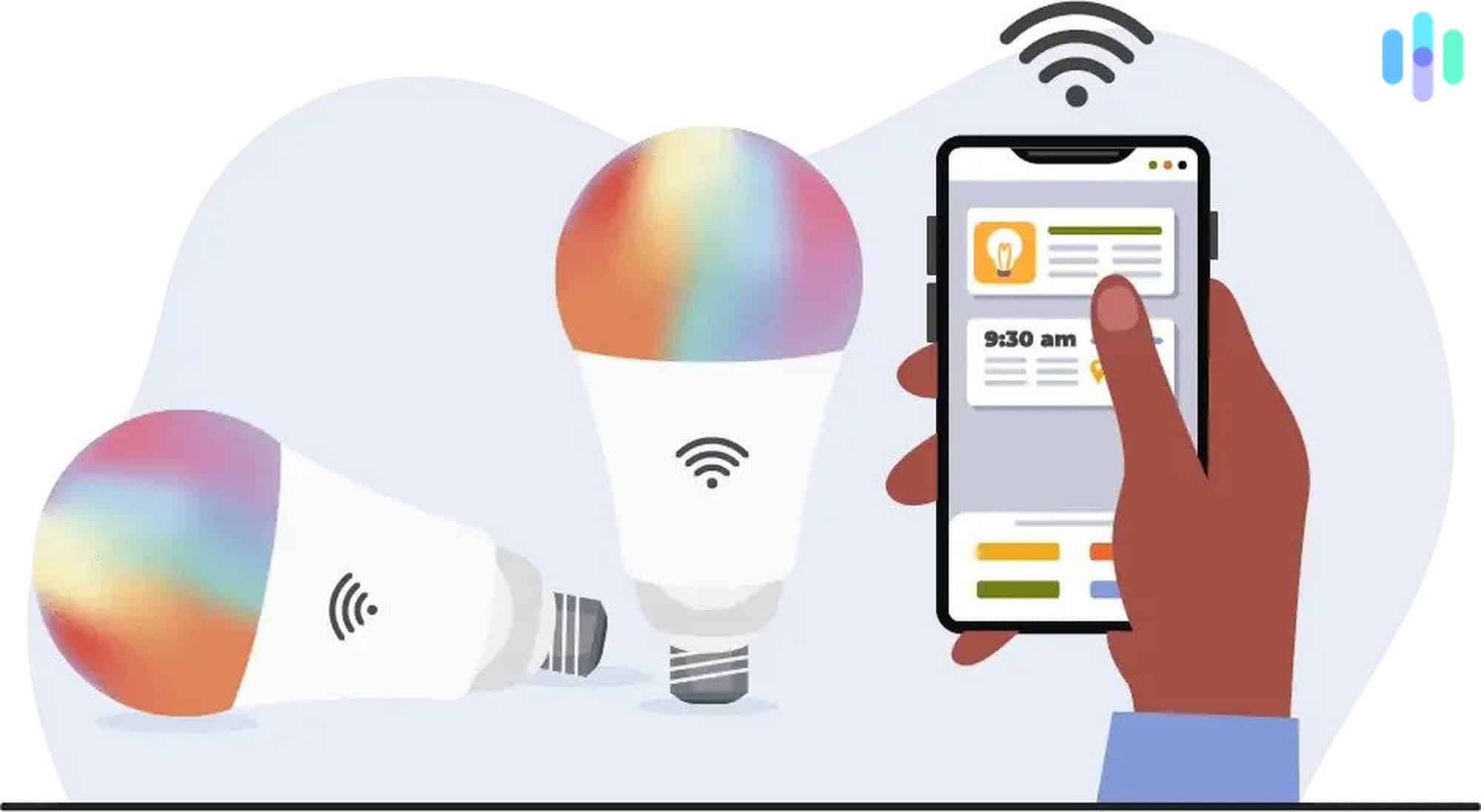
- Smartphone Apps: Most smart bulbs come with their own dedicated app. This is your digital remote control. You can tap buttons to turn lights on/off, change colors, set schedules, and create "scenes" (like "movie night" lighting).
- Voice Assistants: This is where the real magic happens for many of us. "Hey Alexa, turn off the living room light!" or "Okay Google, dim the bedroom to 50%." These assistants, connected to your Wi-Fi (and thus, your bulbs), interpret your voice command and send the appropriate signal.
- Smart Home Hubs: If your bulbs use Zigbee or Z-Wave, your hub acts as the translator between your app/voice assistant and the bulbs themselves. It's the central brain that orchestrates everything.
From Your Phone to the Bulb: A Digital Journey
Let's trace a typical command. Say you're on the couch (still refusing to move, I applaud your dedication) and you say, "Alexa, turn on the lamp."
Your Alexa device (or Google Assistant, or Siri) hears you, processes your voice, and sends that command over your Wi-Fi network to the cloud. The cloud then sends that instruction back down to your home network, specifically targeting your smart bulb (or hub, if you have one).
The tiny microchip inside your bulb receives this digital instruction. It then tells the LEDs exactly what to do: fire up, dim down, change to a cozy amber, or blast a vibrant purple. All in a matter of milliseconds! It’s quite the digital dance, wouldn't you agree?
More Than Just On/Off: What Makes Them "Smart"?
Beyond the instant gratification of voice control, smart bulbs offer a universe of convenience. We're talking:
- Schedules & Routines: Have your bedroom lights gradually brighten to wake you up gently, or turn on automatically when the sun sets.
- Scenes: Create custom lighting moods. "Reading mode" could be a warm, focused light, while "party mode" might be a kaleidoscope of colors.
- Geofencing: Some systems can detect when you leave or arrive home and turn lights off/on accordingly. Imagine walking through your door to an already lit house!
- Integration: They can work with other smart devices. Your door sensor could trigger lights to turn on when someone enters. Your smart speaker can play music and dim the lights for movie night.
So, the next time you effortlessly dim your lights with a spoken word, or watch them change color from your phone, remember the tiny radios, microchips, and invisible networks working tirelessly behind the scenes. It's a small slice of modern magic, all designed to make our lives a little brighter, a lot more convenient, and definitely less prone to couch-to-switch Olympic events. Seriously, how neat is that?
