How Do I Power This Phone Off
Ever found yourself staring at your smartphone, a modern marvel of technology, only to realize you have no idea how to perform one of its most basic functions? We're talking about the humble act of turning it off. It sounds silly, right? But with new models constantly changing button layouts and operating system tweaks, figuring out "How do I power this phone off?" has become a surprisingly common, and sometimes amusing, little puzzle. It's not just a trivial question; mastering this simple step is empowering and incredibly useful, turning a moment of potential confusion into a satisfying "aha!" moment.
For beginners, understanding how to properly shut down your device is foundational. It's your first line of defense against a frozen screen or misbehaving app. Think of it as knowing where the "off switch" is for any complex machine – absolutely essential! For families, teaching kids how to power down their devices can be a gentle introduction to digital boundaries, promoting mindful tech use and even extending battery life for shared gadgets. And for the more technically inclined, perhaps a hobbyist tinkering with settings or preparing for a software update, a clean power-off ensures system stability and helps troubleshoot those persistent little glitches. It’s more than just turning off a light; it’s giving your phone a proper digital nap.
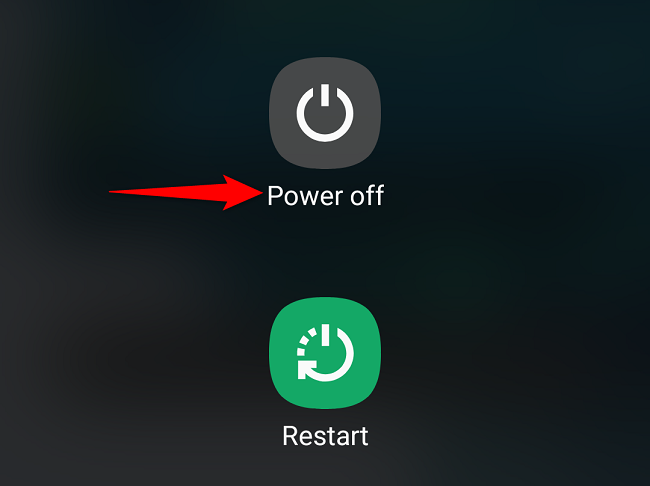
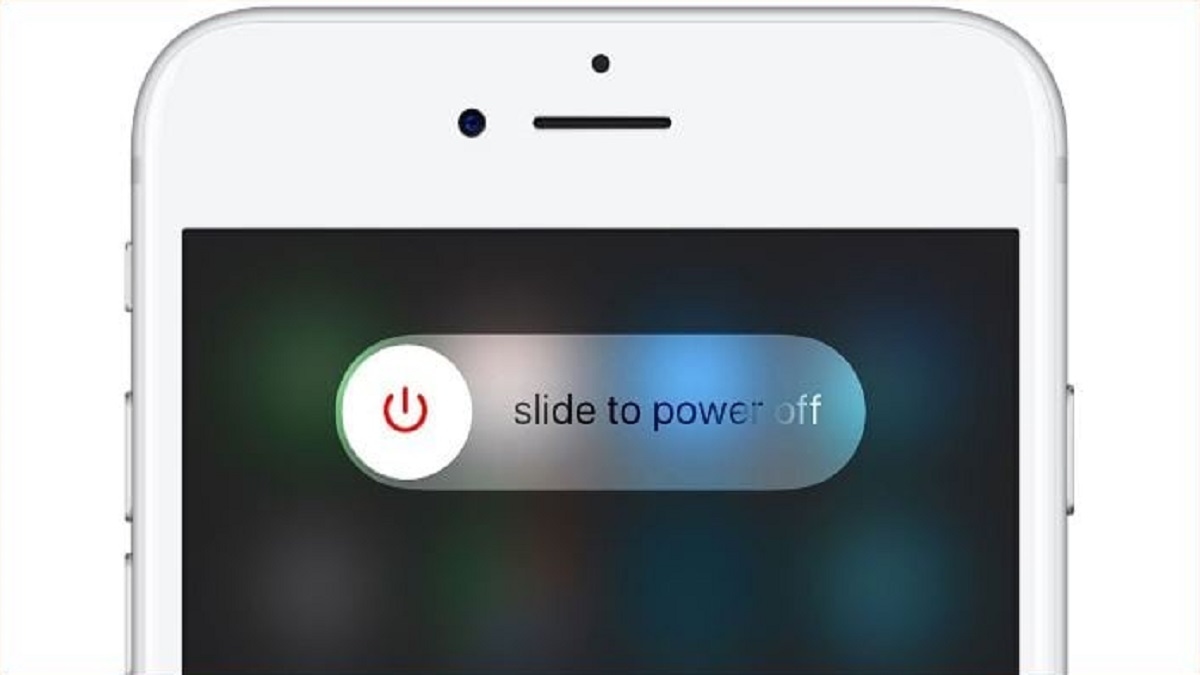
The fun part is, there isn't just one way to skin this cat! Most modern phones, both Android and iPhone, have adopted a few common variations. On many Android phones, you'll often find that holding down the power button for a few seconds brings up a menu with "Power off" or "Restart" options. However, some newer Android devices, especially Samsung and Google Pixel phones, might require you to hold down the power button and the volume down button simultaneously to access this menu. Pretty sneaky, huh? For iPhones, the method also varies by model. On newer iPhones without a home button, you typically need to press and hold the side button and either volume button simultaneously until the "slide to power off" slider appears. If that feels too complicated, both iPhone and Android generally offer an option within their settings menus, usually under "General" or "System," where you can find a "Shut Down" or "Power Off" command. It’s always good to know the hardware button combo for those times when the screen isn't responding!
Must Read
Ready to give it a try? Here are some simple, practical tips. First, don't be afraid to experiment gently. Most button combinations won't break anything. Second, if the button combo isn't immediately obvious, check your phone's manual or a quick online search for your specific phone model – e.g., "how to power off Samsung Galaxy S23" or "turn off iPhone 15." Third, always remember the settings menu as a reliable backup. Go to your phone's Settings app and search for "shut down" or "power off." Finally, once you've found it, practice it a couple of times. You'll feel a tiny surge of tech-savvy satisfaction!
So, the next time your phone acts a little sluggish, or you simply need a moment of digital peace, you'll know exactly how to give it a proper rest. Mastering the art of the power-off isn't just about troubleshooting; it's about taking control of your technology, understanding its nuances, and enjoying the quiet satisfaction of knowing you've got this. A small win in the big world of tech!
![How to Power off Device - Samsung [Android 11 - One UI 3] - YouTube](https://i.ytimg.com/vi/RaeoFHdh_M4/maxresdefault.jpg)