
How Can I Charge A Laptop Without The Charger

Let's face it, we've all been there. You're settled in at that cozy cafe, ready to conquer your to-do list (or, let's be honest, binge-watch your favorite show), only to realize your laptop charger is MIA. Panic sets in. The digital world shrinks. But hold on! Before you resign yourself to a low-battery apocalypse, let's explore some alternative charging solutions. Consider this your digital survival guide.
USB-C to the Rescue (Maybe)
First things first: Check if your laptop has a USB-C port with Power Delivery (PD) support. This is increasingly common on newer models. If it does, you're in luck! A USB-C charger, like the one you use for your phone or tablet, might just save the day.
Why it works: USB-C PD is designed to deliver higher wattage than standard USB ports. Important note: Not all USB-C ports are created equal. Some are only for data transfer, so check your laptop's manual.
Must Read
Pro Tip: Even if your laptop charges slowly via USB-C, it can still extend your battery life enough to finish that crucial email or download that essential file. Think of it as a digital drip feed.
The Power Bank Possibility
Remember that power bank you bought for camping or surviving long flights? It might just be your laptop's new best friend.
The catch: You'll need a power bank with a high enough capacity (think 20,000mAh or more) and, ideally, USB-C PD output. A smaller power bank might keep your phone alive, but it probably won't do much for your laptop.
Think of it this way: It's like trying to fill a swimming pool with a garden hose. You need a substantial power source.
Car Charger to the Rescue
Road trip, anyone? If you're stranded with a dying laptop and a car, a car charger is a viable option.
What you'll need: A car charger with USB-C PD or a universal laptop car charger.

Heads up: Don't drain your car battery! Only charge your laptop while the engine is running. Safety first, folks.
Universal Laptop Charger: The Adaptable Ally
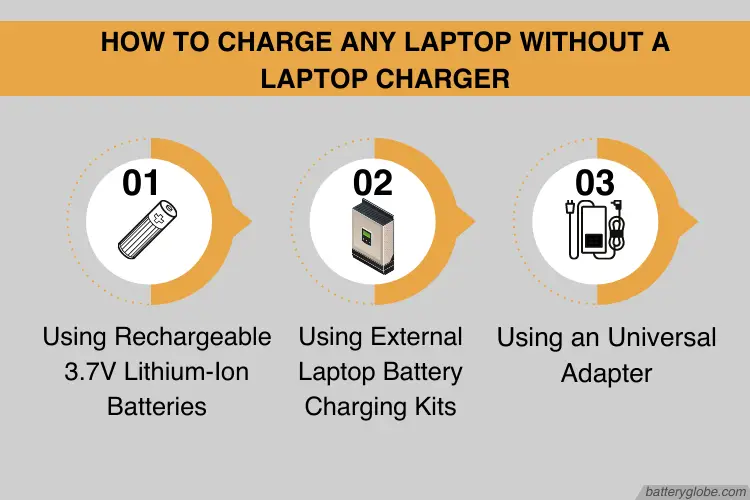
A universal laptop charger is like the Swiss Army knife of power adapters. It comes with multiple tips to fit a wide range of laptop models.
The benefit: You can use it for various laptops, making it a great investment if you have multiple devices or often work in different locations.

Think of it as: Your reliable backup plan, always ready for action.
The Docking Station Diversion
If you're at a shared workspace, a library, or even a tech-savvy friend's house, see if they have a docking station that's compatible with your laptop. Many docking stations provide power delivery through USB-C.
Cultural Moment: This is like the tech equivalent of borrowing a cup of sugar from your neighbor. Community spirit, amplified.

Low-Power Mode is Your Friend
While not technically charging, enabling low-power mode can significantly extend your battery life. Close unnecessary apps, dim your screen, and avoid power-hungry activities like gaming or video streaming.
The Logic: Conserving energy is just as important as finding a new source. It's the digital equivalent of packing light for a trip.
Bonus Tip: If you're desperate, switch to airplane mode to further conserve battery. Disconnect from the digital world, even if just for a little while. You might be surprised how refreshing it is.
In a world increasingly reliant on technology, the unexpected loss of power can feel like a mini-crisis. But with a little ingenuity and these tips, you can navigate the dreaded "low battery" scenario with grace and resourcefulness. The next time you find yourself charger-less, remember: adaptability is key. And maybe, just maybe, this experience will remind you to appreciate the simple act of plugging in, a modern luxury we often take for granted. Plus, a dead laptop is a great excuse to disconnect and enjoy the real world for a few minutes!