Okay, so spill. Is your phone taking FOREVER to charge? Like, you plug it in at bedtime and wake up to… 47%? Ugh, been there. It's the worst, right? Let's figure out why your phone's acting like it's allergic to electricity. Prepare yourself; it might be a *little* techy.
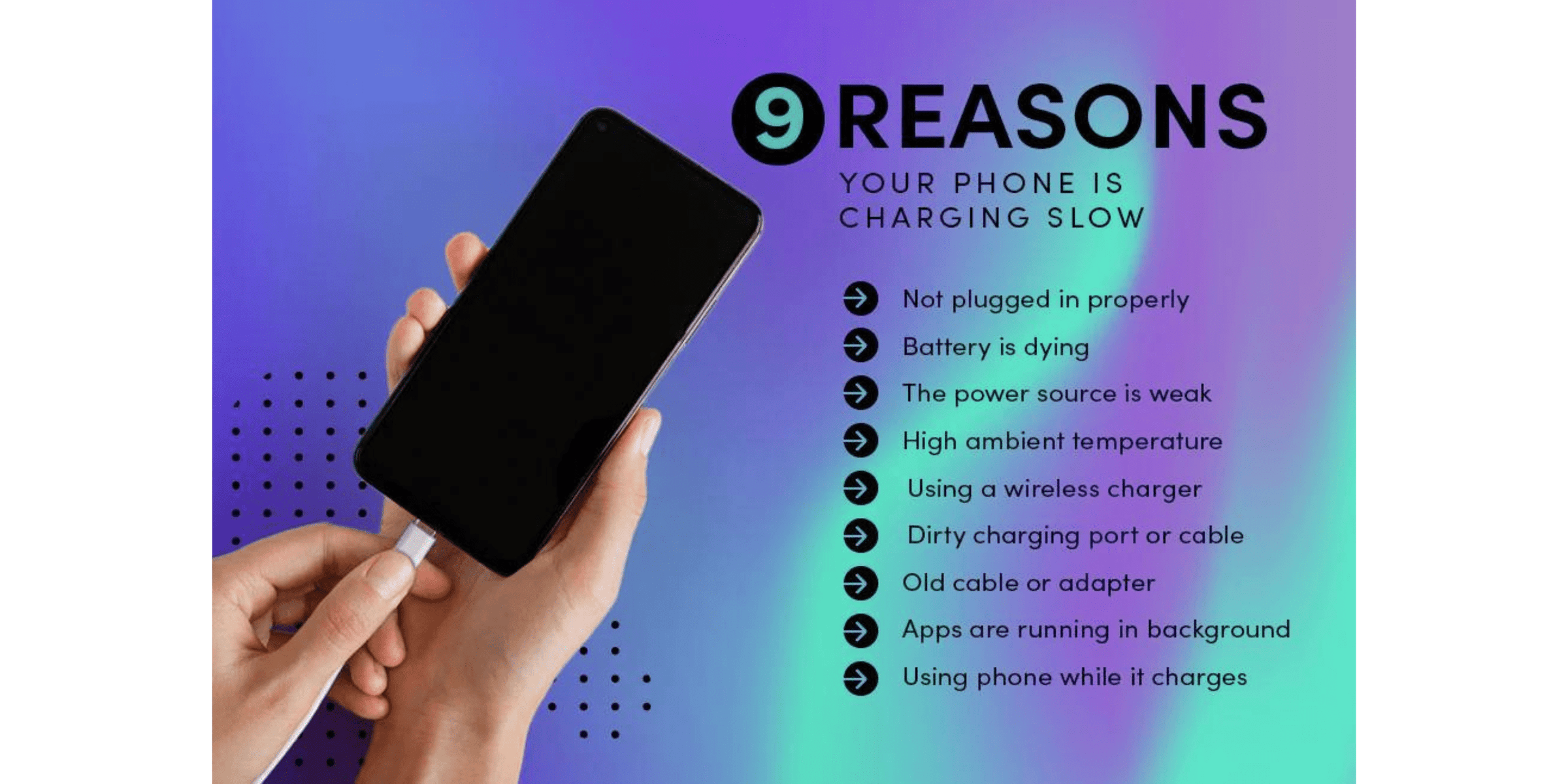
First, and I know this sounds obvious, but is your charging cable actually… charging? Seriously, have you tried a different one? Cables are surprisingly delicate creatures. They get bent, tangled, chewed on by pets (guilty!), and generally abused. A damaged cable is like a blocked artery for electricity – very bad news for a speedy charge. Test another cable before you start panicking.
The Wall Adapter (aka Charging Brick): This is the little box that plugs into the wall. It could be the culprit! Some adapters just aren't powerful enough to quickly charge your phone, especially if you're using an old one with a newer, power-hungry phone. Is it the one that came with your phone? If not, it may not be delivering the proper voltage. Look for its output rating (usually in volts and amps or just watts) to see if it is.
Speaking of power, are you charging from a wall outlet, a computer USB port, or something else? Charging from a computer is *infinitely* slower than from a wall outlet. It's like trying to fill a swimming pool with an eyedropper. Some USB ports are better than others, but generally, you're better off with the wall. And don't even get me started on those car chargers that barely keep your phone alive while using GPS. Sheesh.
The Dirty Secret: Lint! Okay, this might sound weird, but check your phone's charging port! Seriously. Over time, it gets packed with lint, dust, and all sorts of pocket gunk. This junk can block the connection between the cable and the charging pins. Use a toothpick (gently!) or a can of compressed air to clean it out. You might be surprised (and slightly disgusted) by what you find. Just be careful not to damage anything inside!
Background Activity: Is your phone a hive of activity even when you’re not actively using it? Apps constantly refreshing, downloading updates, or running in the background can suck up power just as fast as you're trying to replenish it. Close apps you aren't using. You can also check your battery settings to see which apps are the biggest energy hogs and restrict their background activity. Think of it as putting your phone on a diet!
Is Your Battery Getting Old? Phone batteries, like all batteries, degrade over time. They lose their capacity to hold a charge. If your phone is a few years old, its battery might simply be reaching the end of its life. There are apps that can give you a rough estimate of your battery's health, or you could take it to a repair shop for a professional assessment. Replacing the battery is often cheaper than buying a whole new phone!
Advanced Troubleshooting (For the Tech-Savvy)
Okay, if you've tried all the above and your phone is still charging slower than a snail in molasses, here are a few more advanced things to consider:
- Check for software updates: Sometimes, software bugs can affect charging speed. Make sure your phone's operating system is up to date.
- Airplane Mode: Turn on Airplane Mode to disable all wireless connections. This minimizes power consumption while charging. It's like giving your phone a spa day!
- Factory Reset: As a last resort, you can try a factory reset. This will wipe your phone clean and restore it to its original settings. BACK UP YOUR DATA FIRST! A factory reset can sometimes resolve underlying software issues that are causing slow charging.
Heat is the Enemy: Don't leave your phone charging in direct sunlight or in a hot car. High temperatures can damage the battery and slow down the charging process. Keep it cool and comfortable.
Ultimately, slow charging can be a real pain. I hope these tips help you get your phone back to a speedy charging state! If all else fails, it might be time to consult a professional or consider an upgrade (sigh). But hey, maybe cleaning out that lint-filled charging port was all you needed! Good luck!