Alright, let's talk about something that can feel like a minor tragedy in our fast-paced world: a fast charger that's suddenly... slow. Or worse, not working at all! I get it. You're ready to juice up your phone and get back to conquering your to-do list, and your charger decides to stage a rebellion. Don't panic! We've all been there. Let's troubleshoot this tech-mystery together.
Think of your phone and charger as a team. If one player is off, the whole game suffers. So, what are the possible culprits? Let's dive in!
Is Your Charger Actually a Fast Charger?
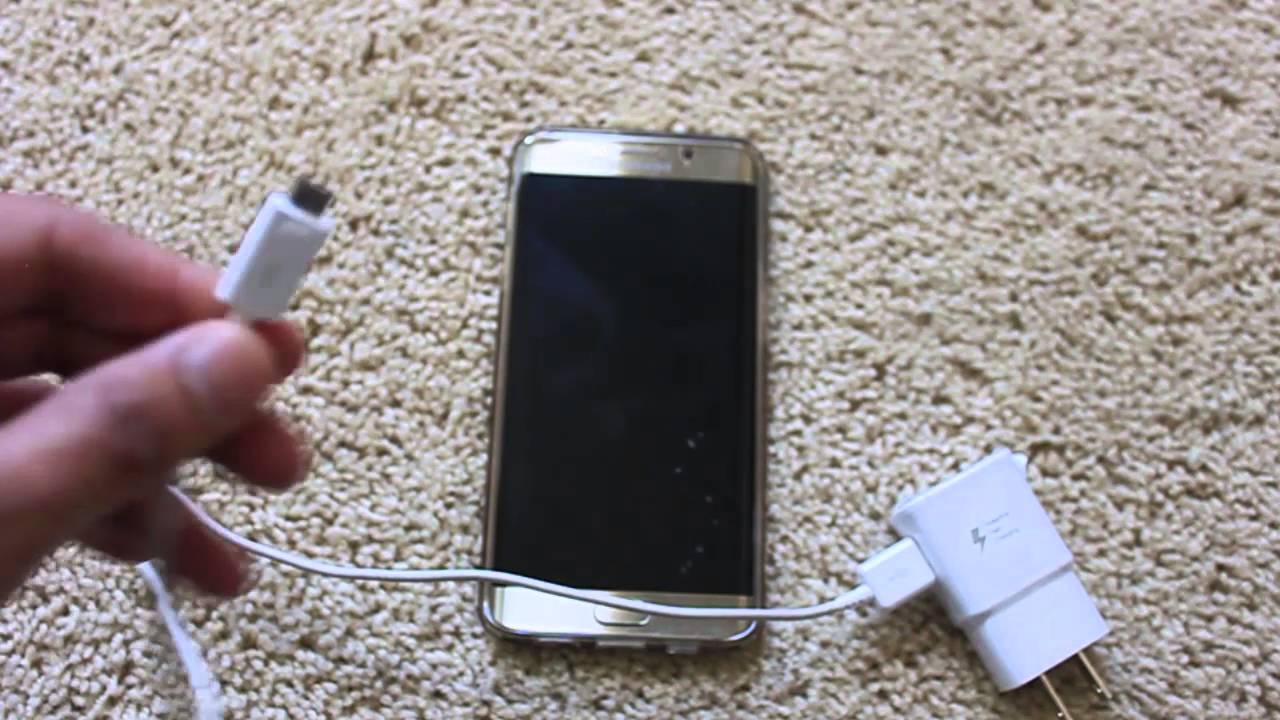
Okay, this might sound obvious, but bear with me. Is your charger truly a fast charger? I mean, really a fast charger? Sometimes, the wall adapter might look the part, but it's secretly just a regular, slow-and-steady-wins-the-race kind of guy. Check the output rating! Look for something that says 18W (Watts) or higher. That’s your clue that it’s supposed to be zippy. Less than that? Well, that's likely your problem right there!
Pro Tip: Just because it *came* with your phone doesn't automatically make it a fast charger. Manufacturers sometimes bundle standard chargers with phones even if the phone can handle faster charging speeds. Sneaky, I know!
The Cable Culprit
Ah, the unsung hero (or villain) of the charging saga: the cable! A dodgy cable can be a real bottleneck, preventing that sweet, sweet power from reaching your phone. Cables endure a lot: being bent, twisted, stepped on, chewed on by pets (yes, it happens!). All that wear and tear can damage the delicate wires inside.
Try a different cable. Seriously, this is often the easiest fix. Even if your current cable looks okay, it might have internal damage you can't see. If swapping cables suddenly brings your fast charging back to life, you've found your culprit! Time for a new cable. Think of it as a small investment in your own productivity and sanity.
Dirty Ports: A Cleaning Mission
Imagine trying to drink through a straw that's full of crumbs. Gross, right? Same goes for your phone's charging port and the charger's USB port. Dust, lint, and pocket debris can accumulate and block the connection. This is a surprisingly common issue!
Time for a little cleaning! Power down your phone first. Use a can of compressed air to gently blow out any debris from the charging port. If you don't have compressed air, a dry toothbrush can work, too, but be *very* gentle. Don't jam anything in there!
Give the USB port on the charger itself a similar cleaning. You might be surprised how much gunk you find.
Overheating Issues
Phones, like us, don't perform well when they're overheated. If your phone gets too hot, it might throttle back the charging speed to protect the battery. Think of it as a built-in safety mechanism. Good looking out, phone!
Avoid charging your phone in direct sunlight or in a hot environment. If your phone feels unusually warm while charging, unplug it and let it cool down before trying again. Taking off the phone case during charging can also help with heat dissipation.
Software Glitches & Updates
Sometimes, the problem isn't hardware-related at all. It could be a software glitch or a setting that's interfering with fast charging. Check your phone's settings to make sure fast charging is enabled. (The location of this setting varies depending on your phone model, so a quick Google search for “[your phone model] enable fast charging” might be helpful.)
Also, make sure your phone's operating system is up to date. Software updates often include bug fixes and performance improvements that can address charging issues.
Battery Health: The Long Game
Batteries, alas, don't last forever. Over time, the battery's ability to hold a charge degrades. This can manifest as slower charging speeds, even with a fast charger. There are apps you can download that test and display your battery health. This could be an explanation if your phone is ageing.
Unfortunately, there's no magic bullet for a degrading battery. If your battery is significantly degraded, you might consider replacing it. Or, you know, upgrading to a shiny new phone! (Just saying... 😉)
The Wall Outlet Situation
Believe it or not, the wall outlet itself can sometimes be the problem. Try plugging your charger into a different outlet to see if that makes a difference. You never know, the outlet might be faulty or overloaded. Or, gasp, maybe the breaker tripped.
Also, avoid using cheap power strips or extension cords. These can limit the amount of power that reaches your charger, negating the benefits of fast charging.
Still Stumped? Time for Expert Help
If you've tried all of the above and your fast charger is still stubbornly slow (or non-existent), it might be time to consult a professional. There could be an internal hardware issue with your phone or charger that requires expert diagnosis and repair.
Don't be afraid to seek help from a qualified technician. They have the tools and expertise to identify and fix more complex charging problems.
So, there you have it! A crash course in troubleshooting fast charger woes. I hope this has empowered you to tackle those charging challenges head-on and get back to enjoying a fully powered life. The world needs your brilliance, and you can't shine on an empty battery! Now go forth and conquer, armed with knowledge and a (hopefully) fast-charging phone!