Okay, let's be real. We've all been there. You're hyped for your workout, your favorite podcast, or just some sweet, sweet silence on the commute. You pop in your AirPods, ready to rock… and then BAM! One side is silent. The sound of frustration? Probably.
Why?! Why is only one of my AirPods working?! Don't worry, you're not alone. It's practically a modern-day right of passage. And honestly, figuring it out isn't as scary as it seems. In fact, it can be kinda fun! Think of it as a mini-adventure in tech troubleshooting. Indiana Jones, but with earbuds.
The Usual Suspects: Volume Control (Duh!)
Let's start with the painfully obvious, but it needs to be said. Is your volume balanced correctly? I know, I know, you're thinking, "Of course it is!" But humor me. Head to your phone's settings. On iPhones, it's under Accessibility > Audio/Visual > Balance. Make sure that little slider is smack-dab in the middle. On Android, the location may vary, but search for "audio balance" in your settings. You might be surprised!
Sometimes, through the magic of pocket-dialing or mischievous gremlins (they love messing with audio settings, trust me), that balance gets thrown off. Easy fix, right? One down, countless possibilities to go!
The Grime Factor: Keeping Your Buds Clean
Eww, but necessary. Our ears produce wax. It's a fact of life. And unfortunately, that wax can get lodged in your AirPods, blocking the sound. Imagine trying to listen to your favorite song through a cotton ball. Not ideal.
Cleanliness is key! Use a soft, dry, lint-free cloth to wipe them down regularly. For stubborn gunk, a soft-bristled brush or even a toothpick (very carefully!) can do the trick. Just be gentle! You don't want to damage the delicate internals. Think of it as giving your AirPods a spa day. They'll thank you for it (in beautiful, balanced audio, that is!).
Bluetooth Blues: The Pairing Predicament
Bluetooth can be a fickle mistress. Sometimes, your AirPods just don't want to play nice with your phone. It happens. The solution? Resync them!
Put your AirPods back in their charging case, close the lid, and wait about 15 seconds. Then, open the lid and press the setup button on the back of the case until the status light flashes white. On your phone, go to Bluetooth settings and forget your AirPods. Then, go through the pairing process again. Voila! A fresh start for your audio adventure. Consider it a reset button for your listening experience!
The Software Saga: Updates are Your Friends
Outdated software can cause all sorts of weirdness, including audio imbalances. Make sure your iPhone (or Android device) is running the latest version of its operating system. And while you're at it, ensure your AirPods are up to date too. This usually happens automatically while they're charging and connected to your iPhone.
Think of it as giving your AirPods a little software tune-up. Like taking your car in for an oil change, but for your ears! Keeping everything current can prevent future headaches and keep your audio experience smooth and seamless. Don't underestimate the power of an update!
The "One AirPod at a Time" Trick: A Quick Fix
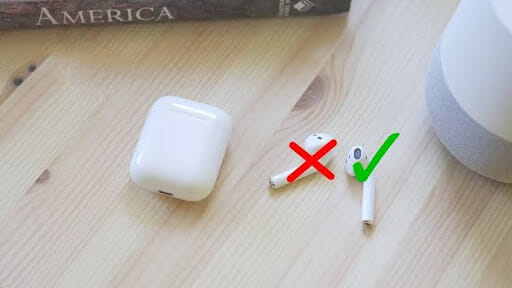
Sometimes, the issue is just a temporary glitch. Try using each AirPod individually. Take one out of the case and see if it connects and plays sound. Then do the same with the other. This can sometimes "wake up" the lagging AirPod and get it back in sync. It's like giving each AirPod a little pep talk: "You got this! Go out there and make some noise!"
The Deep Dive: Resetting Your AirPods (The Big Guns)
If all else fails, it's time to bring out the big guns: a full reset. This will erase all your settings and essentially return your AirPods to their factory state. It's a bit drastic, but sometimes it's what's needed. Put your AirPods in their case, close the lid, and wait 30 seconds. Then, open the lid, and press and hold the setup button on the back of the case until the status light flashes amber, then white. Your AirPods are now reset!
Re-pair them with your phone, and hopefully, your audio woes will be a thing of the past. Think of it as a clean slate. A chance to start fresh and rediscover the joy of balanced, beautiful sound.
Still Stumped? Time to Call in the Experts
If you've tried everything and your AirPod is still stubbornly silent, it might be a hardware issue. In that case, it's time to contact Apple Support or visit an authorized service provider. They can diagnose the problem and offer solutions, whether it's a repair or a replacement. Remember, there's no shame in seeking help from the pros! They're there to make your listening experience amazing.
So, there you have it! A comprehensive guide to troubleshooting your one-sided AirPod woes. Hopefully, you've already solved the problem and are back to enjoying your favorite tunes. And if not, don't despair! Keep experimenting, keep learning, and remember that even the most frustrating tech problems can be overcome. Learning to troubleshoot little things like this makes you more resourceful, more confident, and honestly, just a little bit cooler. Go forth and conquer your audio challenges! And hey, why not explore some new podcasts while you're at it?