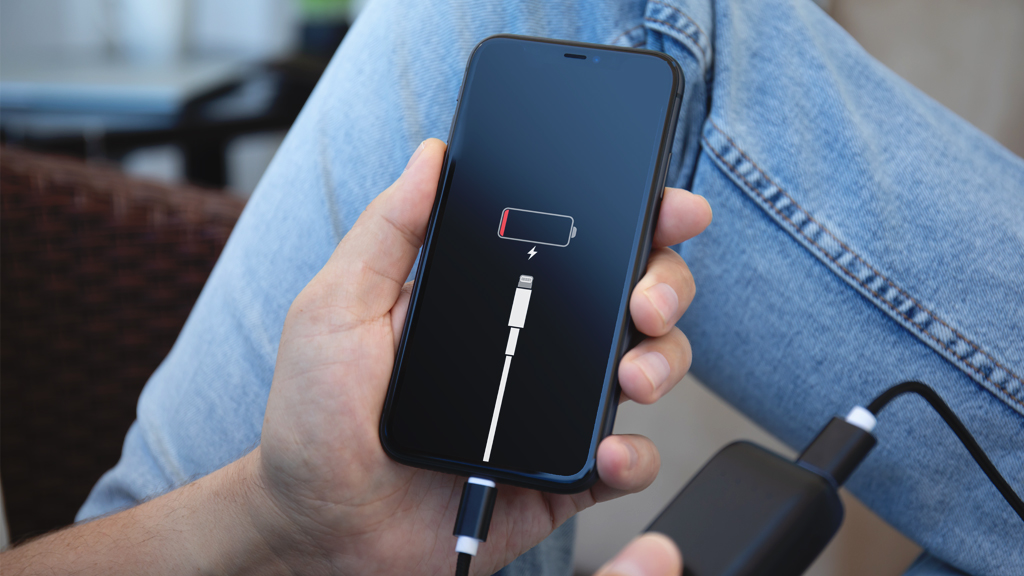
Alright, folks, gather 'round! Let's talk about a modern horror story: the dreaded "My Phone Won't Charge" saga. You know the feeling, right? That heart-stopping moment when you plug in your trusty device, the one you basically use to breathe these days, and…nothing. No lightning bolt. No reassuring percentage climb. Just a cold, dead screen staring back at your increasingly panicked face. It's like your phone is staging a tiny digital revolt!
Now, before you chuck it out the window and embrace a life of silent contemplation (tempting, I know), let's try a few things. Think of me as your tech therapist, here to guide you through this charging crisis with a mix of helpful advice and questionable humor.
The Obvious, But Often Overlooked
First, let's address the elephant in the room, or in this case, the dust bunny in the charging port. Is the cable actually plugged in? I know, I know, it sounds ridiculously simple. But trust me, in moments of tech-induced panic, even the smartest of us can miss the most obvious things. I once spent a solid hour trying to figure out why my TV wouldn't turn on, only to discover I hadn't plugged it in. Don't judge me!
Check both ends of the cable. Is it securely plugged into your phone *and* the power adapter? Sometimes it feels like those charging blocks have a secret life where they slowly unplug themselves from the wall overnight. It's the only logical explanation.
Next, the cable itself. Is it the right one? I know, USB-C, Lightning, Micro-USB... it's a veritable alphabet soup of connectors. You might be trying to charge your phone with a cable that's as compatible as a cat trying to do the tango. And speaking of cables...
Inspect the cable for damage. Frayed wires, bent connectors, bite marks from your pet hamster who thinks it's a delicious snack... all of these can prevent your phone from charging. A damaged cable is a charging dead zone. Seriously, replace that thing! They're relatively cheap, and a new cable is infinitely cheaper than a new phone.
The Port of Despair (and Dust)
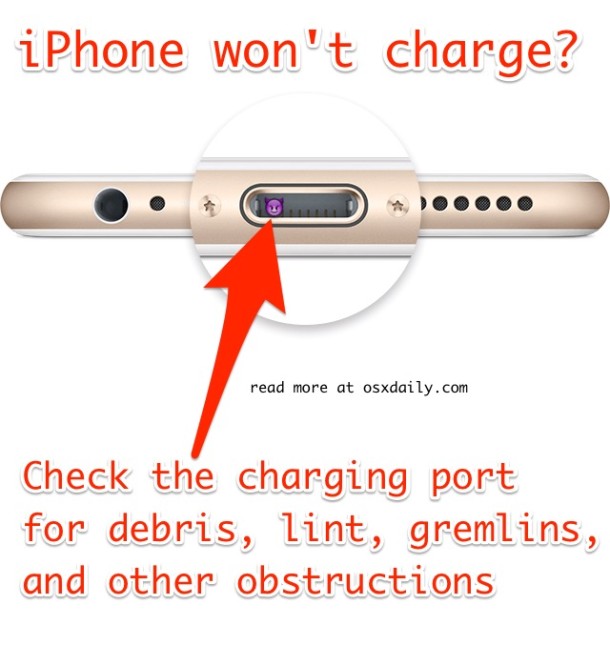
Alright, cable's good? Plugged in tight? Let's get down and dirty with the charging port. This little hole is often the culprit, harboring more dust, lint, and pocket debris than a vacuum cleaner bag. It's like a tiny, secret society of fluff and forgotten crumbs living in your phone.
Turn off your phone (important!). Grab a can of compressed air (the kind you use for cleaning keyboards) and give that port a good blast. Be careful not to stick anything solid in there – you don't want to damage the delicate pins inside. If you don't have compressed air, a toothpick (gently!) can work, but proceed with extreme caution. I once tried to clean my charging port with a paperclip and ended up feeling like a surgeon removing a splinter from a bear. It was not a good time.
The Power Source Possibilities
Okay, cleaned the port? Still no charging love? Time to consider your power source. Is the wall outlet working? Try plugging something else into it – a lamp, a toaster (go easy on the toast, we don't need a fire hazard). If the outlet is dead, check the circuit breaker. You might have just blown a fuse while trying to charge your phone and make microwave popcorn at the same time. We've all been there.
If you're using a USB port on your computer, try a different port. Some USB ports are better than others. It’s like a popularity contest for power, and some ports just didn’t get the memo. Also, make sure your computer is actually *on*. A sleeping computer can't charge your phone any more than a sleeping bear can bake you a cake.
The Software Shenanigans
Believe it or not, sometimes the problem isn't hardware, it's software. It's like your phone is having a digital tantrum. Try restarting your phone. It's the age-old cure-all for tech troubles. Seriously, 90% of tech support issues can be solved by simply turning it off and on again. It's the digital equivalent of a deep breath and a cup of tea.
If restarting doesn't work, check for software updates. Outdated software can sometimes cause charging issues. It's like trying to run a modern race car on gasoline from the 1950s – it's just not going to work.
The Last Resort (and Potential Apocalypse)
Alright, if you've tried everything above and your phone is still stubbornly refusing to charge, it's time to consider the possibility of a deeper problem. It could be a faulty battery. Phone batteries, like grumpy cats, don't last forever. If your phone is getting old, the battery might just be giving up the ghost.
In this case, you have a couple of options: take it to a professional repair shop (the safer, saner option), or attempt to replace the battery yourself (the risky, potentially explosive option). Unless you're comfortable disassembling tiny electronics and handling lithium-ion batteries, I strongly recommend against the DIY route. You don't want to accidentally create a miniature phone-shaped bomb in your living room. Think of the kittens!
Finally, and this is a long shot, it could be a more serious hardware problem. The charging port itself might be damaged, or there could be an issue with the phone's internal circuitry. At this point, you're probably looking at a repair or a replacement. Consider it an opportunity to upgrade to that new phone with the holographic display and the self-folding screen… unless it won’t charge either!
So there you have it – a (hopefully) humorous and helpful guide to troubleshooting a phone that won't charge. Remember, don't panic! Take a deep breath, follow these steps, and hopefully, you'll be back to browsing cat videos and avoiding phone calls in no time.