Okay, let’s talk about your iPhone’s location services. Think of it like your phone having a loud, enthusiastic friend who just *loves* to announce your whereabouts to everyone. “OMG, they’re at Starbucks… AGAIN!” Sometimes, that's helpful. Other times, you might want to tell that friend to pipe down.
Turning off location services isn’t about being secretive (though, hey, no judgment if that’s why you’re here!). It's more about controlling your digital footprint and preserving a little bit of that precious battery life. Because let’s be honest, constantly pinging satellites sucks the juice faster than you can say "low battery mode."
Why Bother Turning It Off?
Imagine this: you’re planning a surprise party for your best friend. You’ve meticulously coordinated every detail, down to the strategically placed confetti cannons. But then, bam! Your phone, bless its overly helpful heart, alerts your friend that you're currently at the party supply store... which you only go to when planning, well, a party! Surprise ruined. Thanks, location services!
Or maybe you’re just trying to avoid those targeted ads that seem to *know* you were just Googling cat sweaters. “Oh, so you think I NEED a cat sweater, algorithm? You don’t know me!” Turning off location services is like putting on an invisibility cloak for your digital self. A slightly glitchy cloak, maybe, but a cloak nonetheless.
Beyond surprise parties and cat sweater ads, disabling location services can also help with battery life. All those apps constantly vying for your location data? It's a drain. A silent, energy-sapping drain. Like a tiny vampire attached to your charging port.
How To Actually Do It (It's Easier Than You Think!)
Alright, let’s get down to the nitty-gritty. Turning off your iPhone's location services isn't some complicated tech wizardry. It's actually surprisingly straightforward. Think of it as finding the light switch in a dark room – once you know where it is, it's a piece of cake.
Here’s the breakdown:
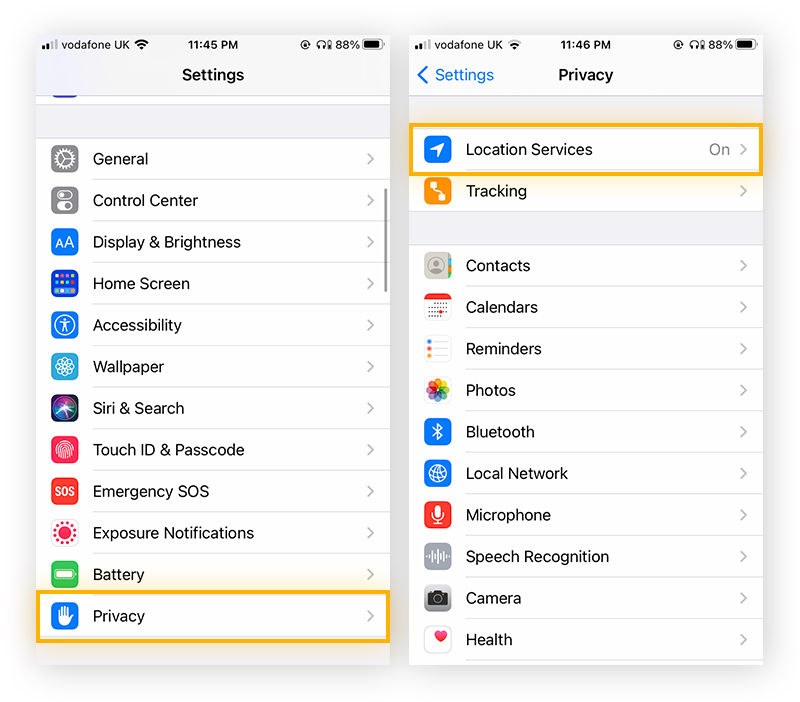
- First, head to your iPhone's Settings app. You know, that little gray gear icon that's probably hiding amongst a sea of other icons.
- Scroll down until you find Privacy & Security. Tap it! It might say "Privacy" on older iPhones.
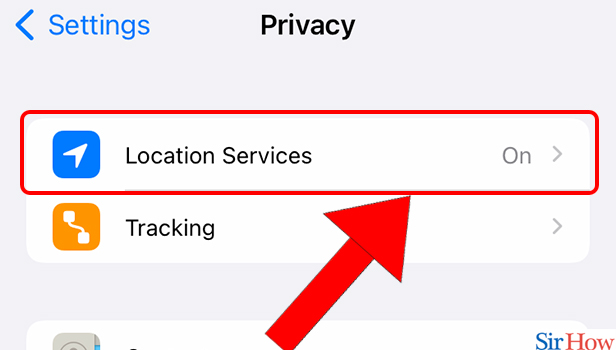
- Now, you should see Location Services right at the top. Give it a tap. This is the command center for your location settings.
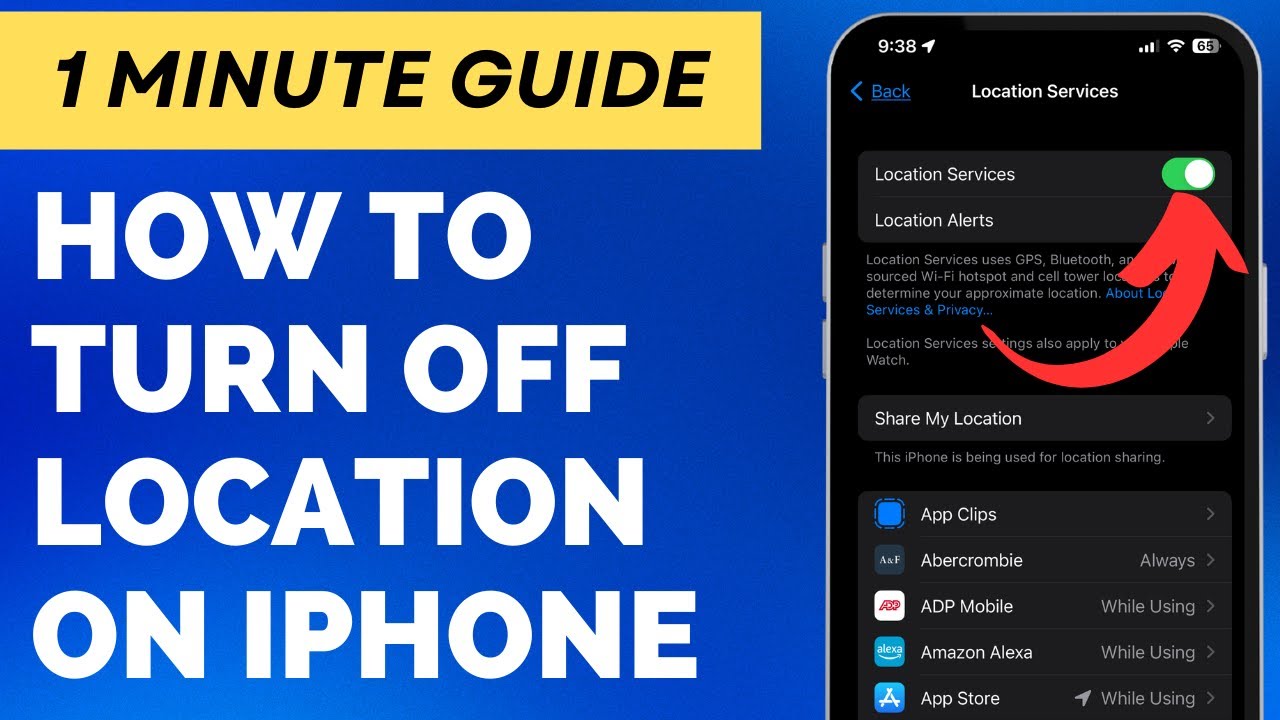
- Here's the magic moment: You'll see a toggle at the very top that says Location Services. Simply flip that switch to the off position.
Boom! You've successfully silenced your phone's inner location announcer. You are now a digital ninja.
But Wait, There’s More! (Controlling Individual App Access)
Maybe you don’t want to go completely off the grid. Maybe you still want your maps app to, you know, actually navigate you places. That’s totally understandable. Good news: you don't have to choose between total location lockdown and full-blown digital exhibitionism. You can pick and choose which apps get to know your whereabouts.
In that same Location Services menu, you’ll see a list of all the apps on your phone that have requested access to your location. Here, you can customize each app's access individually:
- Never: This is the ultimate “get away from me” option. The app will *never* know your location.
- Ask Next Time Or When I Share: A polite way of telling the app, "I'll decide if you need to know *right now*." The app will ask you for permission each time it needs your location.
- While Using the App: This lets the app track your location *only* when you have it open and active on your screen. Once you close the app, it goes back to being clueless about your whereabouts. This is often a good compromise.
- Always: This is the “I trust you implicitly” option. The app can track your location even when it's running in the background. Use this sparingly!
So, take some time to review your apps and decide which ones truly need to know where you are. That flashlight app? Probably not. Your navigation app? Probably yes.
Final Thoughts
Controlling your iPhone’s location services is all about finding the right balance between convenience and privacy. It’s about being in the driver's seat of your own digital life. And hey, if it gets you out of a surprise party spoiler or two, that’s just a bonus. Go forth and be locational-aware! (Or, you know, not.)