So, you've got an old hard drive. Maybe it's been gathering dust in the attic, or maybe it’s been repurposed as a very inefficient, rectangular paperweight. Either way, that little slab of spinning metal and silicon likely holds a treasure trove of digital memories just waiting to be unearthed. Think of it as your own personal digital archaeology project! But how do you actually *do* it?
First things first, let's talk tools. Imagine you’re Indiana Jones, but instead of a whip and a fedora, you've got a screwdriver and, well, maybe still a fedora if you're into that. You'll need a way to physically connect that old hard drive to your current computer. One option is an external enclosure. These are like little houses for your hard drive, providing power and a USB connection to plug into your computer. You simply slide the drive into the enclosure, close it up, and *voila!* Instant external hard drive.
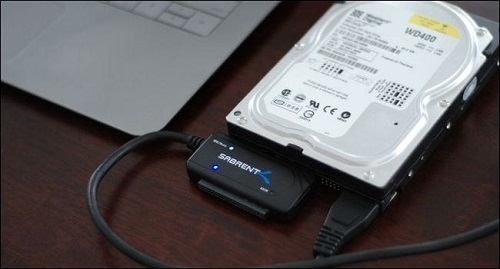
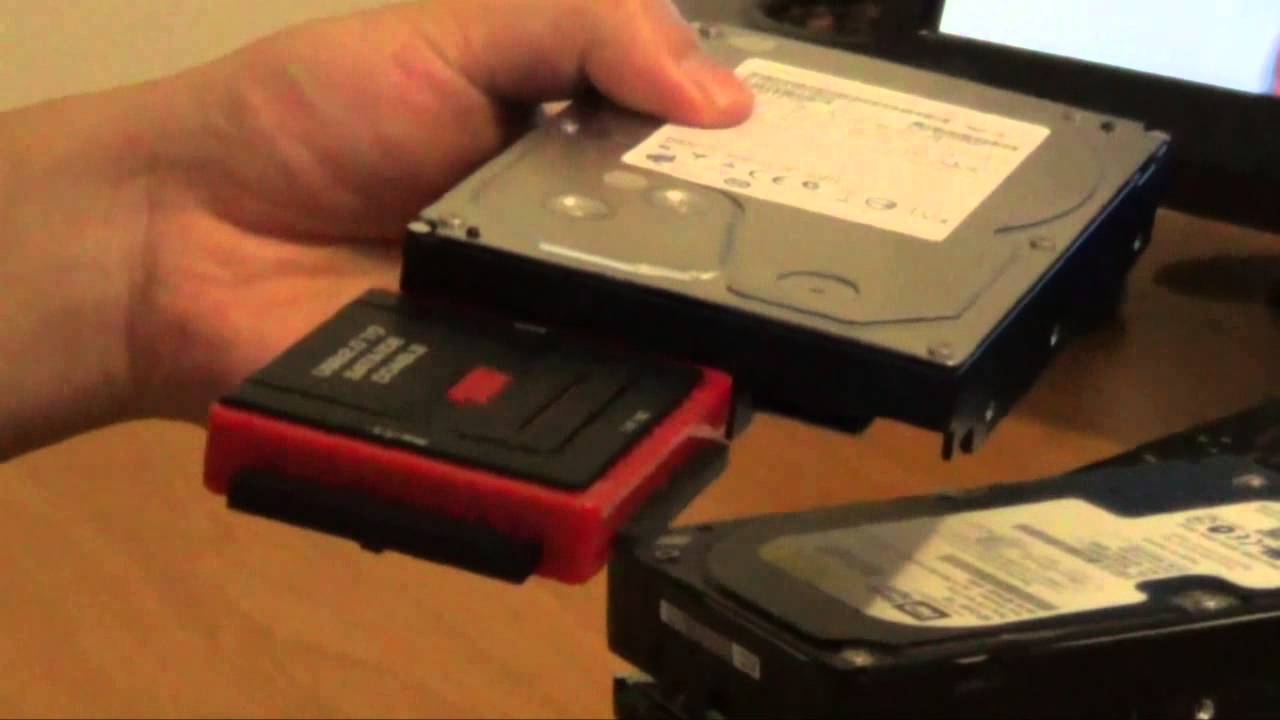
Another option, and often a cheaper one, is a USB adapter cable. These are basically just wires with the right connectors on each end to bridge the gap between your old hard drive and your modern computer. They're less elegant than an enclosure, leaving your hard drive exposed like a technological patient on an operating table, but they get the job done.
The Great Data Migration
Now for the fun part: actually seeing what's on the drive. Plug it in! Your computer, assuming it’s cooperating, should recognize the drive as a new storage device. If it doesn't, don't panic. Sometimes computers are just having a bad day. Try restarting, wiggling the cables (gently!), or chanting ancient techno-incantations (results may vary).
Once the drive is recognized, it’s time to explore. This is where the real adventure begins. What forgotten relics will you unearth? Long-lost family photos? The first novel you started writing in middle school, complete with angsty teenage prose? A meticulously curated collection of cat memes from 2007? The possibilities are endless, and often hilarious.
I once helped my grandmother retrieve data from an old hard drive. We were expecting to find old tax documents and maybe some recipes. What we *actually* found was a folder labeled "Secret Stuff." Naturally, we had to open it. Inside were dozens of scanned love letters from her college boyfriend. Turns out, my grandfather never knew about *that* chapter of her life! It was like stumbling upon a historical romance novel, starring my own family. The whole experience was a rollercoaster of laughter, embarrassment, and surprisingly juicy family history.
As you copy the files off the old drive, remember that old technology can be fickle. Hard drives can fail, data can get corrupted, and the universe can generally conspire against you. So, back up your backups! Copy the data to multiple places: your computer, an external drive, the cloud, carrier pigeon... whatever works. You don't want to lose those precious memories *again*.
And speaking of backups, consider what to do with the old drive once you've salvaged everything. You could wipe it clean and donate it, repurpose it as a target for your next backyard shooting range (not recommended), or keep it as a nostalgic reminder of a simpler technological time. Maybe one day, you'll be showing it off to your grandkids, explaining how hard drives used to be *huge* and *slow*, and how you had to actually *think* about file sizes. They'll probably roll their eyes and go back to their virtual reality headsets, but hey, you tried.
The Ethical Quandary of Digital Archaeology
Before you dive too deep, a quick word on ethics. Remember that old hard drive might contain sensitive information: bank statements, passwords, embarrassing selfies... Treat the data with respect. Don't go snooping through files that aren't yours, and if you find anything you shouldn't see, resist the urge to share it on social media. You're a digital archaeologist, not a tabloid journalist.
So, go forth and conquer that old hard drive! Embrace the adventure, prepare for surprises, and remember that even the most mundane data can hold unexpected emotional value. You might just rediscover a piece of yourself in the process. And who knows, maybe you'll even find that lost manuscript that will finally make you a *New York Times* best-selling author. Or, you know, just a bunch of cat pictures. But either way, it'll be an experience. Happy digging!
Just be careful of the *BIOS* settings.
And for extra measure, use *disk utility*.