We live in a world powered by batteries. From the tiny cell in your wristwatch to the massive power banks in electric vehicles, these compact energy stores keep us connected, entertained, and mobile. But have you ever wondered how to check the “health” of a battery? Specifically, how do you check its amps, the lifeblood that makes your devices tick? It might sound intimidating, but understanding how to check the amps on a battery is a surprisingly useful skill, empowering you to troubleshoot problems and extend the life of your electronic companions.
So, why bother checking the amps? The answer is simple: it helps you diagnose problems. Think of amps as the current flowing from your battery – the higher the amps, the more power is being delivered. If a battery is supposed to deliver, say, 10 amps but is only giving off 2, you know something is wrong. Maybe the battery is old and tired, or perhaps there's a short circuit somewhere drawing excessive current. Identifying these issues early can prevent bigger headaches down the road, like a car that won't start or a power tool that dies mid-project.
The benefits extend beyond simple troubleshooting. By monitoring the amps a battery is drawing, you can also optimize its usage. Overloading a battery by drawing too much current can damage it permanently. Checking the amps allows you to ensure you're operating within the battery's safe limits, extending its lifespan and saving you money in the long run. This is particularly useful for applications like solar power systems, where optimizing battery usage is crucial for efficiency and longevity.
You'll find practical applications of this skill everywhere. Car owners can use it to diagnose battery drain issues or alternator problems. RV enthusiasts can monitor their house batteries to ensure they have enough power for their adventures. DIYers can troubleshoot power tool issues. Even hobbyists working on electronics projects need to measure amps to understand how their circuits are performing. Knowing how to check amps is a valuable tool in anyone's arsenal.
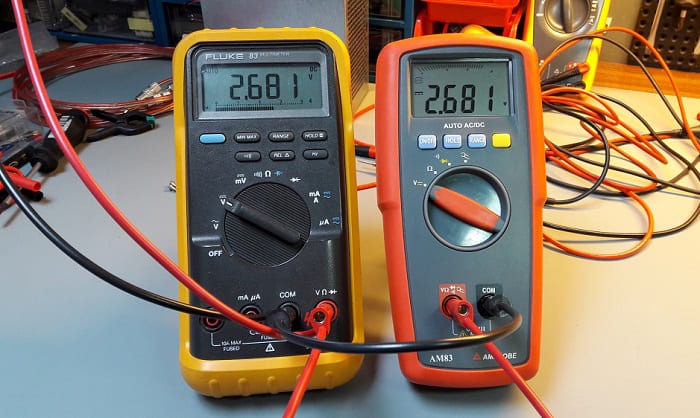
So, how do you actually check the amps on a battery? The easiest way is to use a multimeter, a handy device that can measure voltage, current (amps), and resistance. Here’s a simplified approach:
- Safety First: Always wear appropriate safety glasses and gloves, especially when working with car batteries.
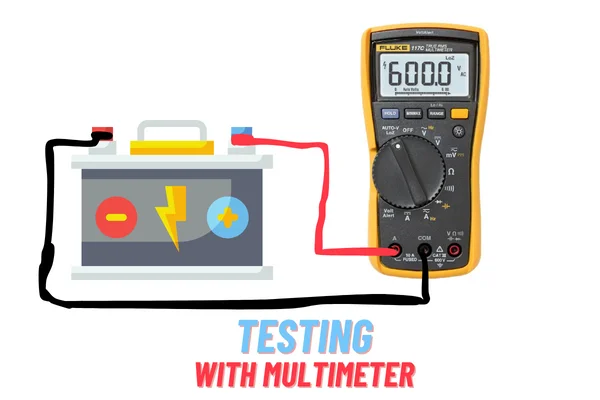
- Set Up Your Multimeter: Turn your multimeter to the "Amps" or "A" setting. Make sure you've selected the correct type of current (DC for most batteries). Check your multimeter's manual for specific instructions on which terminals to use. Usually, you will need to plug your leads into the “COM” (common) port and the port labeled “A” or “10A” depending on the multimeter and the expected current.
- Connect in Series: This is the most important part! To measure current, you need to connect the multimeter in series with the circuit. This means breaking the circuit and placing the multimeter in the path of the current flow. For example, if you want to measure the current draw of a lightbulb, you would disconnect one wire from the battery, connect one multimeter probe to the battery terminal, and the other probe to the disconnected wire that leads to the lightbulb.
- Read the Display: The multimeter will display the current flowing through the circuit in amps (or milliamps).
- Analyze the Results: Compare the reading to the battery’s specifications or the device's expected current draw to determine if everything is working correctly.
Important Tips for Effective Amp Checking: Never connect the multimeter directly across the battery terminals when set to measure amps. This will create a short circuit and can damage the multimeter and potentially the battery. Always double-check your connections and settings before taking a measurement. If you are unsure about anything, consult a professional electrician or a reliable online resource. And most importantly, take your time! Accuracy and safety are paramount.
By mastering the art of checking amps on a battery, you gain a deeper understanding of how your devices work, empowering you to troubleshoot issues, extend battery life, and save money. So, grab your multimeter, and start exploring the fascinating world of battery power!