Hey there, tech explorers! Ever stumbled across that sleek, stylus-shaped wonder – the 1st generation Apple Pencil – and wondered, "Okay, this is cool, but how do I keep this baby juiced up?" Don't worry, you're not alone! Charging the 1st gen Apple Pencil is...well, it's certainly a *unique* experience. Let's dive in, shall we?
Think of your Apple Pencil as a sophisticated digital paintbrush. It’s your gateway to artistic expression, note-taking nirvana, and a whole lot more. But a dead Pencil is just a fancy, expensive stick, right? So, keeping it powered up is kinda crucial.
The Lightning Connector: A Direct Connection to Power!
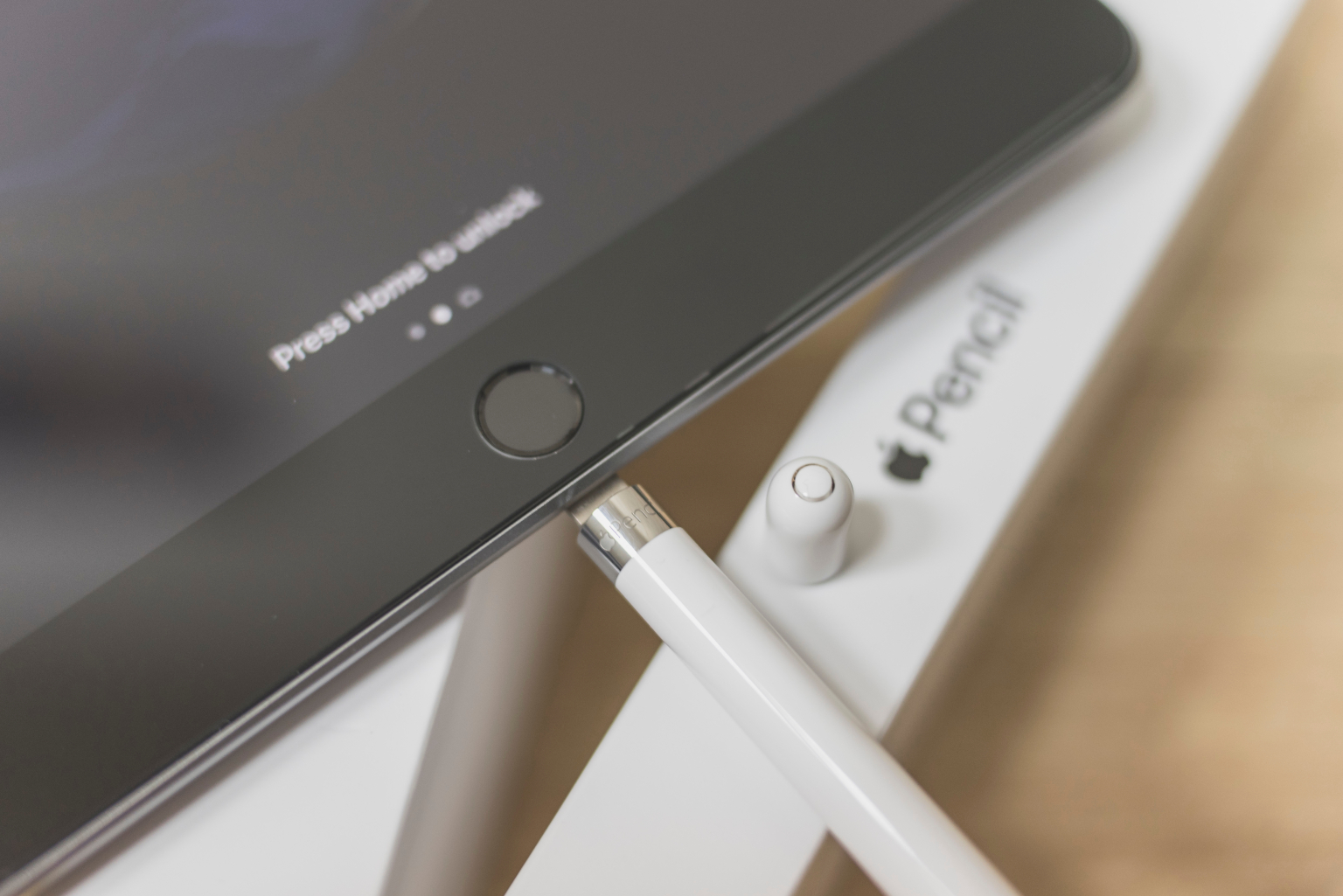
Now, here's where things get a little...interesting. The 1st gen Apple Pencil doesn't use fancy wireless charging pads. Nope. Instead, it rocks a good ol' Lightning connector hidden under a removable cap at the back. Think of it like a tiny, high-tech lightsaber hilt!
To charge it, you *literally* plug it directly into your iPad. Yep, you read that right. Remove the cap, and you'll see the Lightning connector. Then, just plug it straight into the Lightning port of your compatible iPad. It might look a little…well, let’s just say it’s not the most elegant design. It's a bit like a digital lollipop sticking out of your iPad. But hey, it works!
Why this direct connection? Well, Apple probably wanted a quick and efficient way to charge the Pencil. And direct power is definitely efficient! Think of it like plugging a lamp directly into the wall versus using a long, winding extension cord. Direct is faster!
Charging Times & Indicators: Are We There Yet?
So, how long does it take to charge this digital drawing companion? Thankfully, not long at all! Apple claims you can get 30 minutes of use from just 15 seconds of charging. Seriously! That's faster than brewing a cup of coffee! And a full charge? Expect around 30 minutes. Pretty speedy, wouldn't you say?
But how do you know when it's charged? Good question! When you plug the Pencil into your iPad, a little charging indicator will pop up on the screen. This nifty pop-up will show you the Pencil's current battery percentage. No more guessing games!
Imagine your Pencil is a tiny electric car. The charging indicator is like the fuel gauge. You want to see that gauge full before heading out on a long digital road trip, right?
The Adapter: Your Backup Plan
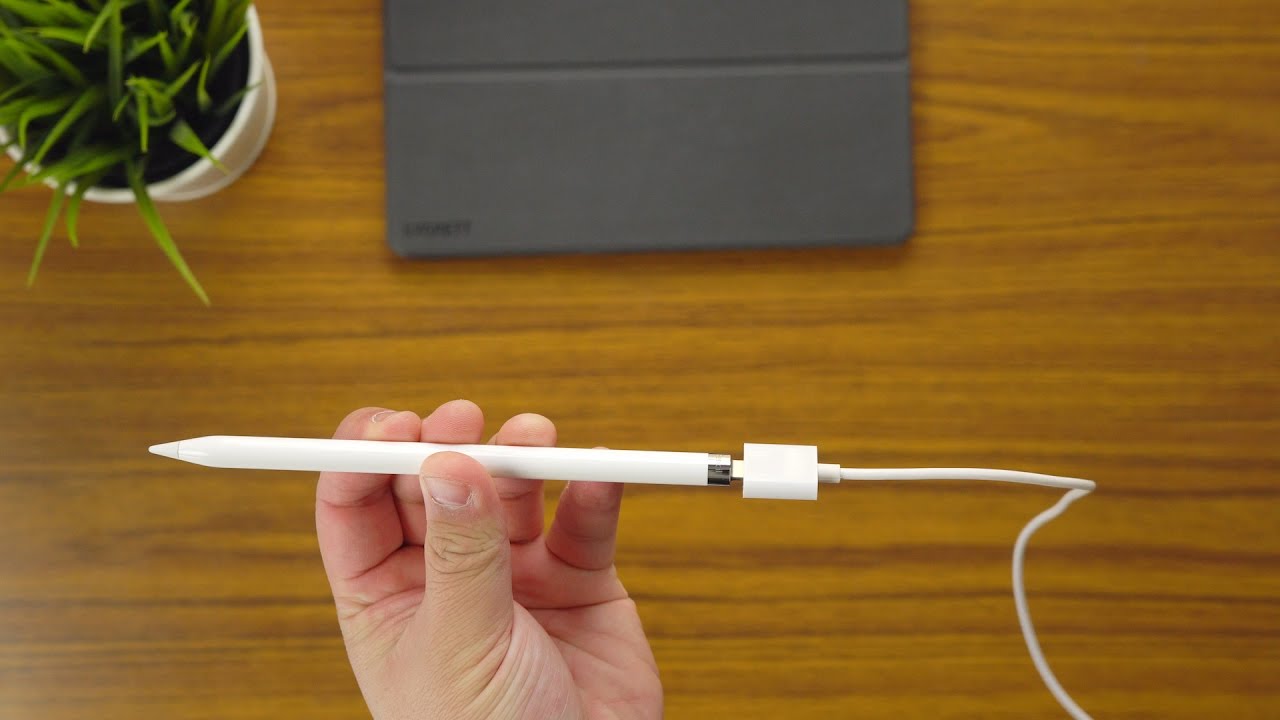
Okay, so plugging the Pencil directly into the iPad is the main method. But what if you're sketching in a tight space, or you just don't want to risk bumping the Pencil and bending the Lightning port? Apple thought of that! They included a small Lightning adapter in the box.
This little adapter lets you charge the Pencil using a standard Lightning cable and a wall adapter. It's like having a safety net! It offers a more stable and less…awkward charging solution. Think of it as charging your phone the normal way, but for your Pencil.
Keep this adapter safe! It's surprisingly easy to lose. Maybe stash it in your Pencil case or a small drawer. Future you will thank you!
Battery Life Tips & Tricks: Making It Last
Want to squeeze every last drop of battery life out of your Apple Pencil? Here are a few tips:
- Store it properly: When you're not using the Pencil, store it in a safe place where it won't get damaged. Avoid leaving it in direct sunlight or extreme temperatures.
- Keep it charged: Even if you're not using it regularly, top it up occasionally to prevent the battery from draining completely. A happy battery is a long-lasting battery!
- Check battery health: Keep an eye on the battery health in your iPad settings. Over time, batteries degrade, but you can get an idea of its current capacity.
Think of your Apple Pencil battery like a rechargeable toy. Treat it well, and it'll keep you entertained for hours! Neglect it, and you'll be reaching for the charger sooner than you think.
Is the 1st Gen Apple Pencil Charging Quirky? Yes. Is It Still Awesome? Absolutely!
Let's be honest: the charging method for the 1st gen Apple Pencil is a little…unconventional. But despite its quirks, the Pencil itself is a fantastic tool for creativity and productivity. So, embrace the oddness, keep that little Lightning connector clean, and enjoy the magic of digital drawing!
So there you have it! Everything you need to know about charging your 1st generation Apple Pencil. Now go forth and create!