Hey there, tech enthusiast! Ever wondered about the power lurking inside that little black brick that keeps your laptop alive? I'm talking about your laptop charger, of course! Specifically, how many watts it's packing. Let's dive into the surprisingly fascinating world of laptop charger wattage, shall we?
First off, what's a watt anyway? Think of it like this: watts are the measure of electrical power – how much energy your charger is slinging into your laptop per second. It's like the speed of the data being downloaded, but for power! More watts generally mean a faster charge. Though, that’s not *always* the case (more on that later!).
So, How Many Watts *Are* We Talking About?
Okay, the million-dollar question. There's no one-size-fits-all answer, unfortunately. It's like asking, "How much does a car cost?" It depends! A tiny, fuel-efficient laptop might need a charger with as little as 30 watts, while a beefy gaming laptop guzzling power for its fancy graphics card could require a whopping 200+ watts. Think of it as the difference between sipping tea and chugging an energy drink.
Generally, you'll find most laptop chargers hovering somewhere between 45 watts and 90 watts. That's the sweet spot for everyday laptops used for browsing, streaming, and maybe some light work. But don’t take my word for it! There's a super simple way to find the exact wattage of your charger.
Finding the Wattage: Detective Time!
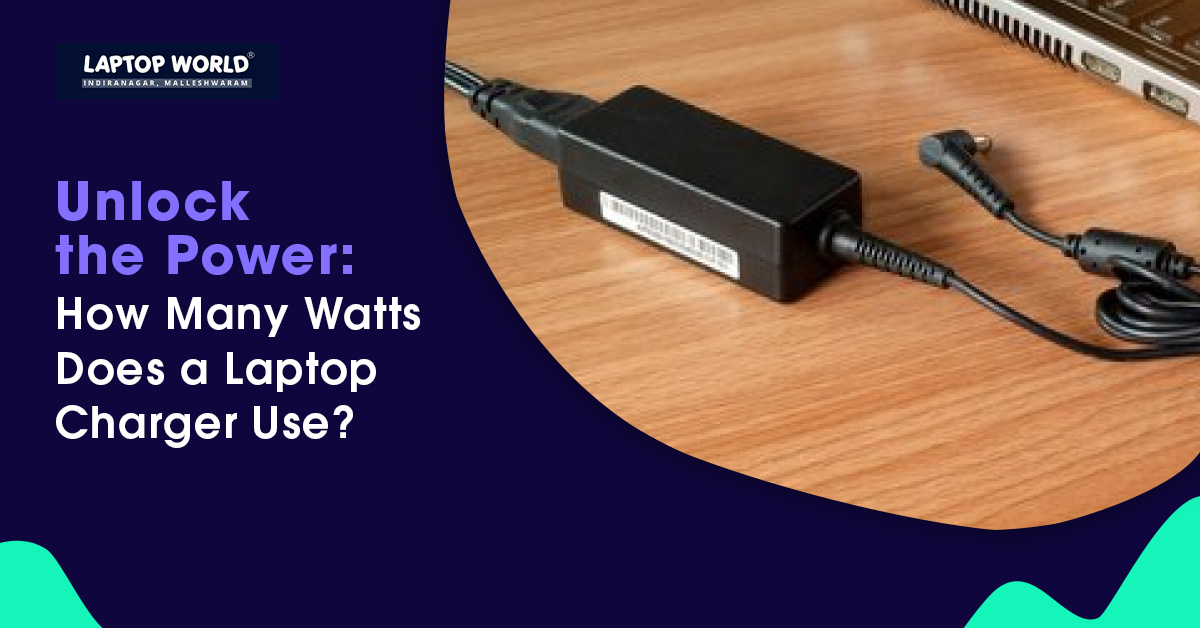
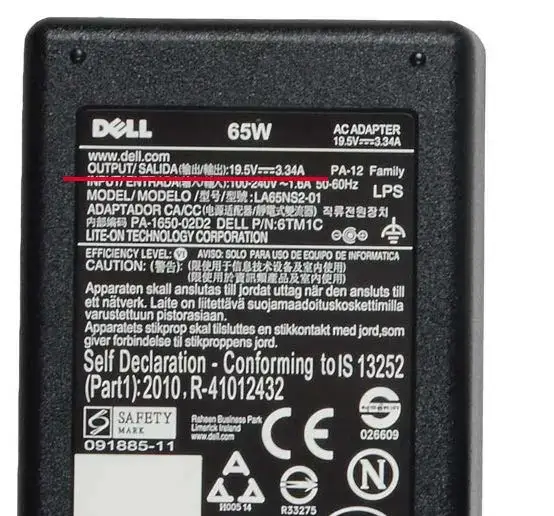
Time to put on your detective hat! Grab your charger (the brick part, not the cable) and give it a good once-over. Look for the tiny print. You're searching for something that looks like this: "Output: 20V 3A" or something similar. Don't be intimidated by the numbers and letters; it's easier than it looks!
The "V" stands for volts, and the "A" stands for amps. To calculate the wattage, simply multiply the volts by the amps! In our example (20V * 3A), that's 60 watts. Bingo! You’ve solved the mystery. Elementary, my dear Watson!
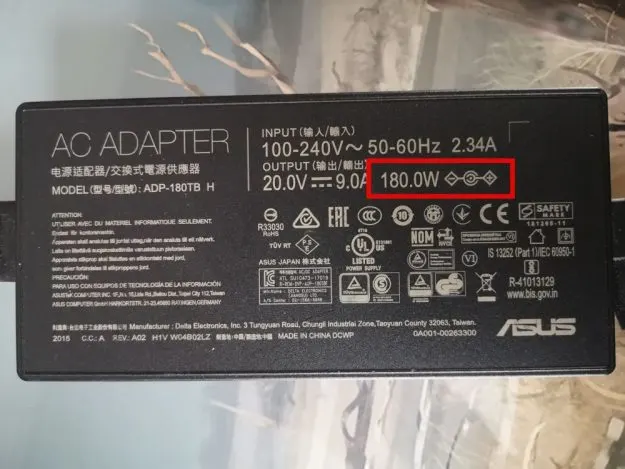
Sometimes, the wattage will be listed directly on the charger as something like "Output: 65W". Even easier, right? Manufacturers know we're all secretly scared of math.
Why Does Wattage Matter?
Why should you even care about watts? Well, here’s why. Using a charger with too low a wattage might result in your laptop charging very slowly, or even not charging at all while it's in use. It's like trying to fill a bathtub with a teaspoon.
Using a charger with too high a wattage (significantly higher) *could* potentially damage your laptop's battery in the long run, although modern laptops have safety mechanisms to prevent overcharging. Think of it like trying to force-feed your laptop electricity... not a good idea!
It's generally best to stick with the wattage that came with your laptop or a wattage that's very close. A few watts higher is usually fine, but avoid going drastically overboard. Safety first, folks!
The USB-C Wildcard
Now, let's throw a wrench into things! USB-C charging is becoming increasingly common, and it's a bit different. USB-C chargers can deliver varying amounts of power depending on the device and the charging protocol (like Power Delivery, or PD).
A USB-C charger that works perfectly for your phone might not be powerful enough to charge your laptop at full speed. Again, check the specifications! Just because it fits doesn't mean it's the right tool for the job. It’s like using a butter knife to cut a steak - technically possible, but not ideal.
Don't Overthink It!
Okay, I know this might seem like a lot to take in, but honestly, don't stress about it too much! Most of the time, using the charger that came with your laptop is the safest and easiest option. If you need a replacement, just look for one with the same voltage and wattage as your original charger. And when in doubt, consult your laptop's manual or the manufacturer's website.
In conclusion: Finding the wattage of your laptop charger is like a mini-adventure into the world of electronics. It's not as scary as it sounds, and once you know the basics, you'll be armed with the knowledge to keep your laptop powered up safely and efficiently. Now go forth and conquer the digital world, my friend, with a fully charged battery and a smile on your face!