Amp Not Turning On But Has Power
Ah, the sweet symphony of... nothing. We've all been there, right? You're ready to crank up your favorite tunes, plug in your guitar, or settle down for movie night, and your trusty amplifier decides to play a cruel trick. The power light is on, maybe the display flickers, the fan whirs softly – it's clearly on – but there's not a peep of sound. It's like your amp is giving you the silent treatment! This particular tech mystery, where your amp has power but refuses to fully "turn on" or produce any audio, is surprisingly common and can be incredibly frustrating. But fear not, fellow audio adventurer, because understanding this little conundrum can actually be quite a fun and empowering journey!
The beauty of troubleshooting this specific issue lies in its potential for a DIY victory. Instead of immediately lugging your heavy gear to a repair shop (and shelling out hard-earned cash), many of these "amp-has-power-but-no-sound" dilemmas have surprisingly simple solutions. Our purpose today is to equip you with some basic diagnostic superpowers, helping you understand what's going on inside your amp's digital brain and how to coax it back into delivering glorious sound. The benefits are clear: you save money, you learn more about your equipment, and you get that deeply satisfying feeling of fixing something yourself!
So, where do you begin when your amp is powered up but playing mute? Let's start with the most obvious culprits, because often, the simplest explanation is the right one. First, double-check your speaker connections. Are they securely plugged into the correct terminals? Are the wires frayed or shorting out against each other or the amp chassis? A common reason an amp might power on but not produce sound is its built-in protection mode. This intelligent feature is the amp's way of safeguarding itself (and your speakers) from damage, often triggered by a short circuit in the speaker wires or an impedance mismatch. If your amp detects an issue, it might illuminate a "protect" light or simply refuse to output sound, even if everything else seems operational. Try disconnecting all speakers, powering the amp off completely, waiting a minute, and then reconnecting just one known-good speaker. If that works, you've found your culprit!
Must Read
Next up, give some love to your input sources and cables. Is the correct input selected on your amp? Is the source device (CD player, turntable, phone, instrument) actually playing and sending a signal? Are your input cables securely connected and in good condition? Sometimes, a faulty RCA cable or a loose instrument cable is all it takes to silence the room. Also, check the obvious: is the volume turned up (not just on the amp, but on your source device too!) and is the mute function accidentally engaged? Many amps also have internal fuses beyond the main power fuse, which might protect specific sections like the audio output. While internal fuse replacement is best left to a professional if you're not comfortable, simply knowing it's a possibility can inform your diagnostic process.
Finally, consider the amp's environment. Is it getting enough ventilation? An overheating amplifier can also trigger protection mode. Give it some breathing room and let it cool down before trying again. If, after all these checks, your amplifier is still giving you the silent treatment, it might be time to concede defeat and call in the professionals. But often, with a little patience and these simple checks, you can bring your audio gear back to life, transforming that frustrating silence into a triumphant roar!
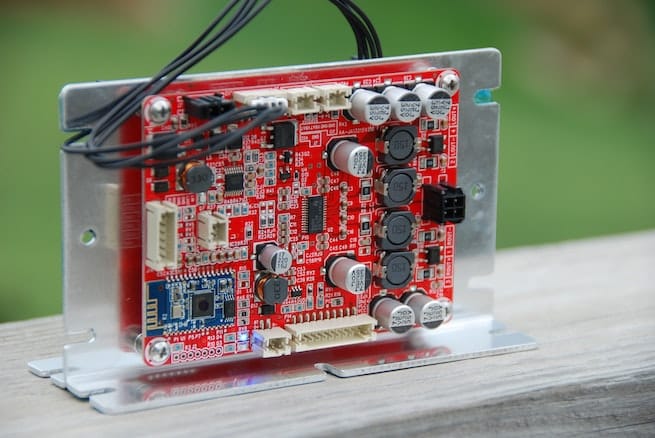
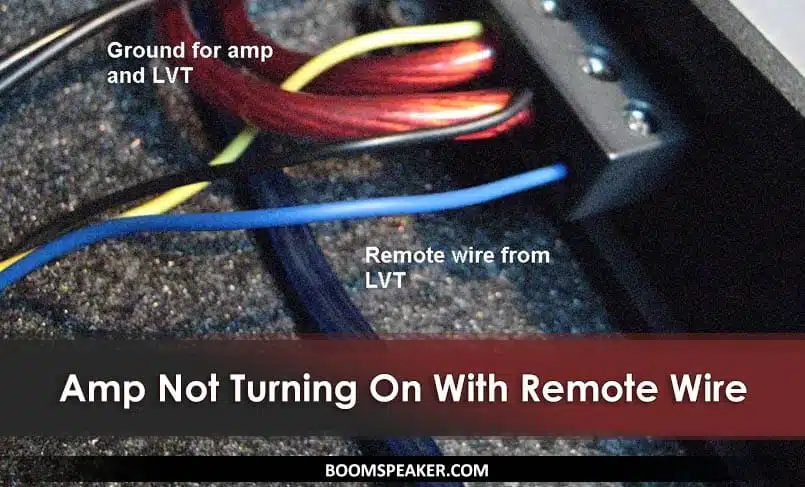
![Amp Not Turning on Remote Wire [Solved]](https://guitarinsighter.com/wp-content/uploads/Amp-Not-Turning-on-Remote-Wire.jpg)